Hey Erlin in Slack and Telegram, and runs you approve in one click
Hey Erlin now answers in Slack and Telegram (beta) and can set up prompt runs for you to approve. Plus focus topic tracking in reports and a website chat that only saves real leads.
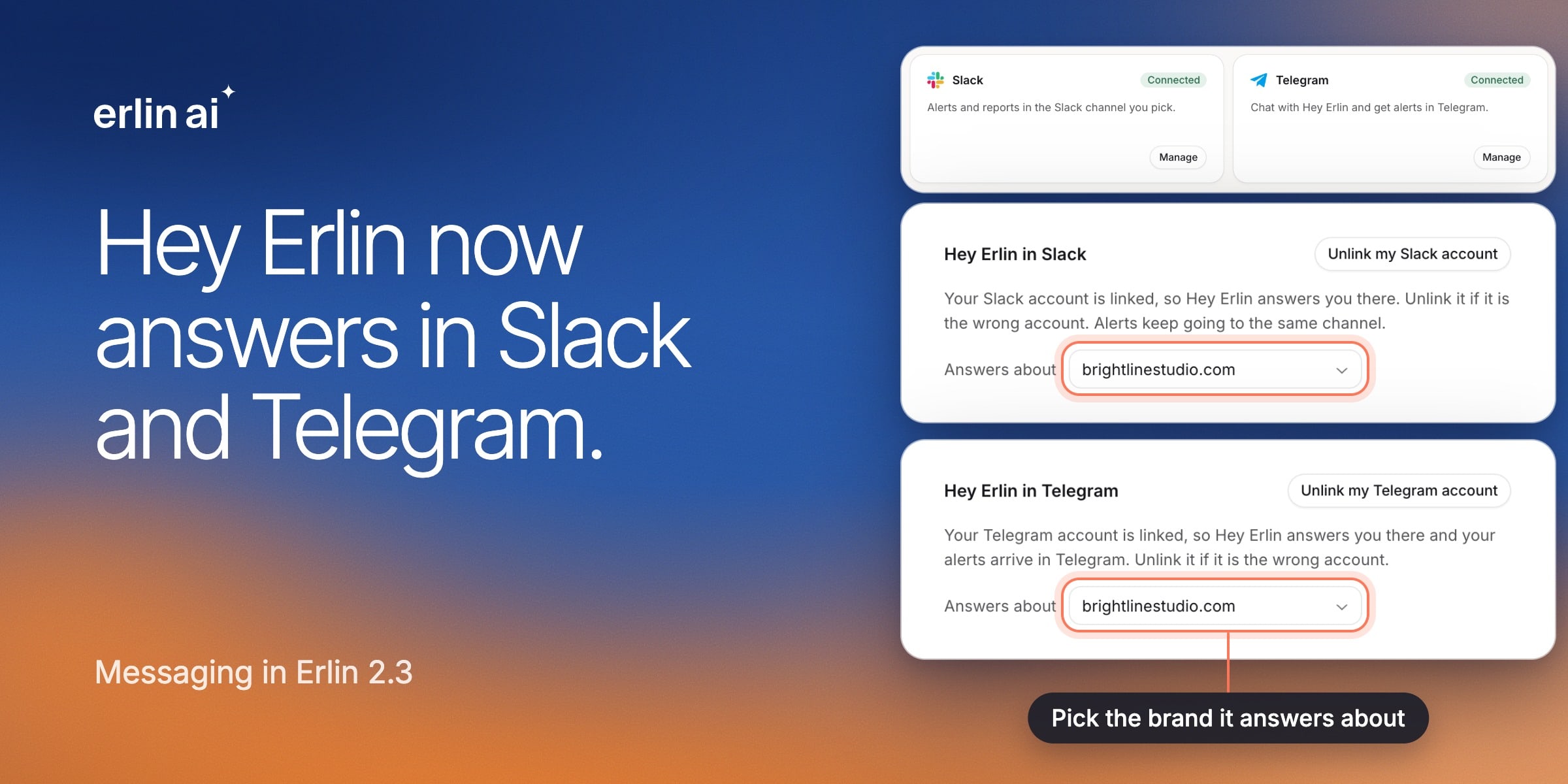
Ask Hey Erlin from Slack and Telegram
Get answers about your brand without opening Erlin. Link your account in Integrations, pick the brand, and message Hey Erlin like you would a teammate.
- Slack - Your alerts keep going to the same channel. Already use Slack with Erlin? Click Reconnect once to start chatting.
- Telegram (beta) - Connect Telegram to chat with Hey Erlin and get your alerts there too.
Approve a prompt run in one click
Ask Hey Erlin to check how you show up in AI answers, and it sets up the run for you. You see the prompts, the platforms and the credit cost first, and nothing runs until you click Approve. It works the same when you ask from Slack, Telegram or an AI assistant connected to Erlin.
See Hey Erlin.
See how your focus topic is doing
The new Focus topic progress widget in Reports shows the topic you care about most against last month: search clicks, position, visits from AI and how it does in AI answers. Your next report also starts with the same layout as your last one, so there is nothing to set up again.
See Reports.
Only real leads from your website chat
The chat now confirms each visitor's email with a quick code before it saves them as a lead, so every chat lead in your CRM is someone you can reach. It also steers off-topic questions back to your business.
See Website chat.
Clearer credits
Erlin sets aside the credits a run needs before it starts, so prompt runs at the same time never spend more than you have. Billing shows your plan credits and the credits you bought separately. If your OpenRouter key stops working, Erlin tells you straight away and shows how to replace it.
See Credits.
Good to know
- Each Hey Erlin answer uses 2 credits. With your own OpenRouter key, it uses none.
- Running a single prompt again now uses credits, like any other run.
- Scores in report emails and Slack messages now match your dashboard, so some may read lower than before.
Smaller improvements
- Long lead names fit neatly in the CRM.
- Click rate in reports shows two decimals.