Qualified leads book themselves, daily prompt runs and branded search
A redesigned Lead Qualification with Calendar and booking pages, goals that close themselves, daily prompt runs, Brand refresh, branded vs non-branded search in reports and Webflow drafts.
Lead Qualification, redesigned
Set Erlin up around what you want it to do with your leads, then tune each part in its own tab.
- Start from your goals - Pick what Erlin should do: book meetings, qualify leads, answer questions, filter spam, follow up or reply to form leads. Each goal takes you to the tab that sets it up.
- Seven clear tabs - Goals, Qualification, When qualified, Sources, Follow-up, Behaviour and Setup.
- Go live when you are ready - The top of the page shows Draft, Live or Paused. Go live, Pause and Resume sit next to it, and Erlin tells you what is still missing before you go live.
- Try it first - Chat as a visitor with your saved settings before anyone else does.
- Scores for your list - Choose the scores the CRM uses to label leads High, Medium and Low. While Lead Qualification is live, leads are scored even when email follow-up is off.
- Suggested rules - Erlin suggests bad-lead rules based on your business, so the wrong inquiries don't take up your time.
See Lead Qualification.
Qualified leads book themselves
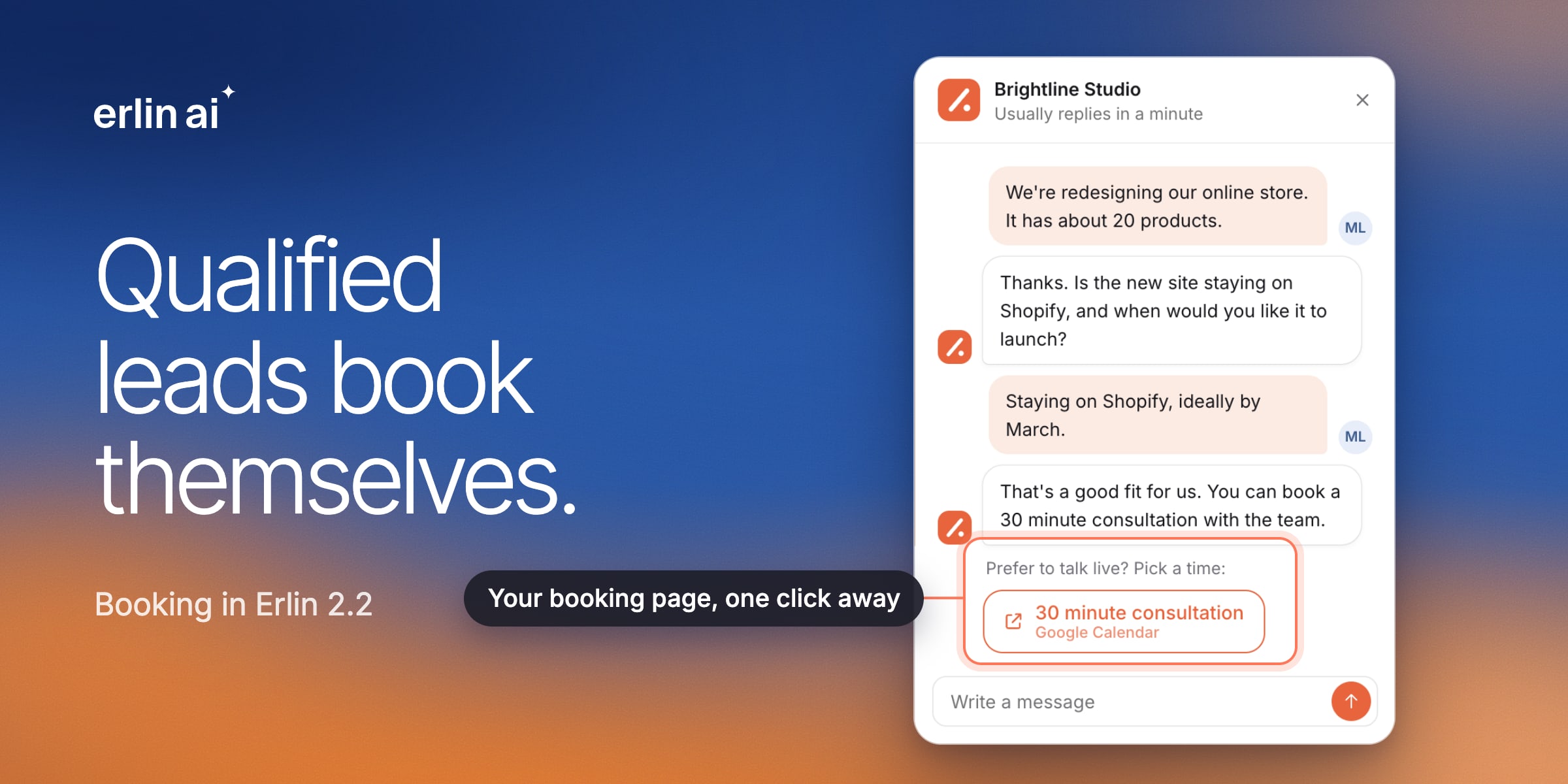
Erlin now books meetings for you, on your own calendar.
- Calendar - Connect Google or Outlook Calendar from Integrations, set your weekly hours and create booking pages with their own length and meeting link.
- Booking in the chat - When a lead qualifies, the chat offers a link to your booking page. The lead picks a time, and the meeting lands on your calendar.
- Calendly and Cal.com - Connect either one. Bookings made after you connect show in Erlin and are linked to the right lead.
- Offices and chat hours - Keep a list of up to 20 offices for in-person meetings, and copy your Calendar hours into the chat's office hours.
- Bookings in one place - See upcoming meetings and cancel any of them from Erlin. Bookings from Erlin and Cal.com reschedule in Erlin, and Calendly bookings reschedule on Calendly.
Goals that close themselves
You no longer have to mark every win by hand.
- Bookings close goals - A meeting booked through Erlin, Calendly or Cal.com closes the lead's goal. If that meeting is cancelled, the goal opens again.
- Emails close goals - When a lead or your team confirms in writing, Erlin closes the goal.
- Looks achieved - When a conversation suggests a goal was met, the CRM marks the lead, and you confirm it with one click.
See CRM.
A website chat you can trust
- Runs from your Erlin tag - No second snippet. The chat shows only while Lead Qualification is live, and pausing hides it everywhere.
- Approved claims only - Turn it on and Erlin sticks to facts from your business knowledge, and checks each answer for invented prices, percentages and promises.
- Asks before it books - When you have written qualifying questions, the chat asks them before it offers a meeting or asks for contact details.
- Your name in the header - Visitors see your company name at the top of the chat.
See Website chat.
Daily prompt runs
- Run every day - Schedule prompts daily on the Standard plan and above. Keep it running, or stop after 30 days. Scheduled runs cover folders of up to 1,000 prompts.
- See the cost first - Before you save, Erlin shows the credits for one run and for the month, next to your balance.
- Charged for answers only - A run that stops partway charges only for the prompts that got an answer.
- Bigger lists - Upload up to 5,000 prompts from a CSV, track or dismiss several suggestions at once, and open big folders quickly.
See Track prompts.
Citations you can act on
- Priority - Every cited page gets a score out of 100 for how much winning it could help you. Your own pages show as Yours.
- Status - See whether each page was analysed, blocked, not found or removed, and filter by it.
- Pages to win - One click shows the pages most worth your effort. Exports include up to 10,000 rows that match your filters.
See Citations.
Branded vs non-branded search in reports
- Where growth comes from - New widgets split clicks from searches for your name from everything else, and estimate the visits and revenue behind each.
- Top non-branded pages - See which pages bring in people who did not search for you.
- Compare with last year - Choose Last month and last year in Compare with to see every number against the same month a year ago.
- A password for share links - Set a share password for a brand, and every share link of that brand asks for it.
See Reports.
Brand refresh and business type
- Brand refresh - Once a month, Erlin reads your website again, when you click Refresh now or automatically on a day you pick. It keeps your own edits, and you can undo a refresh for 30 days. On paid plans.
- Business type - Tell Erlin what kind of business you run. It shapes your reports and menu, and a refresh can suggest a better fit.
See Brand refresh.
Publishing and content
- Webflow drafts - Save an article to Webflow as a draft or publish it, on the site linked to its brand. Erlin asks before a draft would take a live post offline, in Webflow and WordPress.
- Faster Content library - The library loads the latest pieces first, with Load more, and exports up to 2,000 pieces that match.
See Webflow.
Setup and help
- Pick up where you left off - Setup continues from the step you reached when you sign in again.
- Clear website checks - Erlin says when a website is already managed by another account, before any credit is used, and asks for a public address.
- What's new - The Help menu links to these release notes and to the new docs.
Fixed
- Links in "Your pages cited" open correctly.
- A cancelled or failed run no longer stays marked as running.
Changes
- The self-serve free trial of the SEO MCP Server has ended. MCP comes with the paid plans that include it.
- Scheduled runs no longer create Opportunity tasks on their own. When you have no open tasks, click Find new tasks.