# Get help from the Erlin team
> Contact the Erlin team from Hey Erlin with Send feedback, track your submissions, or email help@erlin.ai.
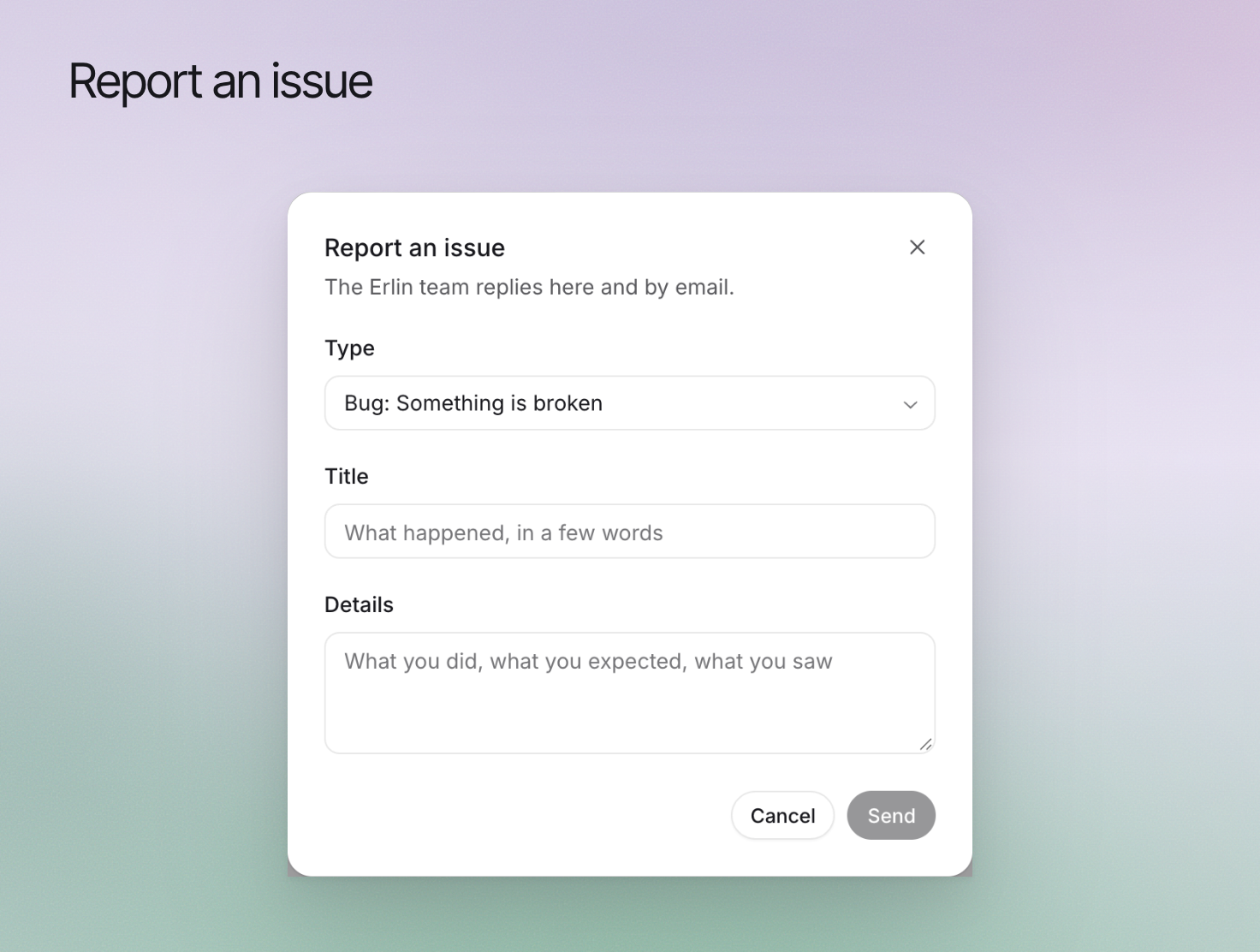 You reach the Erlin team from inside the app: open Hey Erlin, choose **Send feedback**, and the team replies under **My submissions**. In **Settings > Support**, **Report an issue** opens the same form. You can also email help@erlin.ai.
Any of these opens the Hey Erlin panel: the Hey Erlin button in the top bar, **Help > Contact support**, or **Cmd+Shift+F** on Mac (**Ctrl+Shift+F** on Windows). For questions about your brand's data, see [Hey Erlin](https://www.erlin.ai/docs/get-started/hey-erlin).
## Describe the problem
Pick the **Type** that fits:
| Type | Use it for |
| --- | --- |
| **Bug** | Something is broken |
| **Idea** | Something new you would like |
| **Hard to use** | It works, but it is confusing |
| **Feedback** | What you think |
| **Other** | Anything else |
Write a short **Title** and the **Details**: what you did, what you expected and what you saw. For **Bug**, **Hard to use** and **Other**, choose **How bad is it**: Low, Medium, High or Critical. Keep each report to one issue.
## Include relevant evidence
Add up to 10 screenshots, 5 MB each. Erlin records the page you were on with your report, so the team can see where you were. Remove API keys, passwords and unrelated personal information before attaching a screenshot.
For a billing question, name the invoice or Credit history entry and its date without sharing card details.
## Follow the existing request
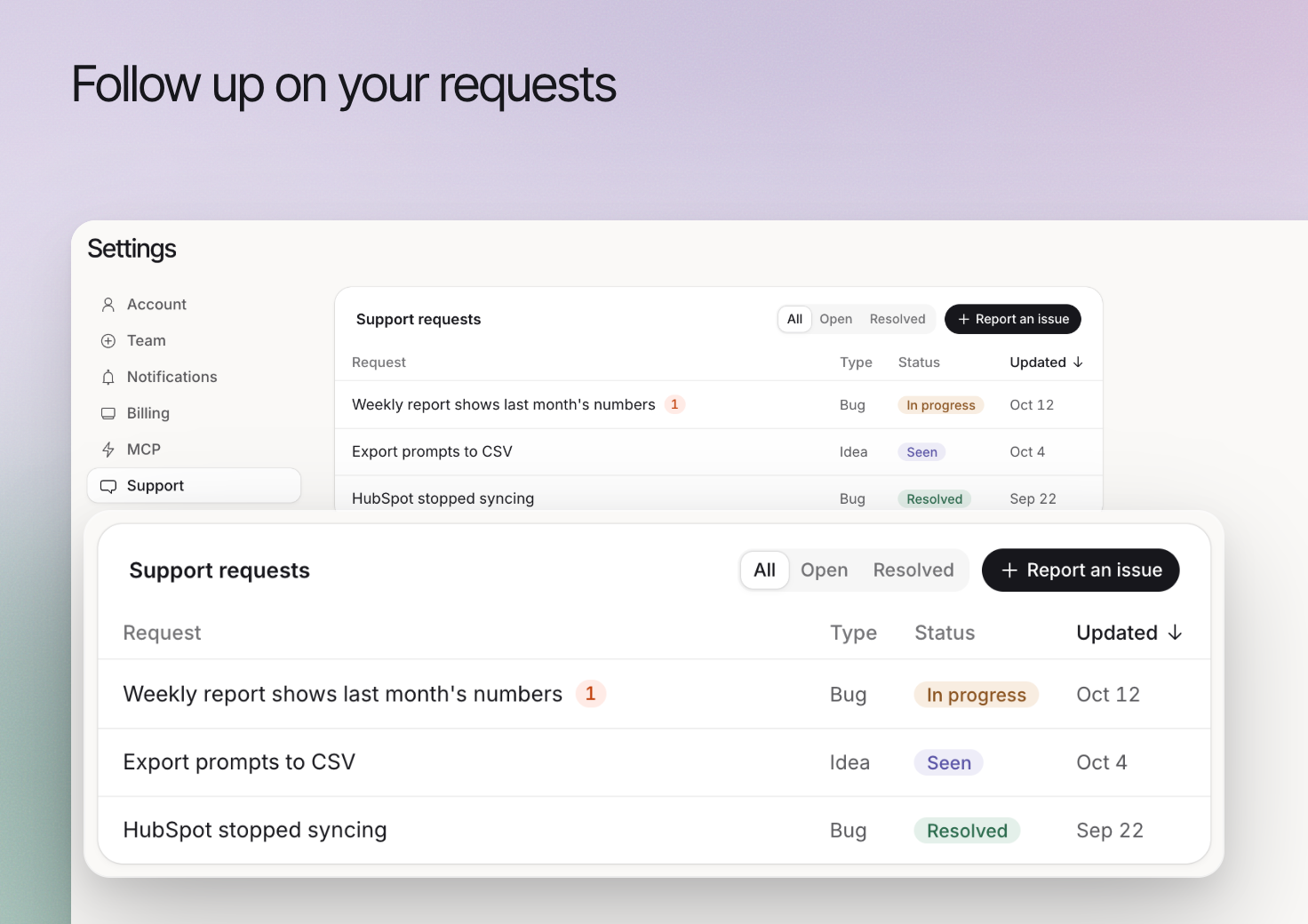
**Support requests** in **Settings > Support** (and **My submissions** in Hey Erlin) list everything you sent, with the team's replies. Filter by **All**, **Open** or **Resolved**, and click a row to read the thread and reply.
| Status | Meaning |
| --- | --- |
| **Open** | You sent it |
| **Seen** | The team has picked it up |
| **In progress** | The team is working on it |
| **Resolved** | Done |
| **Closed** | The team will not take it further |
You reach the Erlin team from inside the app: open Hey Erlin, choose **Send feedback**, and the team replies under **My submissions**. In **Settings > Support**, **Report an issue** opens the same form. You can also email help@erlin.ai.
Any of these opens the Hey Erlin panel: the Hey Erlin button in the top bar, **Help > Contact support**, or **Cmd+Shift+F** on Mac (**Ctrl+Shift+F** on Windows). For questions about your brand's data, see [Hey Erlin](https://www.erlin.ai/docs/get-started/hey-erlin).
## Describe the problem
Pick the **Type** that fits:
| Type | Use it for |
| --- | --- |
| **Bug** | Something is broken |
| **Idea** | Something new you would like |
| **Hard to use** | It works, but it is confusing |
| **Feedback** | What you think |
| **Other** | Anything else |
Write a short **Title** and the **Details**: what you did, what you expected and what you saw. For **Bug**, **Hard to use** and **Other**, choose **How bad is it**: Low, Medium, High or Critical. Keep each report to one issue.
## Include relevant evidence
Add up to 10 screenshots, 5 MB each. Erlin records the page you were on with your report, so the team can see where you were. Remove API keys, passwords and unrelated personal information before attaching a screenshot.
For a billing question, name the invoice or Credit history entry and its date without sharing card details.
## Follow the existing request
**Support requests** in **Settings > Support** (and **My submissions** in Hey Erlin) list everything you sent, with the team's replies. Filter by **All**, **Open** or **Resolved**, and click a row to read the thread and reply.
| Status | Meaning |
| --- | --- |
| **Open** | You sent it |
| **Seen** | The team has picked it up |
| **In progress** | The team is working on it |
| **Resolved** | Done |
| **Closed** | The team will not take it further |
 ## Review the response
Erlin emails you when support replies, and a badge counts new replies. If the problem remains, reply in the same thread with what you tried.
For account, billing or Enterprise questions, or anything else, write to help@erlin.ai.
## Review the response
Erlin emails you when support replies, and a badge counts new replies. If the problem remains, reply in the same thread with what you tried.
For account, billing or Enterprise questions, or anything else, write to help@erlin.ai.