# Review credits and usage
> Credits pay for visibility checks and content: 2 credits per prompt per platform, and 10 credits per 300 words of content.
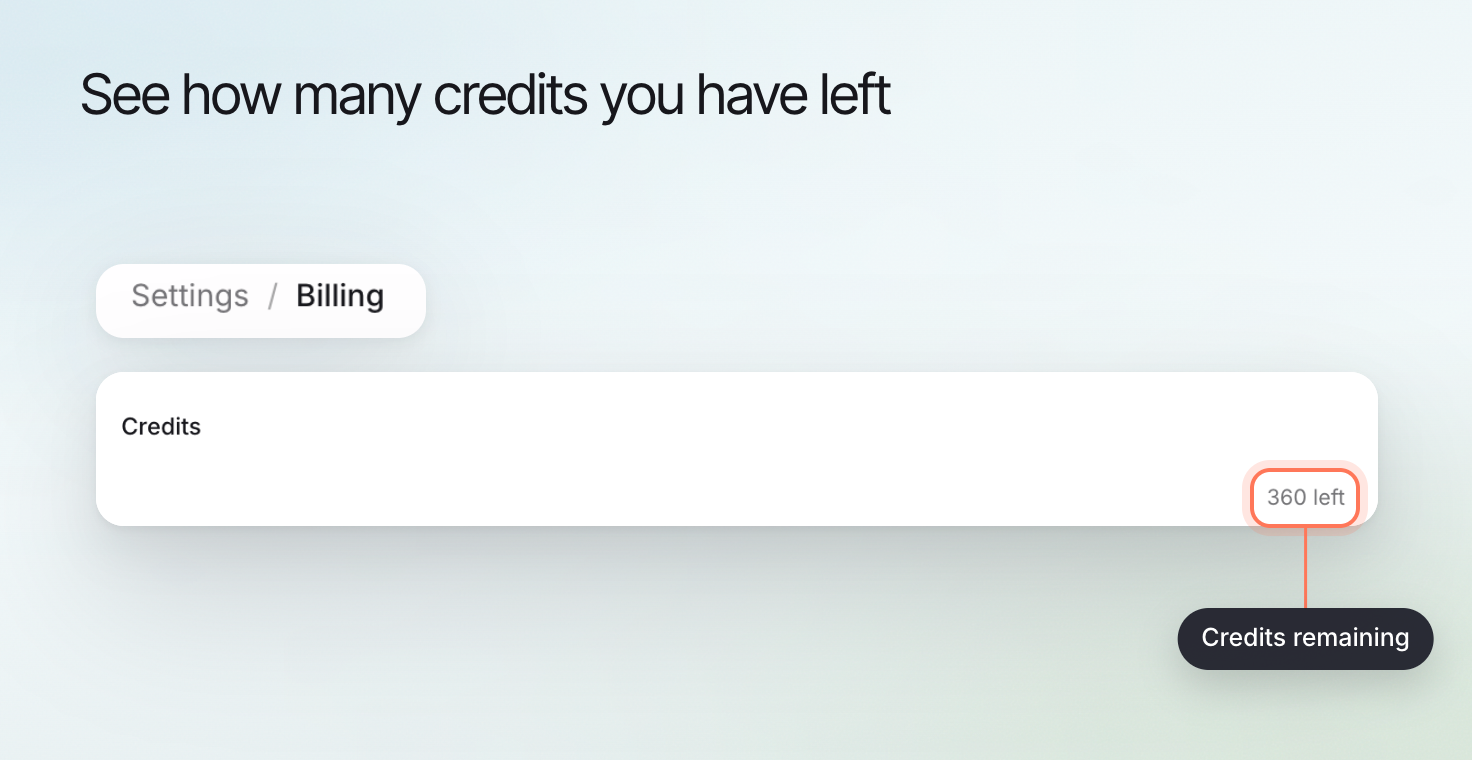 Credits pay for the work Erlin does with AI. A visibility check costs 2 credits per prompt on each platform, and content costs 10 credits per 300 words. Your balance shows as the **Credits** meter in **Settings > Billing**, with a caption like "1,240 left".
| Action | Cost |
| --- | --- |
| Visibility check | 2 credits per prompt on each platform that returns an answer |
| Brief or article | 10 credits per 300 words, rounded up to a whole credit |
| Article edit | 10 credits per 300 words of net words added |
| Checking a page in Content optimization | 7 credits for each completed check |
These cost no credits:
- Website analysis. It counts against your plan's website limit instead.
- **Find new tasks** in Opportunity & Action.
- New prompt suggestions from **Discover more** on the Discovery tab. On the Free plan, Discover more writes up to 15 prompts a month.
- Anything a key you added covers (see below).
Keyword analysis counts against your plan's keyword limit, not your credits. Billing shows it as a **Keyword lookups** meter. See [Plans and billing](https://www.erlin.ai/docs/settings/plans-and-billing).
## Check the account balance
Open **Settings > Billing** and read the **Credits** meter on the plan card. The refresh button reloads your plan, credits, history and invoices, and shows when they were last updated.
Each prompt runs on the platforms you chose in **Run prompts on**, and Erlin charges 2 credits for each platform that returns an answer: prompts × platforms that answered × 2. Example: 5 prompts on 3 platforms is 5 × 3 × 2, or 30 credits. If one platform fails on one prompt, Erlin charges 28.
Content is priced by length: Erlin counts the words it writes, divides by 300, multiplies by 10 and rounds up. A 1,847-word article costs 62 credits, a 1,500-word article 50, and a 450-word brief 15. An edit is charged only on net words added: going from 1,800 to 1,840 words costs 2 credits, and shortening or rephrasing costs nothing.
A Content optimization check costs 7 credits whatever the page's length. Opening a saved check is free, and applying its fixes is priced as content, by net words added.
## Inspect recorded activity
Open **Credit history** to see every change to your balance: date, what it was for, type (Used, Refund, Assigned, Granted or Bought), credits added or spent, and the balance after. Match the entry to the action and time you are investigating.
A visibility run or Content optimization check that fails or does not complete costs nothing, so check a task's status before running it again.
## Distinguish provider usage
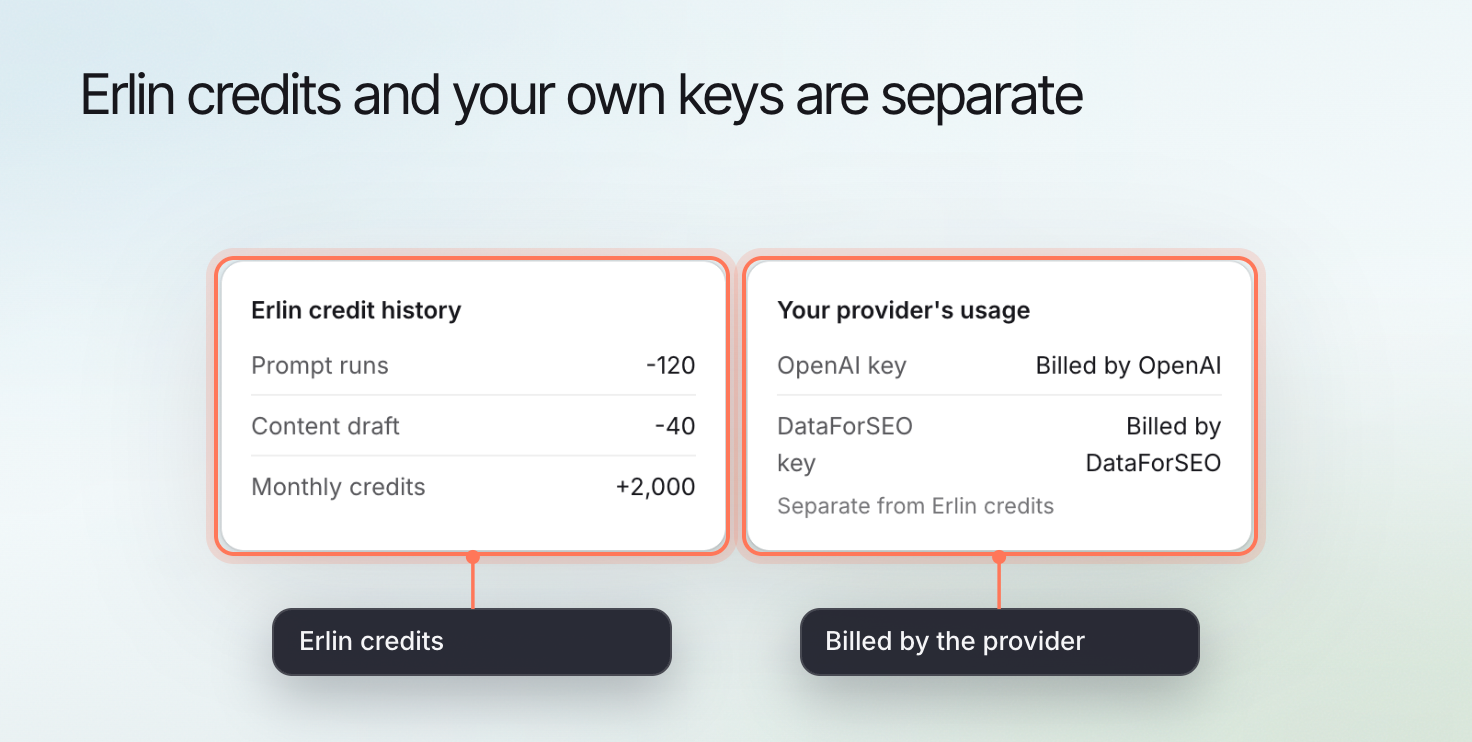
If your plan includes bring your own key, the keys you add pay the provider directly and Erlin charges no credits for what they cover:
- An OpenRouter key covers ChatGPT, Perplexity, Gemini and Claude checks, content, and Content optimization checks.
- A SerpApi or DataForSEO key covers Google AI Overview and Google AI Mode. Without one, those two platforms still cost 2 credits per prompt.
Calls through your OpenRouter key appear in **OpenRouter key usage** in Billing, not in Credit history. Erlin warns you when your OpenRouter balance runs low. See [API keys](https://www.erlin.ai/docs/settings/api-keys).
Credits pay for the work Erlin does with AI. A visibility check costs 2 credits per prompt on each platform, and content costs 10 credits per 300 words. Your balance shows as the **Credits** meter in **Settings > Billing**, with a caption like "1,240 left".
| Action | Cost |
| --- | --- |
| Visibility check | 2 credits per prompt on each platform that returns an answer |
| Brief or article | 10 credits per 300 words, rounded up to a whole credit |
| Article edit | 10 credits per 300 words of net words added |
| Checking a page in Content optimization | 7 credits for each completed check |
These cost no credits:
- Website analysis. It counts against your plan's website limit instead.
- **Find new tasks** in Opportunity & Action.
- New prompt suggestions from **Discover more** on the Discovery tab. On the Free plan, Discover more writes up to 15 prompts a month.
- Anything a key you added covers (see below).
Keyword analysis counts against your plan's keyword limit, not your credits. Billing shows it as a **Keyword lookups** meter. See [Plans and billing](https://www.erlin.ai/docs/settings/plans-and-billing).
## Check the account balance
Open **Settings > Billing** and read the **Credits** meter on the plan card. The refresh button reloads your plan, credits, history and invoices, and shows when they were last updated.
Each prompt runs on the platforms you chose in **Run prompts on**, and Erlin charges 2 credits for each platform that returns an answer: prompts × platforms that answered × 2. Example: 5 prompts on 3 platforms is 5 × 3 × 2, or 30 credits. If one platform fails on one prompt, Erlin charges 28.
Content is priced by length: Erlin counts the words it writes, divides by 300, multiplies by 10 and rounds up. A 1,847-word article costs 62 credits, a 1,500-word article 50, and a 450-word brief 15. An edit is charged only on net words added: going from 1,800 to 1,840 words costs 2 credits, and shortening or rephrasing costs nothing.
A Content optimization check costs 7 credits whatever the page's length. Opening a saved check is free, and applying its fixes is priced as content, by net words added.
## Inspect recorded activity
Open **Credit history** to see every change to your balance: date, what it was for, type (Used, Refund, Assigned, Granted or Bought), credits added or spent, and the balance after. Match the entry to the action and time you are investigating.
A visibility run or Content optimization check that fails or does not complete costs nothing, so check a task's status before running it again.
## Distinguish provider usage
If your plan includes bring your own key, the keys you add pay the provider directly and Erlin charges no credits for what they cover:
- An OpenRouter key covers ChatGPT, Perplexity, Gemini and Claude checks, content, and Content optimization checks.
- A SerpApi or DataForSEO key covers Google AI Overview and Google AI Mode. Without one, those two platforms still cost 2 credits per prompt.
Calls through your OpenRouter key appear in **OpenRouter key usage** in Billing, not in Credit history. Erlin warns you when your OpenRouter balance runs low. See [API keys](https://www.erlin.ai/docs/settings/api-keys).
 ## Resolve a balance problem
Erlin spends plan credits first, then top-up credits, which never expire. Plan credits renew with your plan: monthly plans reset every billing cycle, and Free renews on the day you joined. If you do not have enough credits for an action, Erlin blocks it with an "Insufficient credits" message. Buy more from the pricing page **Add-ons** tab, or upgrade.
If an entry looks wrong, send [Support](https://www.erlin.ai/docs/settings/support) the action and time without sharing payment details or API keys.
Continue with [Plans and billing](https://www.erlin.ai/docs/settings/plans-and-billing), [API keys](https://www.erlin.ai/docs/settings/api-keys) or [MCP credits and limits](https://www.erlin.ai/docs/mcp/credits-and-limits).
## Resolve a balance problem
Erlin spends plan credits first, then top-up credits, which never expire. Plan credits renew with your plan: monthly plans reset every billing cycle, and Free renews on the day you joined. If you do not have enough credits for an action, Erlin blocks it with an "Insufficient credits" message. Buy more from the pricing page **Add-ons** tab, or upgrade.
If an entry looks wrong, send [Support](https://www.erlin.ai/docs/settings/support) the action and time without sharing payment details or API keys.
Continue with [Plans and billing](https://www.erlin.ai/docs/settings/plans-and-billing), [API keys](https://www.erlin.ai/docs/settings/api-keys) or [MCP credits and limits](https://www.erlin.ai/docs/mcp/credits-and-limits).