# Use MCP workflow prompts
> Five ready-made Erlin workflows in Claude's slash menu: weekly visibility, competitors, content opportunities, search performance and fan-out audit.
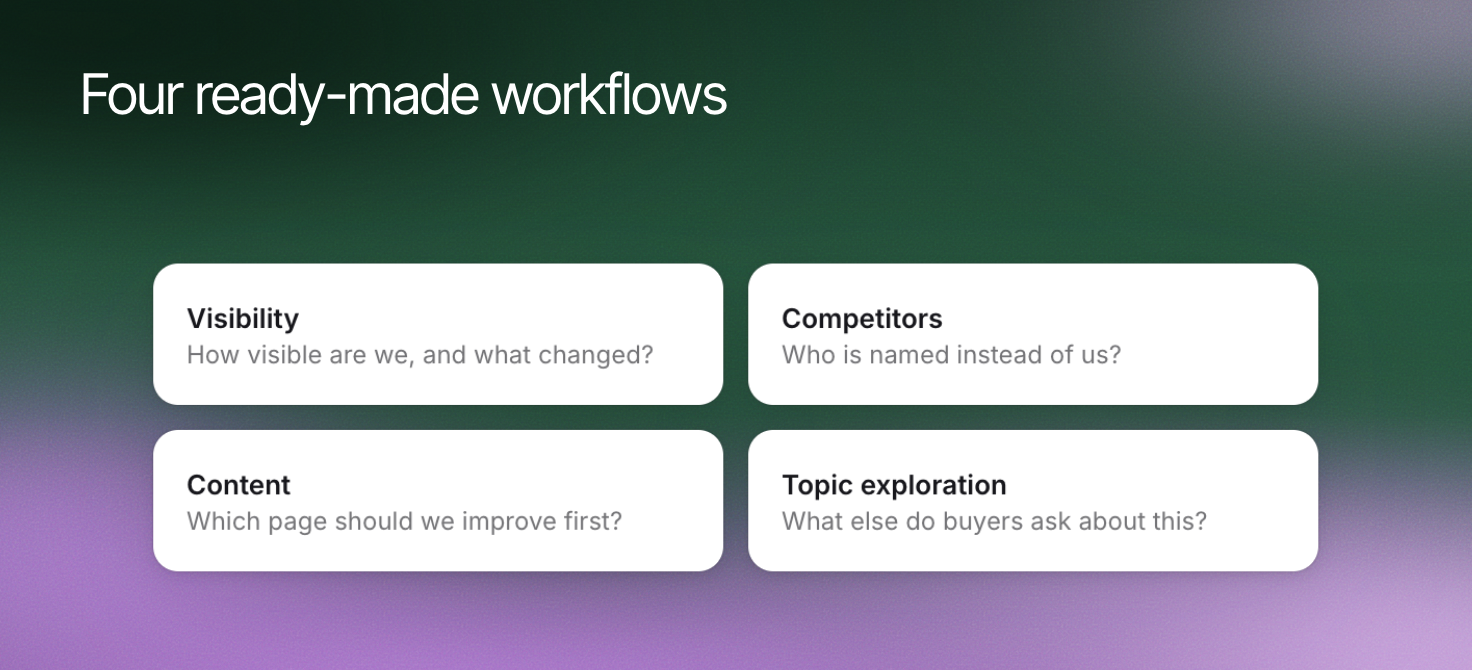 Slash commands are ready-made Erlin workflows that call several tools and return one formatted report. Type `/` in the Claude message box, pick an Erlin command, and the report comes back in the same conversation.
Most commands need no input: Erlin uses your website if you track only one, and your default collection, which holds all your prompts (All prompts in the app). If you track more than one website, Claude asks which one, or you can name it, for example `website_url="acme.com"`.
## Choose a workflow
| Command | What you get | Input |
|---|---|---|
| `/erlin_weekly_visibility` | A 7-day summary: AI visibility and its trend, citation rate, share of voice, AI responses captured, and the top 10 brands by share of voice, with yours marked "(you)" | Optional website and collection name |
| `/erlin_competitor_deep_dive` | A 20-row leaderboard by share of voice, with a star on competitors you track and a "Track these competitors?" list of the top 5 you do not | Optional website and `days` (default 30) |
| `/erlin_content_opportunities` | Up to 10 pages to fix first, matched across content decay, recommendations and Search Console impressions, each with a tier and a "Why now" reason | Optional website and `limit` |
| `/erlin_search_performance` | A Search Console review: organic search performance with your branded split, and coverage health | Optional website and `days` (default 28) |
| `/erlin_fanout_audit` | Which competitors win each variation of a topic in AI answers | A topic, as `head_topic` |
The competitor deep dive's `days` value only labels the date range shown on the report. It does not change which data the leaderboard uses.
In the content opportunities report, a page is **Critical** when it is decaying, has top-quartile Search Console impressions and has a recommendation; **High** when it is decaying with a recommendation, or has top-quartile impressions with a recommendation; and **Medium** with a recommendation only. The Search Console signal needs [Google Search Console](https://www.erlin.ai/docs/integrations/google-search-console) connected.
In the search performance review, **Organic search performance** lists your top pages with clicks, impressions, CTR and average position, plus your branded versus non-branded split. **Coverage health** counts your URLs in each index status, and flags a coverage issue when more than 10% are not indexed or not crawled. It reads your last synced Search Console data: ask Claude to sync first, or run it with `sync_first` set to true.
```
/erlin_search_performance days=90 sync_first=true
```
A workflow organizes the data in your account. It does not create data that is missing.
## Review changes requested by a workflow
Three commands only read. `/erlin_search_performance` also starts a Search Console sync when you set `sync_first` to true. `/erlin_fanout_audit` changes your account:
```
/erlin_fanout_audit head_topic="best CRM for startups"
```
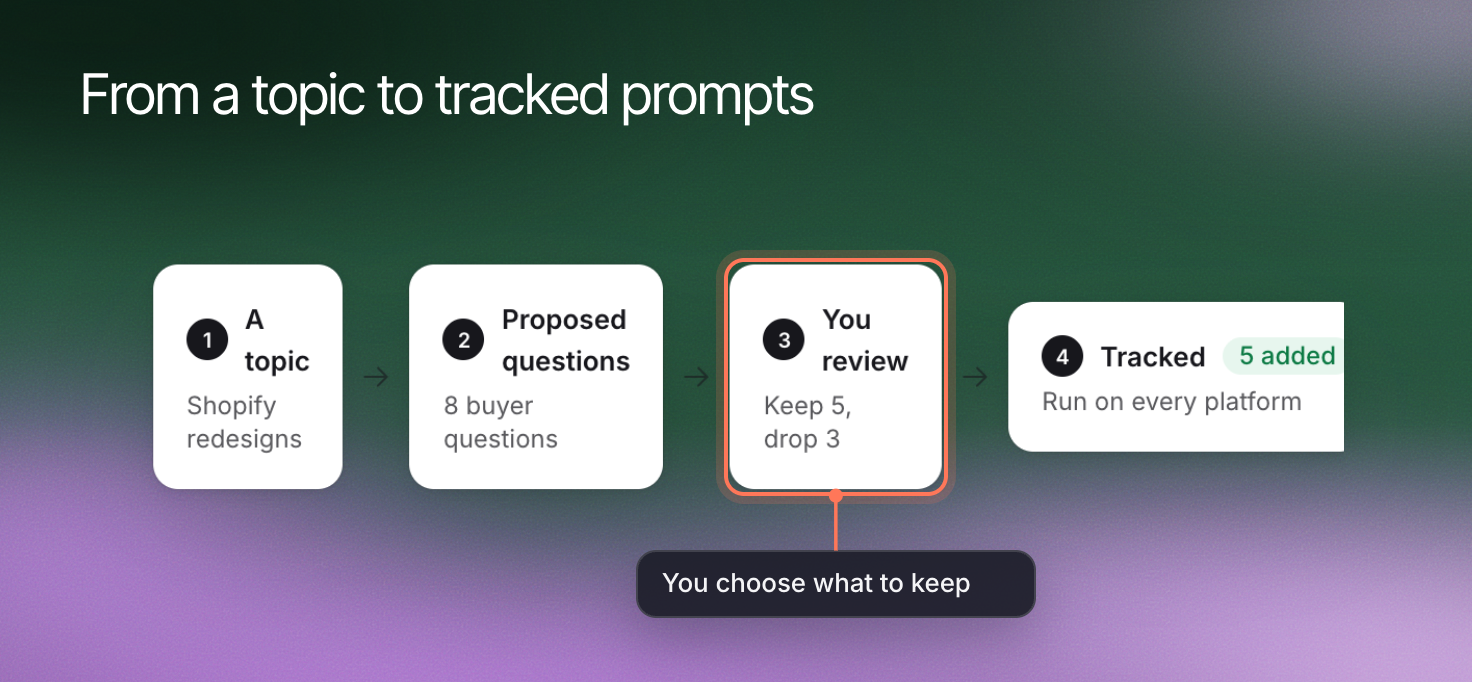
Erlin drafts 8 to 12 variations of the topic: comparisons, how-to questions, niche uses and definitions. You confirm or edit the list. Erlin then adds them as tracked prompts, where they stay, and checks each on ChatGPT, Gemini and Perplexity at 2 credits per platform per prompt.
The variations are related questions Erlin writes for the audit. They are not a record of the questions an AI platform runs, and they are not a measure of search demand.
Slash commands are ready-made Erlin workflows that call several tools and return one formatted report. Type `/` in the Claude message box, pick an Erlin command, and the report comes back in the same conversation.
Most commands need no input: Erlin uses your website if you track only one, and your default collection, which holds all your prompts (All prompts in the app). If you track more than one website, Claude asks which one, or you can name it, for example `website_url="acme.com"`.
## Choose a workflow
| Command | What you get | Input |
|---|---|---|
| `/erlin_weekly_visibility` | A 7-day summary: AI visibility and its trend, citation rate, share of voice, AI responses captured, and the top 10 brands by share of voice, with yours marked "(you)" | Optional website and collection name |
| `/erlin_competitor_deep_dive` | A 20-row leaderboard by share of voice, with a star on competitors you track and a "Track these competitors?" list of the top 5 you do not | Optional website and `days` (default 30) |
| `/erlin_content_opportunities` | Up to 10 pages to fix first, matched across content decay, recommendations and Search Console impressions, each with a tier and a "Why now" reason | Optional website and `limit` |
| `/erlin_search_performance` | A Search Console review: organic search performance with your branded split, and coverage health | Optional website and `days` (default 28) |
| `/erlin_fanout_audit` | Which competitors win each variation of a topic in AI answers | A topic, as `head_topic` |
The competitor deep dive's `days` value only labels the date range shown on the report. It does not change which data the leaderboard uses.
In the content opportunities report, a page is **Critical** when it is decaying, has top-quartile Search Console impressions and has a recommendation; **High** when it is decaying with a recommendation, or has top-quartile impressions with a recommendation; and **Medium** with a recommendation only. The Search Console signal needs [Google Search Console](https://www.erlin.ai/docs/integrations/google-search-console) connected.
In the search performance review, **Organic search performance** lists your top pages with clicks, impressions, CTR and average position, plus your branded versus non-branded split. **Coverage health** counts your URLs in each index status, and flags a coverage issue when more than 10% are not indexed or not crawled. It reads your last synced Search Console data: ask Claude to sync first, or run it with `sync_first` set to true.
```
/erlin_search_performance days=90 sync_first=true
```
A workflow organizes the data in your account. It does not create data that is missing.
## Review changes requested by a workflow
Three commands only read. `/erlin_search_performance` also starts a Search Console sync when you set `sync_first` to true. `/erlin_fanout_audit` changes your account:
```
/erlin_fanout_audit head_topic="best CRM for startups"
```
Erlin drafts 8 to 12 variations of the topic: comparisons, how-to questions, niche uses and definitions. You confirm or edit the list. Erlin then adds them as tracked prompts, where they stay, and checks each on ChatGPT, Gemini and Perplexity at 2 credits per platform per prompt.
The variations are related questions Erlin writes for the audit. They are not a record of the questions an AI platform runs, and they are not a measure of search demand.
 ## Check the resulting report
When the fan-out checks finish, you get a table with each sub-query, your position, the top cited competitors and whether it is a gap: a variation where competitors are cited and you are not. Erlin then counts your wins and gaps and suggests 2 to 3 content actions.
Check the date range at the top of each report and any data Erlin says is missing. A content priority is a page to investigate, not an instruction to publish or delete it.
See [credits and limits](https://www.erlin.ai/docs/mcp/credits-and-limits) for what checks cost and [advanced analytics tools](https://www.erlin.ai/docs/mcp/advanced-analytics-tools) for deeper page investigations.
## Check the resulting report
When the fan-out checks finish, you get a table with each sub-query, your position, the top cited competitors and whether it is a gap: a variation where competitors are cited and you are not. Erlin then counts your wins and gaps and suggests 2 to 3 content actions.
Check the date range at the top of each report and any data Erlin says is missing. A content priority is a page to investigate, not an instruction to publish or delete it.
See [credits and limits](https://www.erlin.ai/docs/mcp/credits-and-limits) for what checks cost and [advanced analytics tools](https://www.erlin.ai/docs/mcp/advanced-analytics-tools) for deeper page investigations.