# Read search and website analytics through MCP
> Tools Claude uses to read your Google Analytics 4 and Google Search Console data in Erlin, and to sync fresh data from Google.
 Ask Claude about your traffic and search performance and Erlin pulls your Google Analytics 4 (GA4) and Google Search Console data. Connect them first in Erlin under **Integrations**: see [Google Analytics](https://www.erlin.ai/docs/integrations/google-analytics) and [Google Search Console](https://www.erlin.ai/docs/integrations/google-search-console).
Erlin reads GA4 and Search Console data from its last sync. To get the latest numbers, ask Claude to sync first. Syncing costs no credits.
## Read website activity
| Tool | Access | Purpose |
|---|---|---|
| `erlin_get_ga4_properties` | Read | List the GA4 properties connected to your Erlin account |
| `erlin_get_ga4_traffic` | Read | Traffic per page: sessions, pageviews, engagement rate, bounce rate, average session duration and revenue |
| `erlin_get_ga4_landing_pages` | Read | The pages where visits started: landing sessions, landing pageviews, bounce rate and engagement rate |
| `erlin_get_ga4_page_full` | Read | Everything Erlin has from GA4 for a few pages (5 by default, up to 20): devices, users, channels, ecommerce, landing metrics and attribution |
| `erlin_get_ga4_period_comparison` | Read | Compare your two most recent synced periods and label each page growing, declining, new, lost or stable |
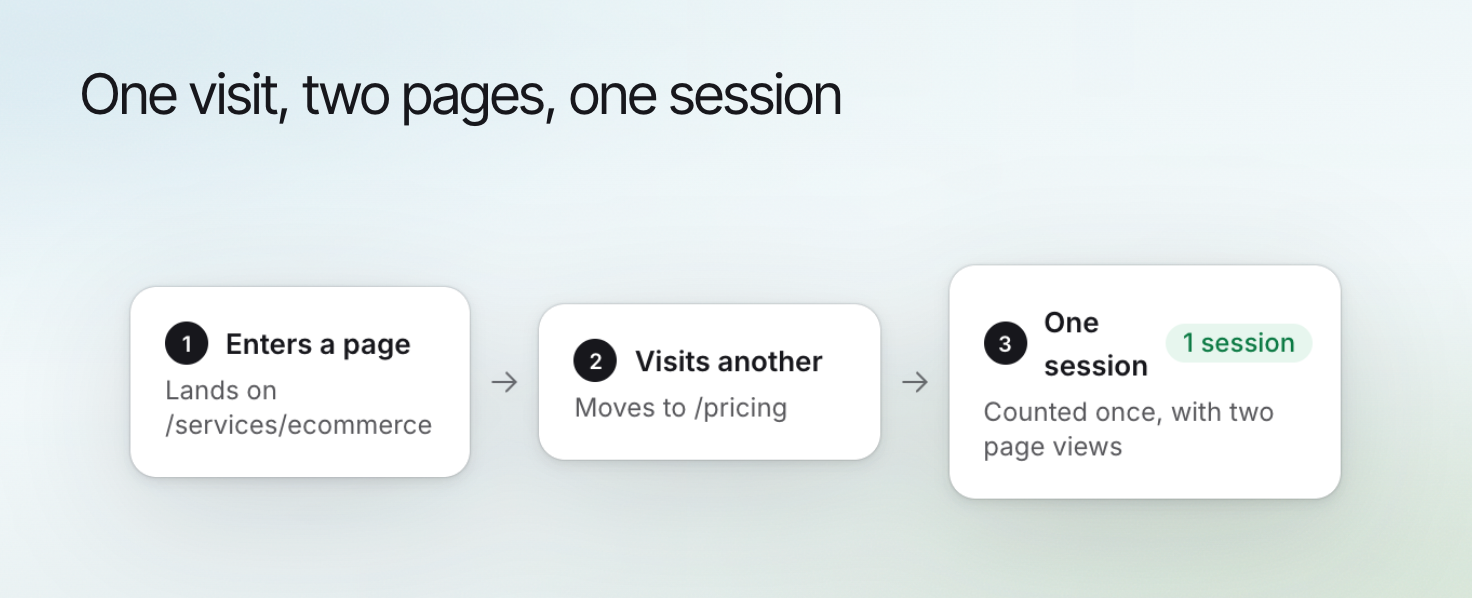
A landing page is where a visit started. The landing pages tool leaves out pages that were only viewed partway through a visit, so its numbers differ from page traffic.
Page traffic returns up to 20 pages by default (up to 100 on request), sorted by sessions, pageviews, engagement rate or revenue. You can filter to one page, or ask for a date range with a start and end date. Erlin states the date range of the data it returns.
## Read search information
| Tool | Access | Purpose |
|---|---|---|
| `erlin_get_gsc_search_data` | Read | Search data per page: clicks, impressions, CTR, average position, the top 5 keywords, and the change since the previous period |
| `erlin_get_gsc_keywords` | Read | Each query you rank for, tagged long-tail or question, with its intent and an opportunity score, from your last keyword sync |
| `erlin_get_gsc_coverage` | Read | How Google indexes your site, with up to 50 URLs that need attention (up to 200 on request) |
| `erlin_sync_gsc_keywords` | Write | Pull fresh keyword data from Search Console, classify it, store it and return it |
The keywords tool looks back 7, 28, 90 or 180 days (default 28). If you have never synced keywords, Erlin asks you to sync first.
## Refresh the appropriate source
| Tool | Access | Purpose |
|---|---|---|
| `erlin_sync_gsc` | Write | Pull fresh page data from Search Console, in the background |
| `erlin_sync_ga4` | Write | Pull fresh page data from GA4, in the background |
| `erlin_get_sync_status` | Read | Show a sync's progress, and why it failed if it did |
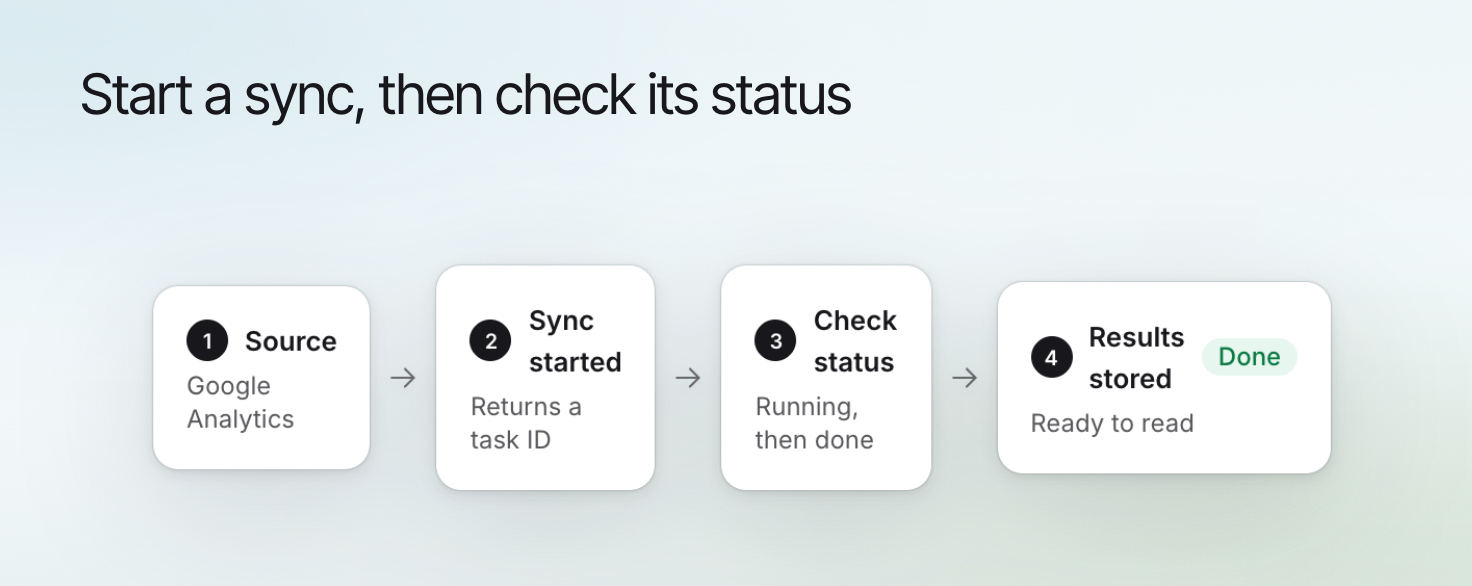
Each sync confirms the matched property, how many URLs it will process and an estimated time, and returns a task ID that Claude uses to check its status.
Ask Claude about your traffic and search performance and Erlin pulls your Google Analytics 4 (GA4) and Google Search Console data. Connect them first in Erlin under **Integrations**: see [Google Analytics](https://www.erlin.ai/docs/integrations/google-analytics) and [Google Search Console](https://www.erlin.ai/docs/integrations/google-search-console).
Erlin reads GA4 and Search Console data from its last sync. To get the latest numbers, ask Claude to sync first. Syncing costs no credits.
## Read website activity
| Tool | Access | Purpose |
|---|---|---|
| `erlin_get_ga4_properties` | Read | List the GA4 properties connected to your Erlin account |
| `erlin_get_ga4_traffic` | Read | Traffic per page: sessions, pageviews, engagement rate, bounce rate, average session duration and revenue |
| `erlin_get_ga4_landing_pages` | Read | The pages where visits started: landing sessions, landing pageviews, bounce rate and engagement rate |
| `erlin_get_ga4_page_full` | Read | Everything Erlin has from GA4 for a few pages (5 by default, up to 20): devices, users, channels, ecommerce, landing metrics and attribution |
| `erlin_get_ga4_period_comparison` | Read | Compare your two most recent synced periods and label each page growing, declining, new, lost or stable |
A landing page is where a visit started. The landing pages tool leaves out pages that were only viewed partway through a visit, so its numbers differ from page traffic.
Page traffic returns up to 20 pages by default (up to 100 on request), sorted by sessions, pageviews, engagement rate or revenue. You can filter to one page, or ask for a date range with a start and end date. Erlin states the date range of the data it returns.
## Read search information
| Tool | Access | Purpose |
|---|---|---|
| `erlin_get_gsc_search_data` | Read | Search data per page: clicks, impressions, CTR, average position, the top 5 keywords, and the change since the previous period |
| `erlin_get_gsc_keywords` | Read | Each query you rank for, tagged long-tail or question, with its intent and an opportunity score, from your last keyword sync |
| `erlin_get_gsc_coverage` | Read | How Google indexes your site, with up to 50 URLs that need attention (up to 200 on request) |
| `erlin_sync_gsc_keywords` | Write | Pull fresh keyword data from Search Console, classify it, store it and return it |
The keywords tool looks back 7, 28, 90 or 180 days (default 28). If you have never synced keywords, Erlin asks you to sync first.
## Refresh the appropriate source
| Tool | Access | Purpose |
|---|---|---|
| `erlin_sync_gsc` | Write | Pull fresh page data from Search Console, in the background |
| `erlin_sync_ga4` | Write | Pull fresh page data from GA4, in the background |
| `erlin_get_sync_status` | Read | Show a sync's progress, and why it failed if it did |
Each sync confirms the matched property, how many URLs it will process and an estimated time, and returns a task ID that Claude uses to check its status.
 ## Explain missing information
A source that is not connected, a sync that failed and a period with no data mean different things, and Erlin says which one applies. If GA4 or Search Console is not connected, Erlin tells you to connect it first.
Continue with [advanced analytics tools](https://www.erlin.ai/docs/mcp/advanced-analytics-tools), [Google Analytics](https://www.erlin.ai/docs/integrations/google-analytics) or [Google Search Console](https://www.erlin.ai/docs/integrations/google-search-console).
## Explain missing information
A source that is not connected, a sync that failed and a period with no data mean different things, and Erlin says which one applies. If GA4 or Search Console is not connected, Erlin tells you to connect it first.
Continue with [advanced analytics tools](https://www.erlin.ai/docs/mcp/advanced-analytics-tools), [Google Analytics](https://www.erlin.ai/docs/integrations/google-analytics) or [Google Search Console](https://www.erlin.ai/docs/integrations/google-search-console).