# Understand lead journeys and revenue
> See how many leads you get, how many fit, where they came from and what your open pipeline is worth.
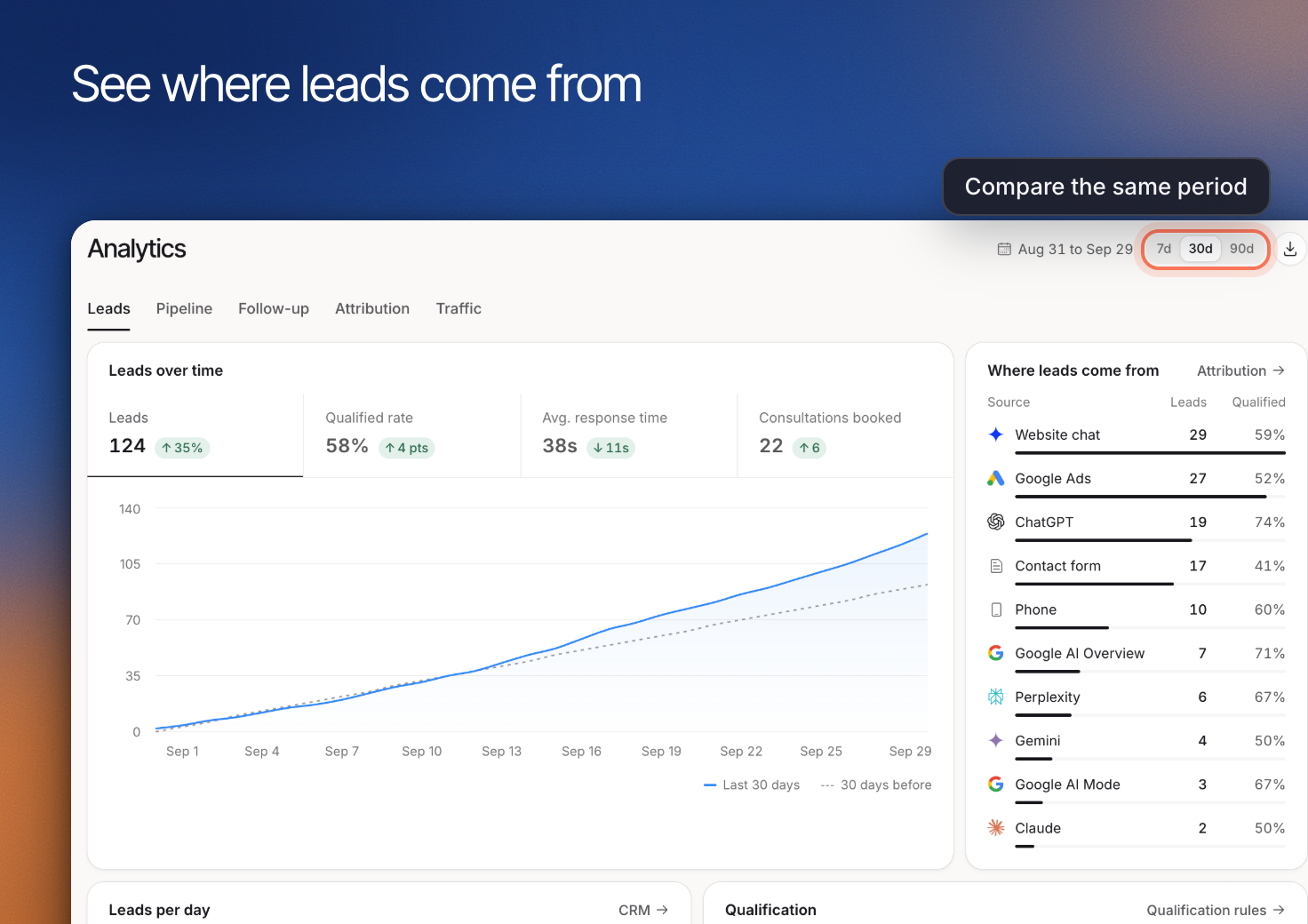 Use **Analytics** to see where leads come from, how qualification progresses and which outcomes are recorded. Open it from **Leads & Pipeline > Analytics**. Erlin credits each visit, and each lead, to how the person arrived that day. Erlin does not link visits across days.
## 1. Start with a reporting question
Use **Range** to pick **7d**, **30d** or **90d** (30d by default), then open the view that answers your question. Keep the same range when comparing related results.
| View | Question to investigate |
|---|---|
| **Leads** | How many inquiries arrived, and how did qualification progress? |
| **Pipeline** | Which opportunities are still open? |
| **Follow-up** | What is happening after the initial inquiry? |
| **Attribution** | Which recorded sources and journeys are associated with leads? |
| **Traffic** | What visits are being recorded? |
## 2. Compare inquiry volume with fit
In **Leads**, review **Qualified rate** alongside the number of leads. More inquiries do not necessarily mean more suitable opportunities.
Open representative records in [CRM](https://www.erlin.ai/docs/leads/crm) before changing your criteria. A lower qualification rate may reflect a different audience, incomplete information or criteria that no longer fit the business. The summary alone does not identify the cause.
## 3. Follow the recorded journey
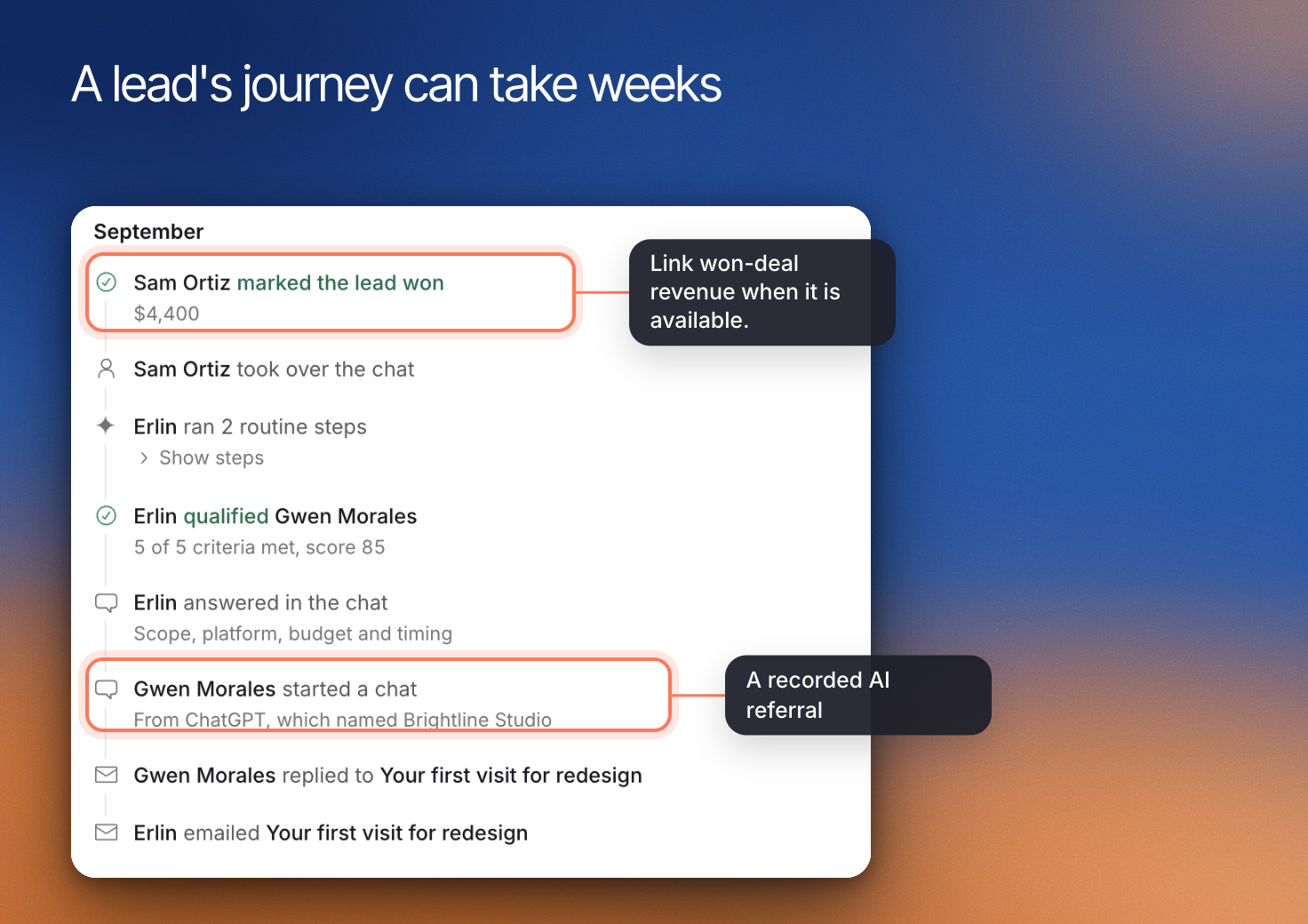
Use **Attribution** to investigate sources and the path toward an inquiry. For example, a visitor might arrive from an AI answer and submit a form that day. Erlin credits that lead to the AI assistant. A visitor who returns on another day is credited to how they arrived that day, because Erlin does not link visits across days.
A recorded source describes evidence in the journey. It does not prove that one channel independently caused the sale. Missing referral information should remain unknown rather than being reassigned to AI search.
Use **Analytics** to see where leads come from, how qualification progresses and which outcomes are recorded. Open it from **Leads & Pipeline > Analytics**. Erlin credits each visit, and each lead, to how the person arrived that day. Erlin does not link visits across days.
## 1. Start with a reporting question
Use **Range** to pick **7d**, **30d** or **90d** (30d by default), then open the view that answers your question. Keep the same range when comparing related results.
| View | Question to investigate |
|---|---|
| **Leads** | How many inquiries arrived, and how did qualification progress? |
| **Pipeline** | Which opportunities are still open? |
| **Follow-up** | What is happening after the initial inquiry? |
| **Attribution** | Which recorded sources and journeys are associated with leads? |
| **Traffic** | What visits are being recorded? |
## 2. Compare inquiry volume with fit
In **Leads**, review **Qualified rate** alongside the number of leads. More inquiries do not necessarily mean more suitable opportunities.
Open representative records in [CRM](https://www.erlin.ai/docs/leads/crm) before changing your criteria. A lower qualification rate may reflect a different audience, incomplete information or criteria that no longer fit the business. The summary alone does not identify the cause.
## 3. Follow the recorded journey
Use **Attribution** to investigate sources and the path toward an inquiry. For example, a visitor might arrive from an AI answer and submit a form that day. Erlin credits that lead to the AI assistant. A visitor who returns on another day is credited to how they arrived that day, because Erlin does not link visits across days.
A recorded source describes evidence in the journey. It does not prove that one channel independently caused the sale. Missing referral information should remain unknown rather than being reassigned to AI search.
 ## 4. Separate pipeline from revenue
Use **Pipeline** for open opportunities. Open pipeline is the total estimated value of your open leads, set with **Edit details** in the CRM. Do not report it as sales.
Before sharing a result, state the reporting period and what is missing.
## 4. Separate pipeline from revenue
Use **Pipeline** for open opportunities. Open pipeline is the total estimated value of your open leads, set with **Edit details** in the CRM. Do not report it as sales.
Before sharing a result, state the reporting period and what is missing.