# What is Erlin?
> Erlin tracks how AI assistants like ChatGPT, Gemini and Perplexity answer the questions your buyers ask, and helps you get named and cited in those answers.
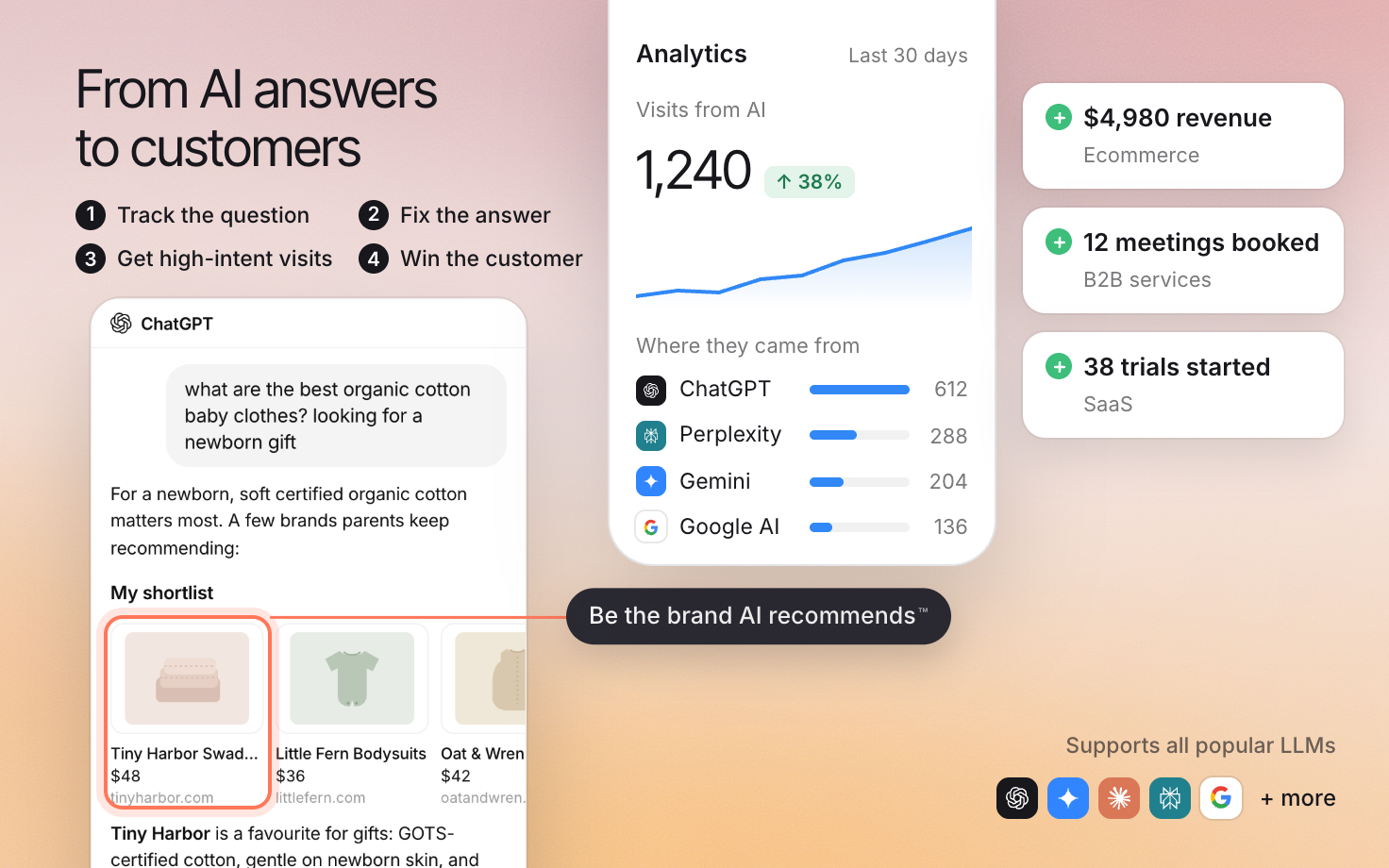 Erlin gets your business named in AI answers, shows you the visits those answers send and helps turn them into customers: orders, booked meetings or trials. It tracks the questions buyers ask, helps you fix the answers and qualifies the people who arrive.
Start with the task you want to complete. The guides below connect each task to a setup, a way to check the result and the next useful action.
## Understand and improve AI visibility
[Set up your brand](https://www.erlin.ai/docs/get-started/set-up-your-brand), then [choose relevant prompts](https://www.erlin.ai/docs/ai-visibility/prompts/discovery) and [run your first checks](https://www.erlin.ai/docs/get-started/run-your-first-prompts).
Read the collected answers to see whether the business appears, how it is described and which sources are cited. Erlin suggests tasks once each prompt has run at least 4 times on different days and you have picked competitors. Review the evidence before changing a page.
## Qualify and follow up with leads
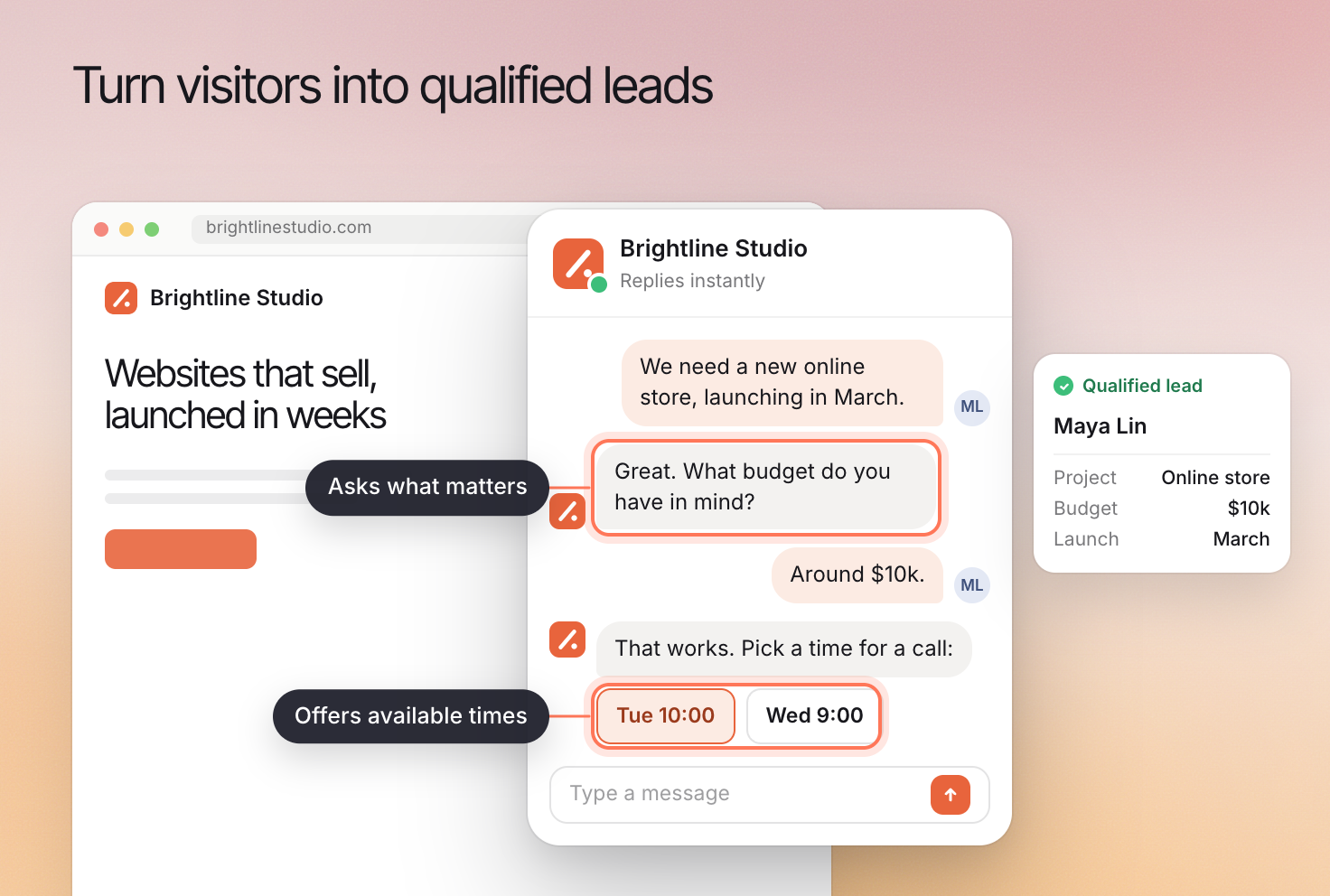
[Set up qualification](https://www.erlin.ai/docs/leads/lead-qualification) around your business goals and what makes an inquiry suitable. Erlin suggests questions from business knowledge, and you can add your own.
Connect [website chat](https://www.erlin.ai/docs/leads/chat-widget), [forms](https://www.erlin.ai/docs/leads/forms-and-install) or [email](https://www.erlin.ai/docs/integrations/email). Test the conversation before enabling it for visitors. Then configure [booking](https://www.erlin.ai/docs/leads/booking) or [email follow-up](https://www.erlin.ai/docs/leads/email-follow-up) as appropriate.
Erlin gets your business named in AI answers, shows you the visits those answers send and helps turn them into customers: orders, booked meetings or trials. It tracks the questions buyers ask, helps you fix the answers and qualifies the people who arrive.
Start with the task you want to complete. The guides below connect each task to a setup, a way to check the result and the next useful action.
## Understand and improve AI visibility
[Set up your brand](https://www.erlin.ai/docs/get-started/set-up-your-brand), then [choose relevant prompts](https://www.erlin.ai/docs/ai-visibility/prompts/discovery) and [run your first checks](https://www.erlin.ai/docs/get-started/run-your-first-prompts).
Read the collected answers to see whether the business appears, how it is described and which sources are cited. Erlin suggests tasks once each prompt has run at least 4 times on different days and you have picked competitors. Review the evidence before changing a page.
## Qualify and follow up with leads
[Set up qualification](https://www.erlin.ai/docs/leads/lead-qualification) around your business goals and what makes an inquiry suitable. Erlin suggests questions from business knowledge, and you can add your own.
Connect [website chat](https://www.erlin.ai/docs/leads/chat-widget), [forms](https://www.erlin.ai/docs/leads/forms-and-install) or [email](https://www.erlin.ai/docs/integrations/email). Test the conversation before enabling it for visitors. Then configure [booking](https://www.erlin.ai/docs/leads/booking) or [email follow-up](https://www.erlin.ai/docs/leads/email-follow-up) as appropriate.
 ## Keep the business context current
Use [Brand knowledge](https://www.erlin.ai/docs/brand/knowledge) for facts, [Tone & Voice](https://www.erlin.ai/docs/brand/tone-and-voice) for how Erlin writes and [Writing rules](https://www.erlin.ai/docs/brand/writing-rules) for specific editorial requirements.
Use [Content](https://www.erlin.ai/docs/content/library) to manage briefs and drafts. Review [Analytics](https://www.erlin.ai/docs/leads/analytics) and [Reports](https://www.erlin.ai/docs/reports/reports) to understand recorded outcomes.
## Understand the evidence
[How Erlin works](https://www.erlin.ai/docs/get-started/how-erlin-works) explains estimated demand, collected answers and their limits. For a question about your setup, use [Hey Erlin](https://www.erlin.ai/docs/get-started/hey-erlin) or [Support](https://www.erlin.ai/docs/settings/support).
## Keep the business context current
Use [Brand knowledge](https://www.erlin.ai/docs/brand/knowledge) for facts, [Tone & Voice](https://www.erlin.ai/docs/brand/tone-and-voice) for how Erlin writes and [Writing rules](https://www.erlin.ai/docs/brand/writing-rules) for specific editorial requirements.
Use [Content](https://www.erlin.ai/docs/content/library) to manage briefs and drafts. Review [Analytics](https://www.erlin.ai/docs/leads/analytics) and [Reports](https://www.erlin.ai/docs/reports/reports) to understand recorded outcomes.
## Understand the evidence
[How Erlin works](https://www.erlin.ai/docs/get-started/how-erlin-works) explains estimated demand, collected answers and their limits. For a question about your setup, use [Hey Erlin](https://www.erlin.ai/docs/get-started/hey-erlin) or [Support](https://www.erlin.ai/docs/settings/support).