# Set up your brand
> Sign up, verify your email, add your website and confirm your company: five steps that take a few minutes and put your brand in Erlin.
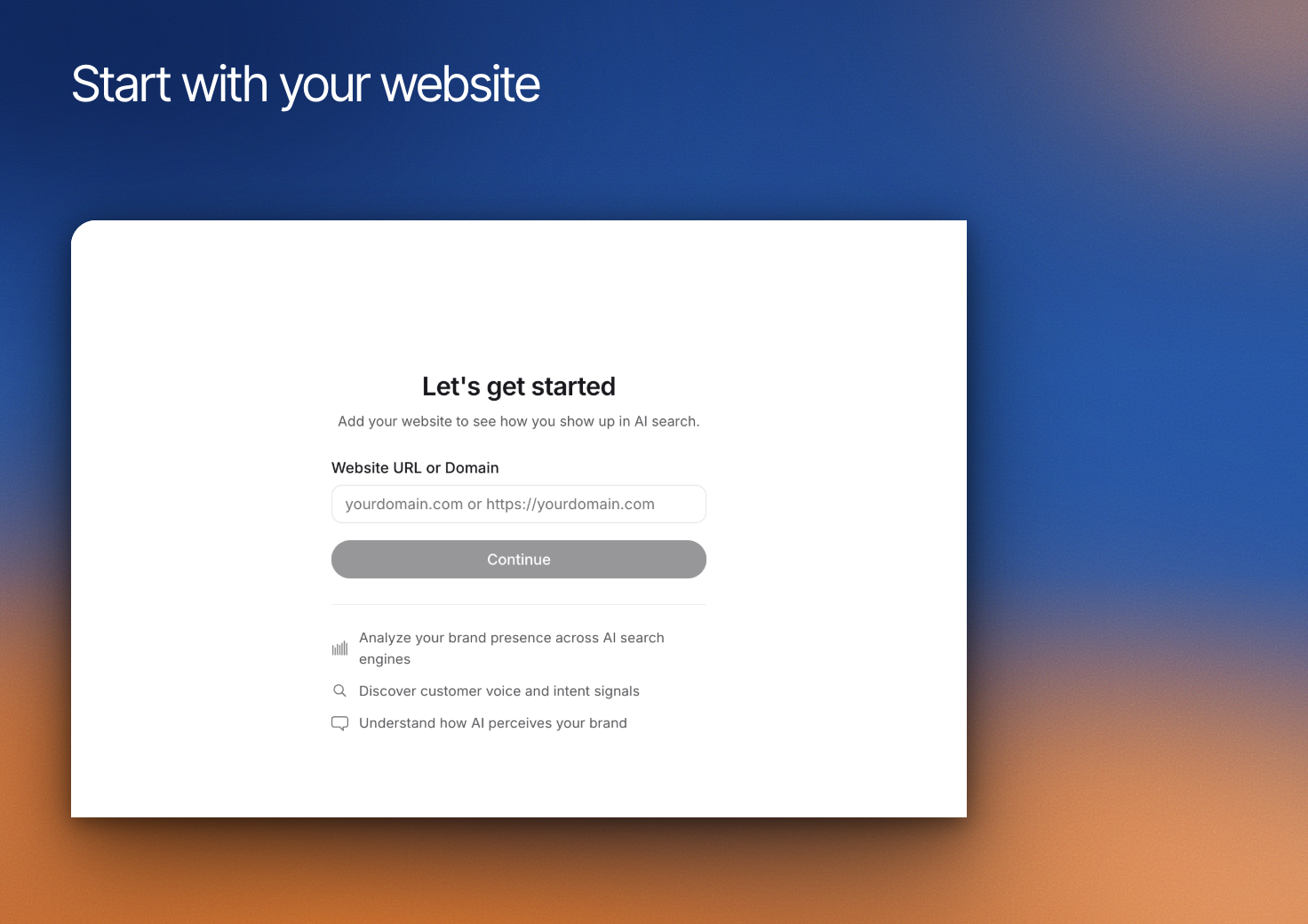 Set up the business and website you want Erlin to work with. The brand context helps Erlin suggest relevant prompts, understand the offering and recommend qualification questions.
Have the intended website address and an email account you can access ready before starting.
## 1. Enter the correct website
Complete sign-up and email verification, then enter the business website in **Website URL or Domain**. Choose **Continue** and let Erlin read the site.
Use the website for the business you intend to manage. An agency's own website and a client's website should not be treated as the same brand.
## 2. Review the information Erlin finds
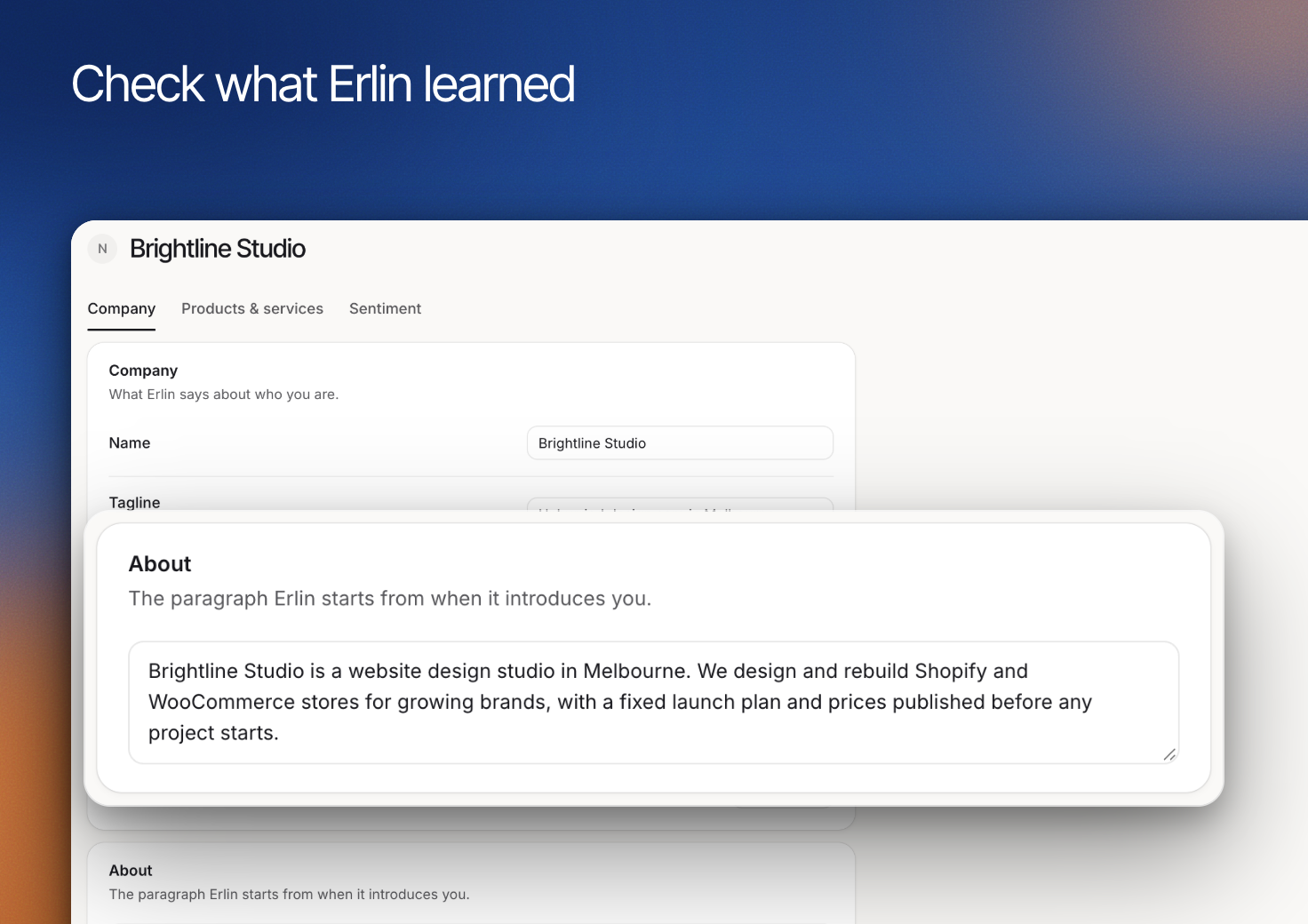
Check the company information before continuing. A website may contain obsolete services, unclear descriptions or several business names. Correct the information to match the current offering.
If Erlin cannot read the site, use the available retry or continue option and complete the business information afterward in **Brand > Overview**. An incomplete read is not confirmation that the information is accurate.
## 3. Add the context the website does not explain
Review **About**, **What you offer** and **Who it is for** in [Brand Overview](https://www.erlin.ai/docs/brand/overview). Add important supporting facts in [Knowledge](https://www.erlin.ai/docs/brand/knowledge).
For Brightline Studio, that could mean clarifying which website platforms the team works with and what kinds of projects it accepts. Avoid copying another business's example questions as if they are your own requirements.
Set up the business and website you want Erlin to work with. The brand context helps Erlin suggest relevant prompts, understand the offering and recommend qualification questions.
Have the intended website address and an email account you can access ready before starting.
## 1. Enter the correct website
Complete sign-up and email verification, then enter the business website in **Website URL or Domain**. Choose **Continue** and let Erlin read the site.
Use the website for the business you intend to manage. An agency's own website and a client's website should not be treated as the same brand.
## 2. Review the information Erlin finds
Check the company information before continuing. A website may contain obsolete services, unclear descriptions or several business names. Correct the information to match the current offering.
If Erlin cannot read the site, use the available retry or continue option and complete the business information afterward in **Brand > Overview**. An incomplete read is not confirmation that the information is accurate.
## 3. Add the context the website does not explain
Review **About**, **What you offer** and **Who it is for** in [Brand Overview](https://www.erlin.ai/docs/brand/overview). Add important supporting facts in [Knowledge](https://www.erlin.ai/docs/brand/knowledge).
For Brightline Studio, that could mean clarifying which website platforms the team works with and what kinds of projects it accepts. Avoid copying another business's example questions as if they are your own requirements.
 ## 4. Choose your first workflow
For AI visibility, [run your first prompts](https://www.erlin.ai/docs/get-started/run-your-first-prompts). For inquiries, [set up qualification](https://www.erlin.ai/docs/leads/lead-qualification) and test it before going live.
Connect analytics and other tools when the workflow needs them. Review [Settings](https://www.erlin.ai/docs/settings/account-and-workspace) to manage the account and workspace around the brand.
## 4. Choose your first workflow
For AI visibility, [run your first prompts](https://www.erlin.ai/docs/get-started/run-your-first-prompts). For inquiries, [set up qualification](https://www.erlin.ai/docs/leads/lead-qualification) and test it before going live.
Connect analytics and other tools when the workflow needs them. Review [Settings](https://www.erlin.ai/docs/settings/account-and-workspace) to manage the account and workspace around the brand.