# Use your home dashboard
> Home sums up your AI visibility, the platforms that mention you, your top tasks, your newest leads and your pipeline, and walks a new brand through setup.
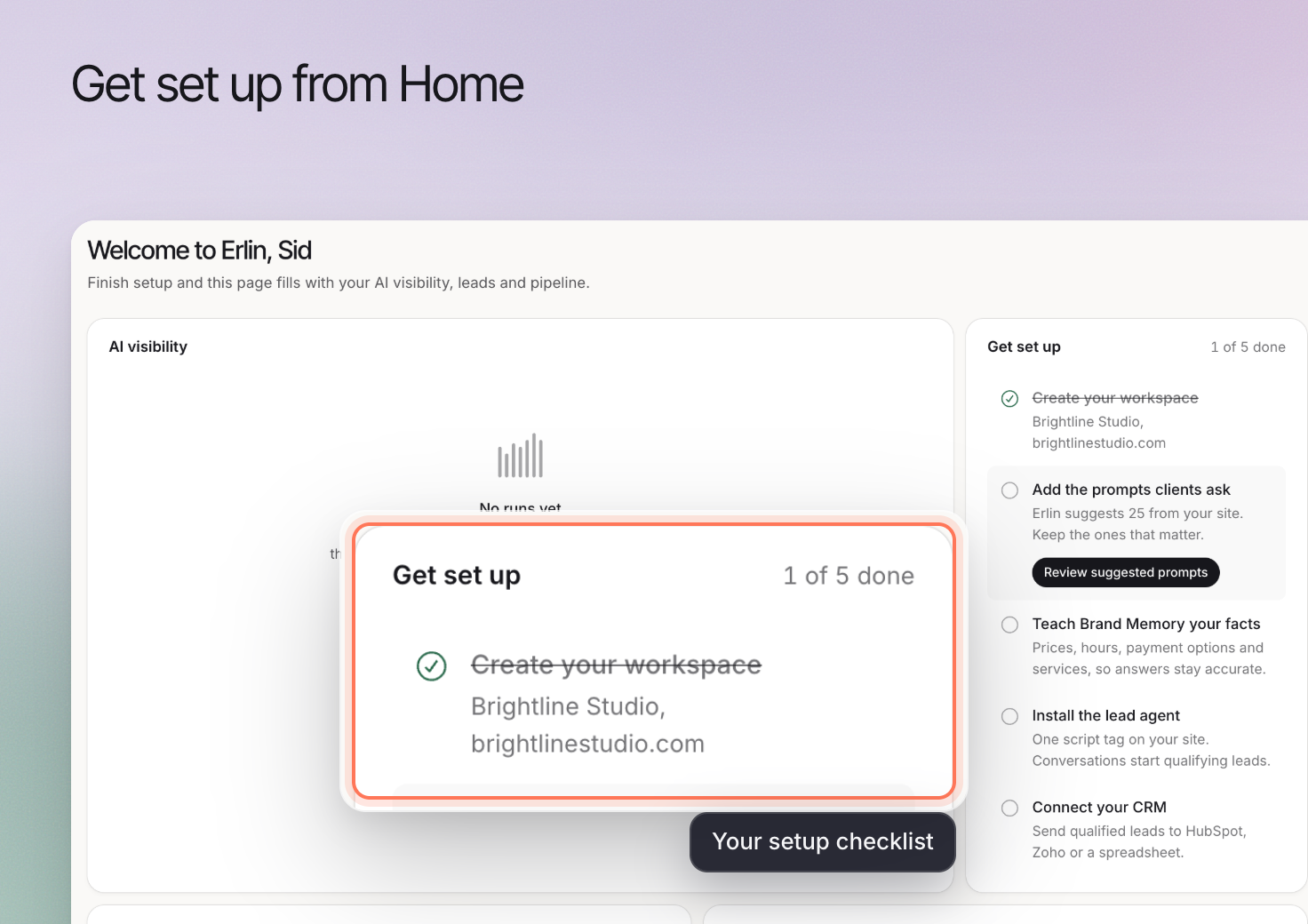 **Home** gives you a starting point for reviewing the active business and choosing what needs attention. The cards reflect the business context and available data, so a service business and a store can see different summaries.
Check the selected brand before acting on a result.
## Start with unfinished setup
A new brand can show **Get set up** while it has no collected answers or connected sources. Complete the relevant setup before treating empty cards as performance results.
For AI visibility, choose and run relevant prompts. For lead capture, install the tracking code and test qualification. Connect analytics when you want website activity in the review.
## Read summaries as starting points
Review the visibility and business-outcome cards that apply to the brand. A summary helps you identify a question; the detailed view provides context.
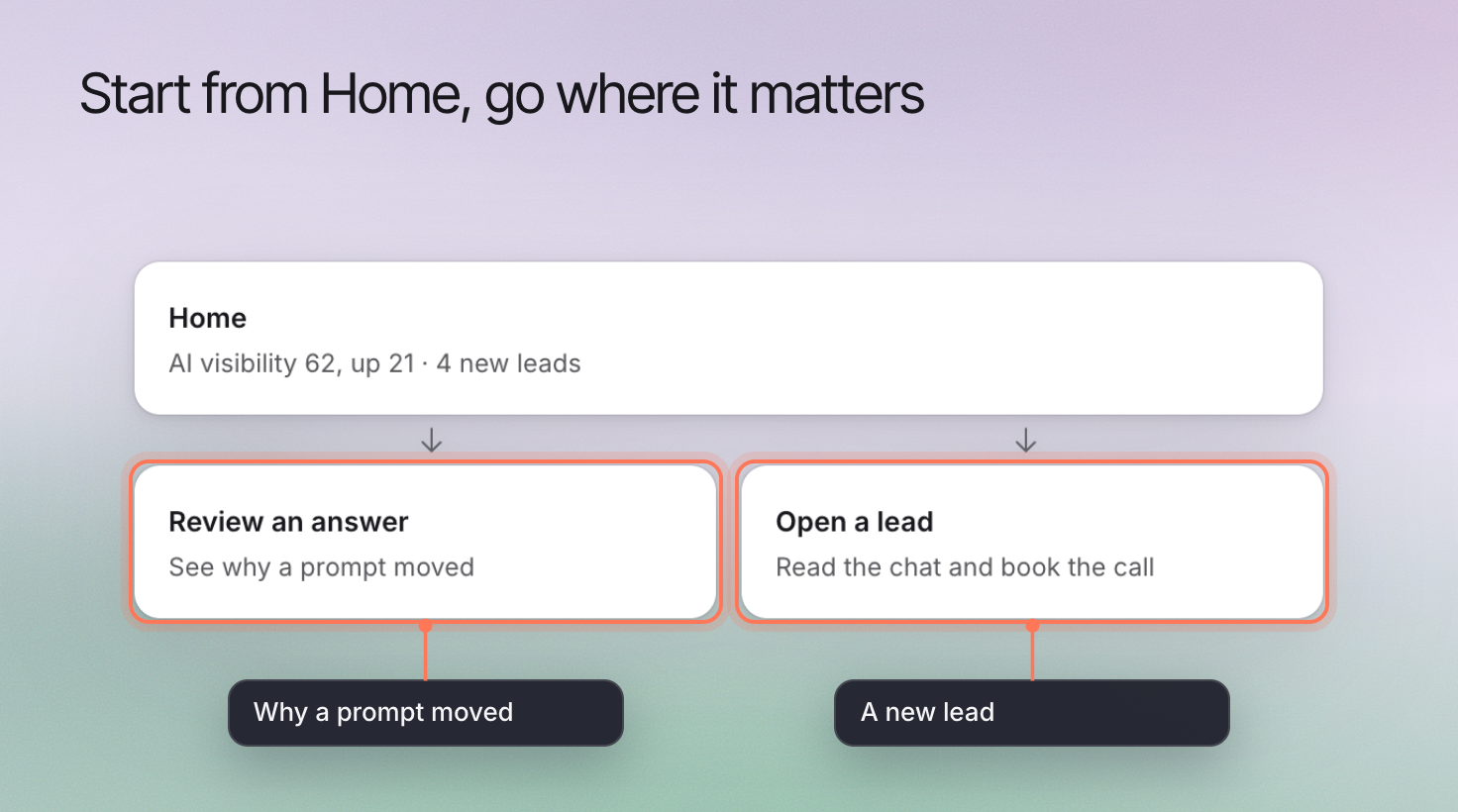
Open [AI Visibility](https://www.erlin.ai/docs/ai-visibility/overview) to inspect prompts and answers. Use [CRM](https://www.erlin.ai/docs/leads/crm) for an inquiry, or [Shopping](https://www.erlin.ai/docs/shopping/products) for product appearances. Open pipeline represents opportunities still in progress, not won revenue.
## Choose work from the evidence
Review the actions surfaced on Home and open the underlying evidence. A missing service description, a customer inquiry and a tracking connection error require different responses.
Tasks appear once each prompt has run at least 4 times on different days in the last 90 days and you have picked competitors. Until then, **Find new tasks** is off. You can still read the answers directly and investigate a clear issue in the meantime.
**Home** gives you a starting point for reviewing the active business and choosing what needs attention. The cards reflect the business context and available data, so a service business and a store can see different summaries.
Check the selected brand before acting on a result.
## Start with unfinished setup
A new brand can show **Get set up** while it has no collected answers or connected sources. Complete the relevant setup before treating empty cards as performance results.
For AI visibility, choose and run relevant prompts. For lead capture, install the tracking code and test qualification. Connect analytics when you want website activity in the review.
## Read summaries as starting points
Review the visibility and business-outcome cards that apply to the brand. A summary helps you identify a question; the detailed view provides context.
Open [AI Visibility](https://www.erlin.ai/docs/ai-visibility/overview) to inspect prompts and answers. Use [CRM](https://www.erlin.ai/docs/leads/crm) for an inquiry, or [Shopping](https://www.erlin.ai/docs/shopping/products) for product appearances. Open pipeline represents opportunities still in progress, not won revenue.
## Choose work from the evidence
Review the actions surfaced on Home and open the underlying evidence. A missing service description, a customer inquiry and a tracking connection error require different responses.
Tasks appear once each prompt has run at least 4 times on different days in the last 90 days and you have picked competitors. Until then, **Find new tasks** is off. You can still read the answers directly and investigate a clear issue in the meantime.
 ## Handle missing information correctly
A loading card, an error and a measured zero mean different things. Retry a failed request or review the required connection before drawing a conclusion.
Use [Hey Erlin](https://www.erlin.ai/docs/get-started/hey-erlin) for help understanding the active brand's data. Use [Reports](https://www.erlin.ai/docs/reports/reports) when you need a review for a defined period.
## Handle missing information correctly
A loading card, an error and a measured zero mean different things. Retry a failed request or review the required connection before drawing a conclusion.
Use [Hey Erlin](https://www.erlin.ai/docs/get-started/hey-erlin) for help understanding the active brand's data. Use [Reports](https://www.erlin.ai/docs/reports/reports) when you need a review for a defined period.