# Create a researched content draft
> New content researches what ranks for your topic, builds a brief you review, then has Erlin write the draft.
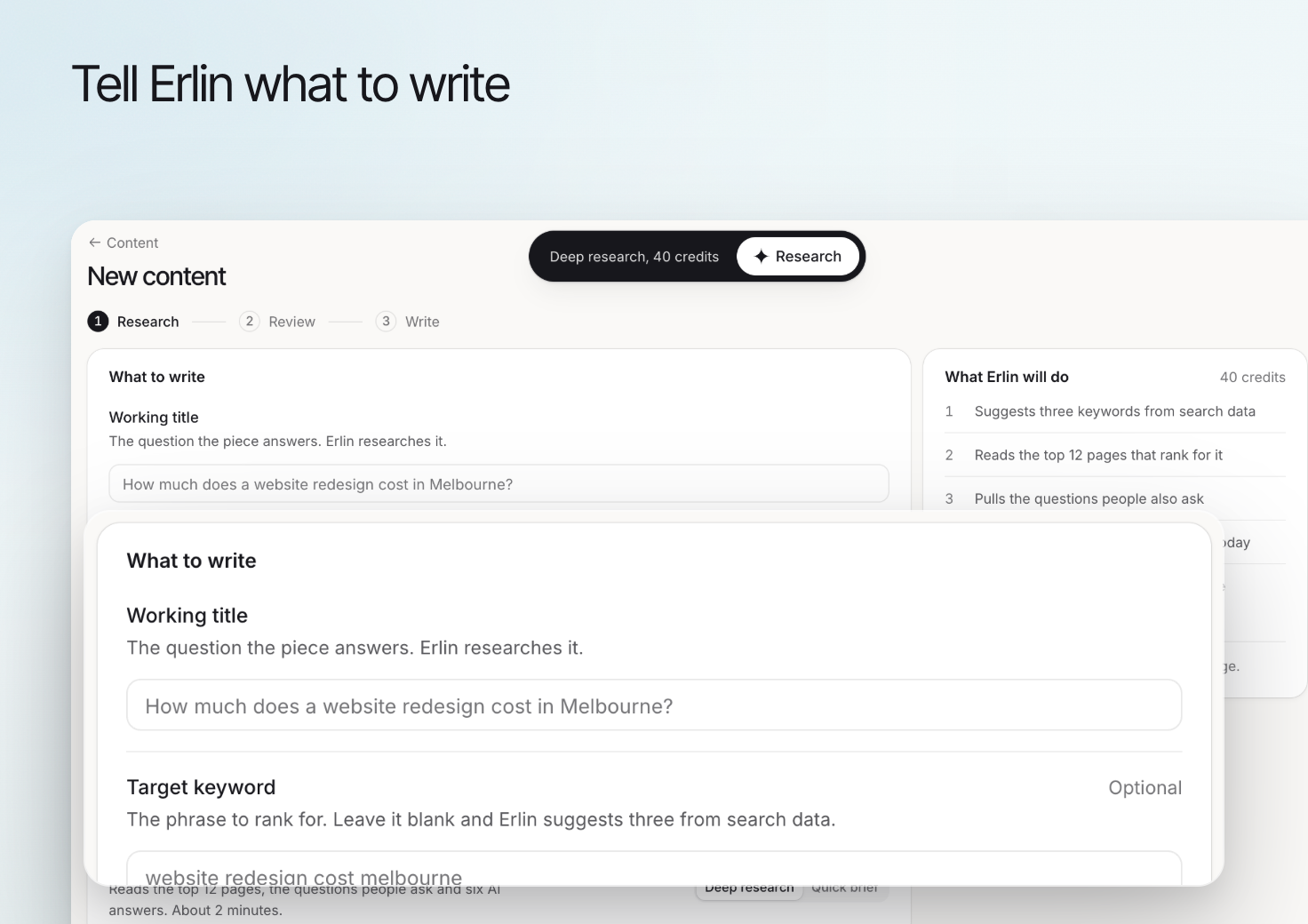 Use **New content** to move from a buyer question to research, a reviewed brief and a draft. Start with the decision the reader needs to make, then give Erlin the relevant business context.
Review [Knowledge](https://www.erlin.ai/docs/brand/knowledge), [Tone & Voice](https://www.erlin.ai/docs/brand/tone-and-voice) and [Writing rules](https://www.erlin.ai/docs/brand/writing-rules) before drafting from outdated information.
## 1. Define what to write
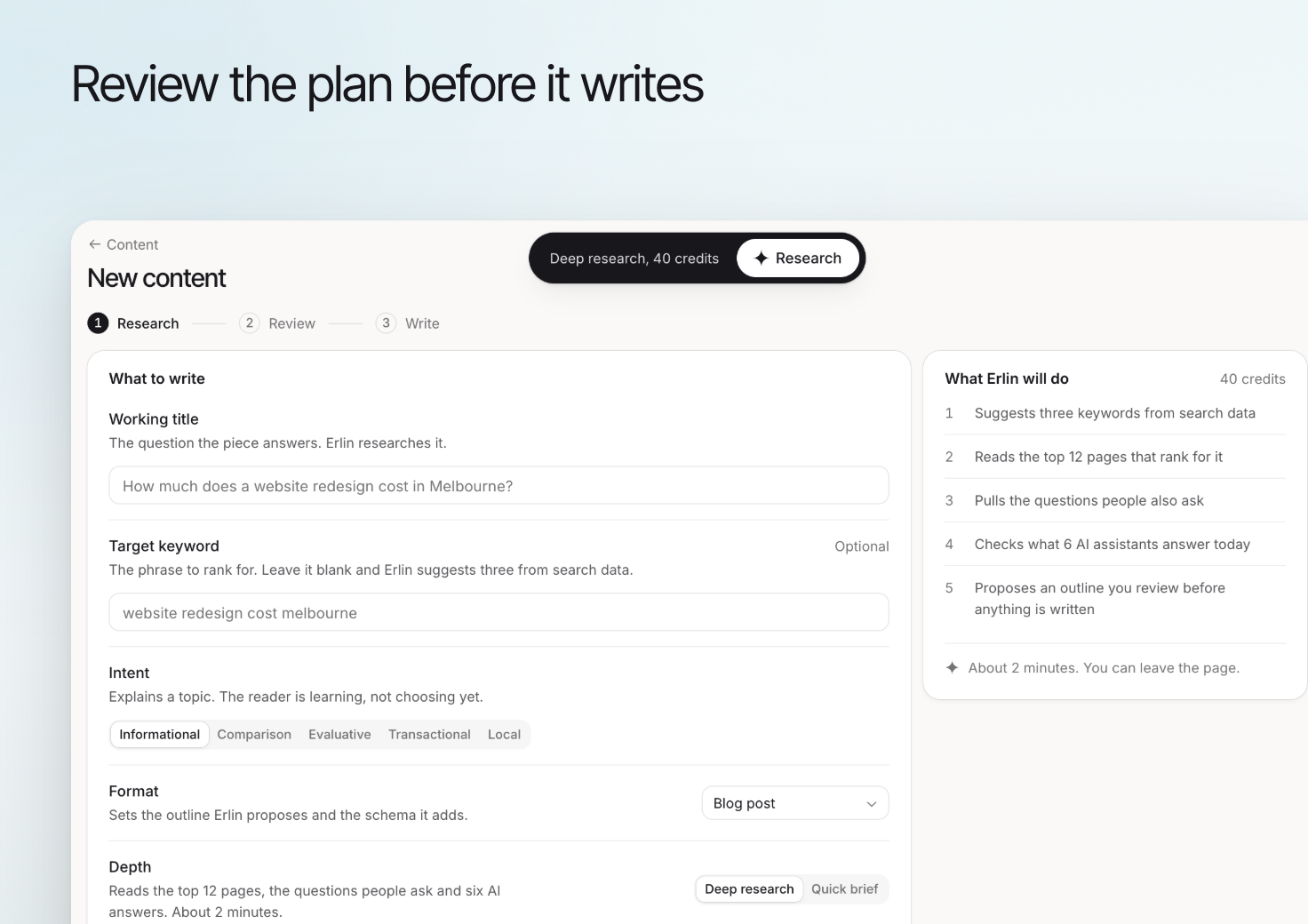
Enter a **Working title** that describes the question the piece will answer. Add a **Target keyword** if you already have one, then review **Intent**, **Format** and **Depth** (**Deep research** lets you keep or drop sources before the brief, **Quick brief** does it in one go).
Use **Brand angle** to explain the perspective your business can support. A useful angle adds relevant experience or a clear explanation; it should not invent customer results or features.
## 2. Review the research
In **Research**, review **Keywords**, **Top-ranking pages** and **People also ask**. Inspect source relevance rather than accepting every result because it ranks.
Use **Add a page** when a relevant source is missing. Review **What AI answers say now** for the collected-answer context, keeping it separate from search demand estimates.
## 3. Refine the brief
In **Review**, check **Outline**, **Gaps to win**, **Sources to cite** and **Target prompts**. Reorder or remove sections that do not help answer the main question.
Make the proof expected in each section clear. If the brief calls for a claim your business cannot support, revise the brief before generating more copy.
Use **New content** to move from a buyer question to research, a reviewed brief and a draft. Start with the decision the reader needs to make, then give Erlin the relevant business context.
Review [Knowledge](https://www.erlin.ai/docs/brand/knowledge), [Tone & Voice](https://www.erlin.ai/docs/brand/tone-and-voice) and [Writing rules](https://www.erlin.ai/docs/brand/writing-rules) before drafting from outdated information.
## 1. Define what to write
Enter a **Working title** that describes the question the piece will answer. Add a **Target keyword** if you already have one, then review **Intent**, **Format** and **Depth** (**Deep research** lets you keep or drop sources before the brief, **Quick brief** does it in one go).
Use **Brand angle** to explain the perspective your business can support. A useful angle adds relevant experience or a clear explanation; it should not invent customer results or features.
## 2. Review the research
In **Research**, review **Keywords**, **Top-ranking pages** and **People also ask**. Inspect source relevance rather than accepting every result because it ranks.
Use **Add a page** when a relevant source is missing. Review **What AI answers say now** for the collected-answer context, keeping it separate from search demand estimates.
## 3. Refine the brief
In **Review**, check **Outline**, **Gaps to win**, **Sources to cite** and **Target prompts**. Reorder or remove sections that do not help answer the main question.
Make the proof expected in each section clear. If the brief calls for a claim your business cannot support, revise the brief before generating more copy.
 ## 4. Write and review the draft
Click **Write the draft**. Writing usually takes two to five minutes, and you can leave the page and come back from Content. Open the result in the [editor](https://www.erlin.ai/docs/content/editor-and-publishing) and check the full article, including links, factual statements and the proposed next action.
If research or writing fails, click **Start again** or **Write it again**. Check the library before starting a duplicate piece.
## What it costs
Content costs **10 credits per 300 words, rounded up to a whole credit**. The brief is priced on its own length and the draft on the length of the finished article. For example, a 900-word brief costs 30 credits and a 1,847-word article costs 62. The **What Erlin will do** panel shows the brief's price before you start. With your own API key, content costs 0 credits. See [Credits](https://www.erlin.ai/docs/settings/credits).
## 4. Write and review the draft
Click **Write the draft**. Writing usually takes two to five minutes, and you can leave the page and come back from Content. Open the result in the [editor](https://www.erlin.ai/docs/content/editor-and-publishing) and check the full article, including links, factual statements and the proposed next action.
If research or writing fails, click **Start again** or **Write it again**. Check the library before starting a duplicate piece.
## What it costs
Content costs **10 credits per 300 words, rounded up to a whole credit**. The brief is priced on its own length and the draft on the length of the finished article. For example, a 900-word brief costs 30 credits and a 1,847-word article costs 62. The **What Erlin will do** panel shows the brief's price before you start. With your own API key, content costs 0 credits. See [Credits](https://www.erlin.ai/docs/settings/credits).