# Manage your content library
> The Content library lists every brief and article Erlin has researched or written for your brand, and where each one stands.
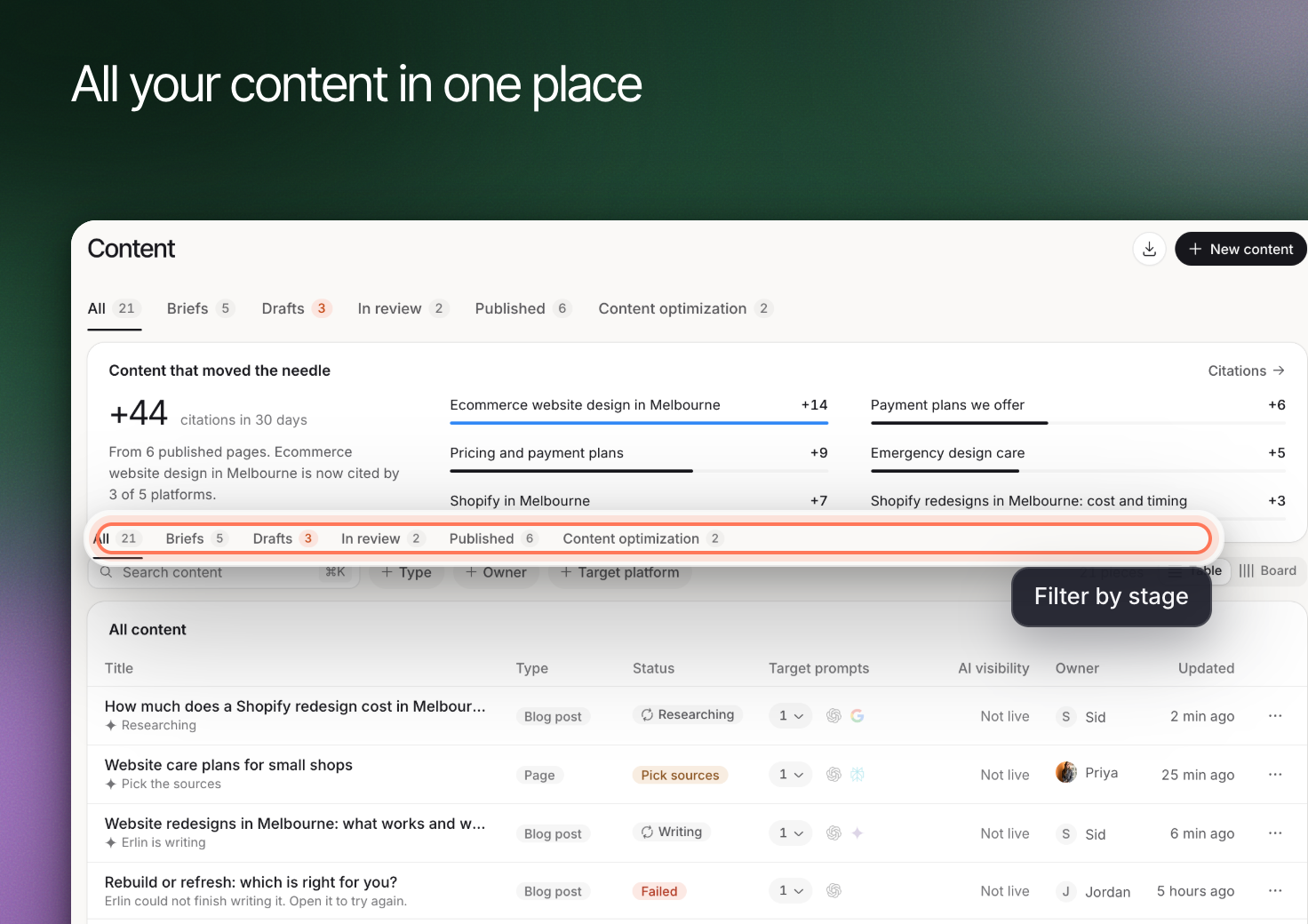 Use **Content** to find briefs, drafts and published work for the active brand. The library helps you continue the next stage of a piece instead of starting it again.
## Find the right stage
| Tab | What to review |
|---|---|
| **All** | The wider content list |
| **Briefs** | Research that is done but not written yet |
| **Drafts** | Articles Erlin has written, including ones saved as a WordPress draft |
| **Published** | Articles that are live on WordPress |
| **Content optimization** | Live pages Erlin has read, to check and improve. It shows when it is available for your account. |
## Narrow the list
Use **Search content** to match a title or page address, and **Type** to filter by format. **Owner** filters by teammate and shows when owners are known. Open a brief to review its purpose before asking for a draft. Open an article to continue in the editor.
Keep the title clear enough for another teammate to recognize the task. Similar titles can hide duplicate work, especially when several articles address related buyer questions.
## Choose new content or an update
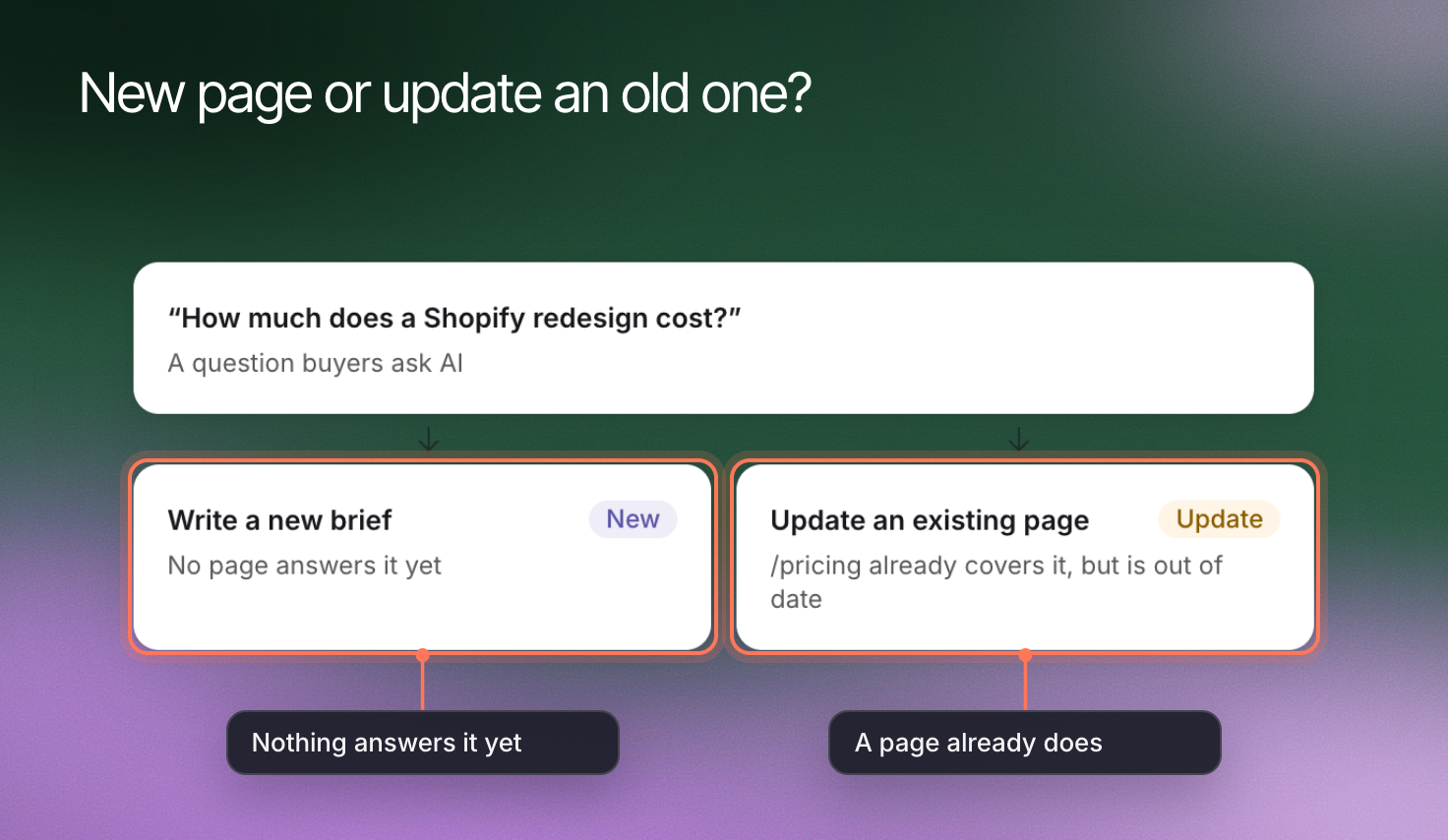
Start [New content](https://www.erlin.ai/docs/content/new-content) when a new piece serves a distinct need. Use [Content optimization](https://www.erlin.ai/docs/content/content-optimization) when an existing page already owns that job and needs improvement.
A new article is not always the answer to a missing mention. Review the prompt and source evidence before creating overlapping pages.
Use **Content** to find briefs, drafts and published work for the active brand. The library helps you continue the next stage of a piece instead of starting it again.
## Find the right stage
| Tab | What to review |
|---|---|
| **All** | The wider content list |
| **Briefs** | Research that is done but not written yet |
| **Drafts** | Articles Erlin has written, including ones saved as a WordPress draft |
| **Published** | Articles that are live on WordPress |
| **Content optimization** | Live pages Erlin has read, to check and improve. It shows when it is available for your account. |
## Narrow the list
Use **Search content** to match a title or page address, and **Type** to filter by format. **Owner** filters by teammate and shows when owners are known. Open a brief to review its purpose before asking for a draft. Open an article to continue in the editor.
Keep the title clear enough for another teammate to recognize the task. Similar titles can hide duplicate work, especially when several articles address related buyer questions.
## Choose new content or an update
Start [New content](https://www.erlin.ai/docs/content/new-content) when a new piece serves a distinct need. Use [Content optimization](https://www.erlin.ai/docs/content/content-optimization) when an existing page already owns that job and needs improvement.
A new article is not always the answer to a missing mention. Review the prompt and source evidence before creating overlapping pages.
 ## Review status before sharing
A written draft is not the same as published content. Review facts, sources and the destination in [Editor and publishing](https://www.erlin.ai/docs/content/editor-and-publishing).
Use **Export** to download the pieces in view as a CSV file. Review the current state before deleting a piece, and read the confirmation so you understand what is being removed.
## Review status before sharing
A written draft is not the same as published content. Review facts, sources and the destination in [Editor and publishing](https://www.erlin.ai/docs/content/editor-and-publishing).
Use **Export** to download the pieces in view as a CSV file. Review the current state before deleting a piece, and read the confirmation so you understand what is being removed.