# Review and improve an existing page
> Content optimization reads a live page from your site, checks what would help it rank and get quoted by AI, and writes an optimized draft from the fixes you pick.
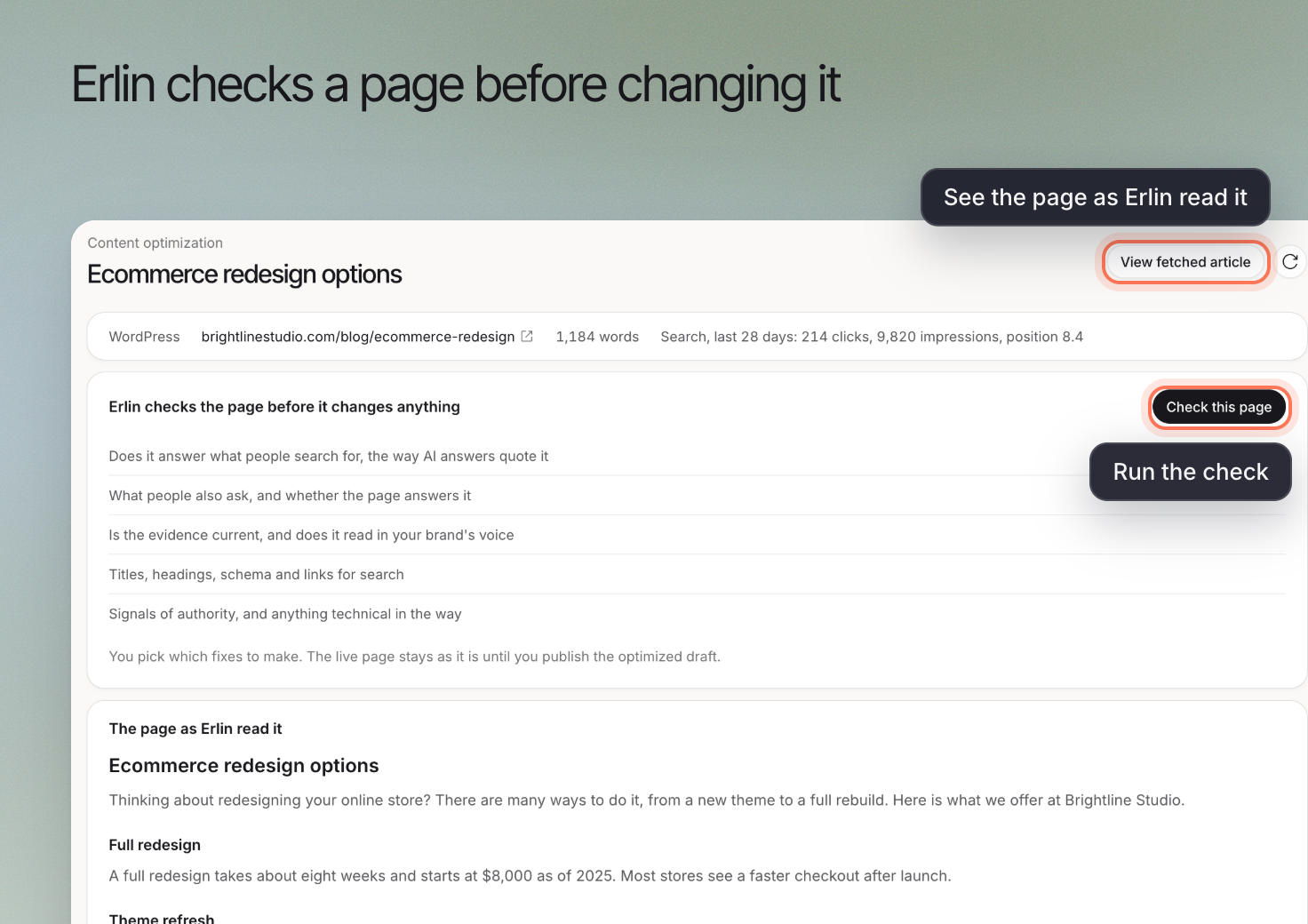 **Content optimization** reads an existing page, shows findings and lets you choose changes for an optimized draft. The live page stays unchanged until you publish through your chosen workflow. It shows in the sidebar and as a [Content library](https://www.erlin.ai/docs/content/library) tab when it is available for your account.
## 1. Read the current page
Choose **Optimize a page**, enter **Page address** and select **Read the page**. Then click **Check this page**; the check takes about a minute and the result is saved. Use **View fetched article** to check that Erlin has read the intended content.
If the fetched article is incomplete, resolve the reading issue before judging the proposed rewrite. A draft based on missing sections may remove useful information.
## 2. Review each finding
Read **What Erlin found**, including the evidence beside a finding. Separate a factual correction from a stylistic preference. Keep prices, service boundaries and business claims grounded in current information.
Every category appears in the same order: Intent & angle, Answer extractability, Evidence & freshness, Brand voice, On-page SEO, Structured data, Authority signals, Technical and Coverage gaps. A category with nothing to fix shows **Pass**, **Partly checked** or **Not checked**. A skipped check does not mean the page passed it.
### Technical checks
Technical findings are tagged **Fix by hand**: Erlin lists them, but you fix them on your site.
- **AI crawler access**: Erlin reads the site's robots.txt and reports when it blocks answer-engine crawlers such as OAI-SearchBot, ClaudeBot or PerplexityBot. OpenAI separates its search crawler, OAI-SearchBot, from GPTBot, which relates to model training. [OpenAI crawler documentation](https://developers.openai.com/api/docs/bots).
- **Structured data**: Erlin checks whether the page has markup and which types. It flags a missing Article or BlogPosting on a blog post, a missing LocalBusiness or Organization, and FAQ content without FAQPage markup. It checks that markup is present and of the right type, not whether its values match the page text.
Google does not require special AI markup for inclusion in AI Overviews or AI Mode. [Google's AI features guidance](https://developers.google.com/search/docs/appearance/ai-features).
## 3. Choose the changes to apply
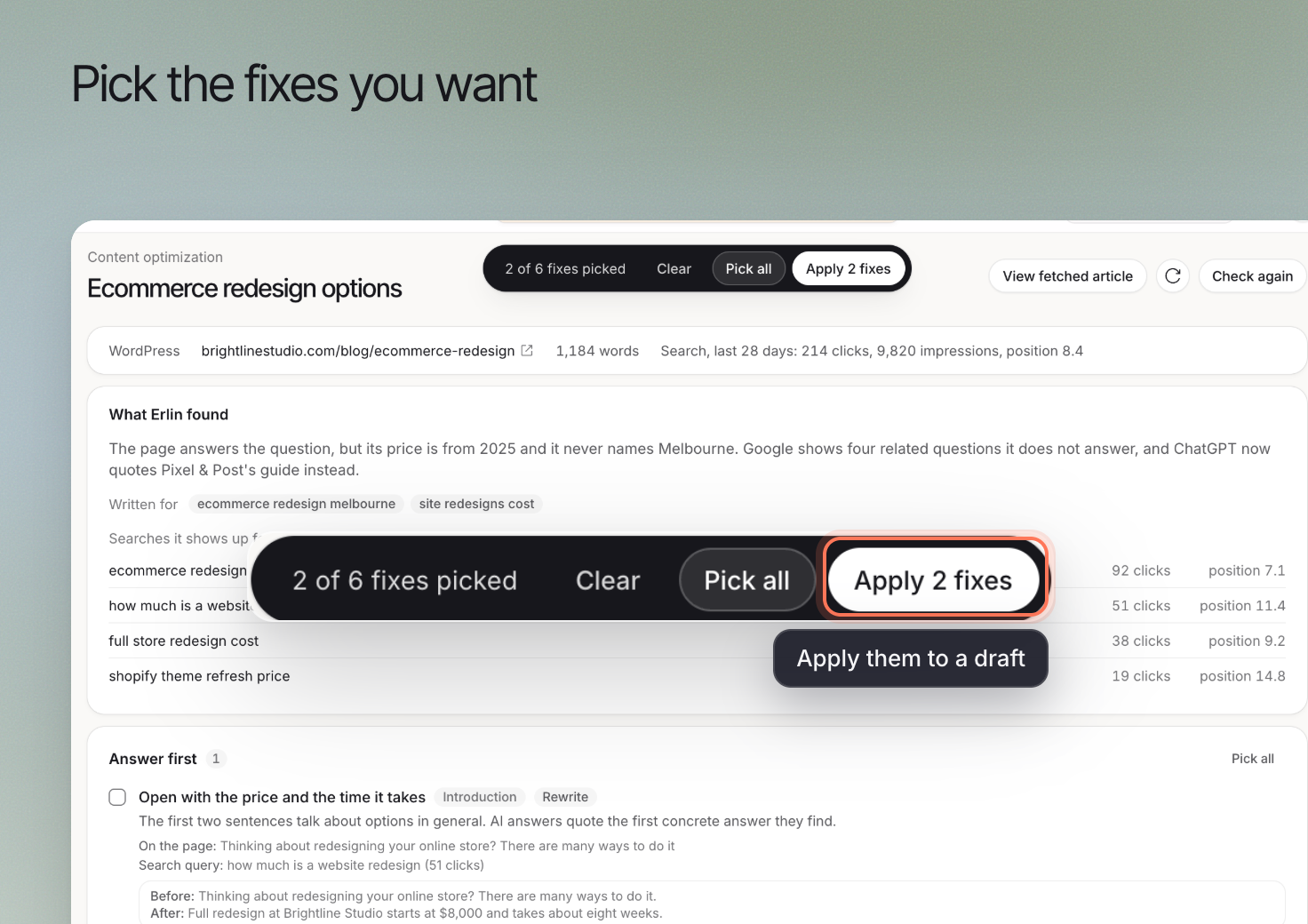
Select the findings you want to address. Review **Picked fixes**, then click **Apply N fixes**, where N is the number selected. **Clear** removes the selection; **Pick all** selects the available fixes.
Do not select everything merely because it is suggested. A local reference, comparison or claim must be relevant to the page and supported by the business.
**Content optimization** reads an existing page, shows findings and lets you choose changes for an optimized draft. The live page stays unchanged until you publish through your chosen workflow. It shows in the sidebar and as a [Content library](https://www.erlin.ai/docs/content/library) tab when it is available for your account.
## 1. Read the current page
Choose **Optimize a page**, enter **Page address** and select **Read the page**. Then click **Check this page**; the check takes about a minute and the result is saved. Use **View fetched article** to check that Erlin has read the intended content.
If the fetched article is incomplete, resolve the reading issue before judging the proposed rewrite. A draft based on missing sections may remove useful information.
## 2. Review each finding
Read **What Erlin found**, including the evidence beside a finding. Separate a factual correction from a stylistic preference. Keep prices, service boundaries and business claims grounded in current information.
Every category appears in the same order: Intent & angle, Answer extractability, Evidence & freshness, Brand voice, On-page SEO, Structured data, Authority signals, Technical and Coverage gaps. A category with nothing to fix shows **Pass**, **Partly checked** or **Not checked**. A skipped check does not mean the page passed it.
### Technical checks
Technical findings are tagged **Fix by hand**: Erlin lists them, but you fix them on your site.
- **AI crawler access**: Erlin reads the site's robots.txt and reports when it blocks answer-engine crawlers such as OAI-SearchBot, ClaudeBot or PerplexityBot. OpenAI separates its search crawler, OAI-SearchBot, from GPTBot, which relates to model training. [OpenAI crawler documentation](https://developers.openai.com/api/docs/bots).
- **Structured data**: Erlin checks whether the page has markup and which types. It flags a missing Article or BlogPosting on a blog post, a missing LocalBusiness or Organization, and FAQ content without FAQPage markup. It checks that markup is present and of the right type, not whether its values match the page text.
Google does not require special AI markup for inclusion in AI Overviews or AI Mode. [Google's AI features guidance](https://developers.google.com/search/docs/appearance/ai-features).
## 3. Choose the changes to apply
Select the findings you want to address. Review **Picked fixes**, then click **Apply N fixes**, where N is the number selected. **Clear** removes the selection; **Pick all** selects the available fixes.
Do not select everything merely because it is suggested. A local reference, comparison or claim must be relevant to the page and supported by the business.
 ## 4. Review the draft before publishing
Open the result in the [editor](https://www.erlin.ai/docs/content/editor-and-publishing). Check facts, links, headings and whether the original buyer question is answered more clearly. Compare important passages with the source page before replacing them.
Use **Optimized versions** to find generated versions. After publication, review the live page and observe later prompt answers under the same scope. A rewritten draft is not evidence of a visibility improvement by itself.
Keep [brand knowledge](https://www.erlin.ai/docs/brand/knowledge) and [writing rules](https://www.erlin.ai/docs/brand/writing-rules) current so future drafts use the right context.
## What it costs
A completed check costs **7 credits**. **Check again** charges 7 credits again. A check that fails or only partly completes is free, and you need at least 7 credits to start one. Applying fixes is billed as content words: 10 credits per 300 words the fixes add, rounded up, counting only net added words. With your own API key, checks and fixes cost 0 credits. See [Credits](https://www.erlin.ai/docs/settings/credits).
## 4. Review the draft before publishing
Open the result in the [editor](https://www.erlin.ai/docs/content/editor-and-publishing). Check facts, links, headings and whether the original buyer question is answered more clearly. Compare important passages with the source page before replacing them.
Use **Optimized versions** to find generated versions. After publication, review the live page and observe later prompt answers under the same scope. A rewritten draft is not evidence of a visibility improvement by itself.
Keep [brand knowledge](https://www.erlin.ai/docs/brand/knowledge) and [writing rules](https://www.erlin.ai/docs/brand/writing-rules) current so future drafts use the right context.
## What it costs
A completed check costs **7 credits**. **Check again** charges 7 credits again. A check that fails or only partly completes is free, and you need at least 7 credits to start one. Applying fixes is billed as content words: 10 credits per 300 words the fixes add, rounded up, counting only net added words. With your own API key, checks and fixes cost 0 credits. See [Credits](https://www.erlin.ai/docs/settings/credits).