# Manage the facts Erlin uses
> Knowledge is the list of facts Erlin knows about your brand, where each came from, and which ones it may state.
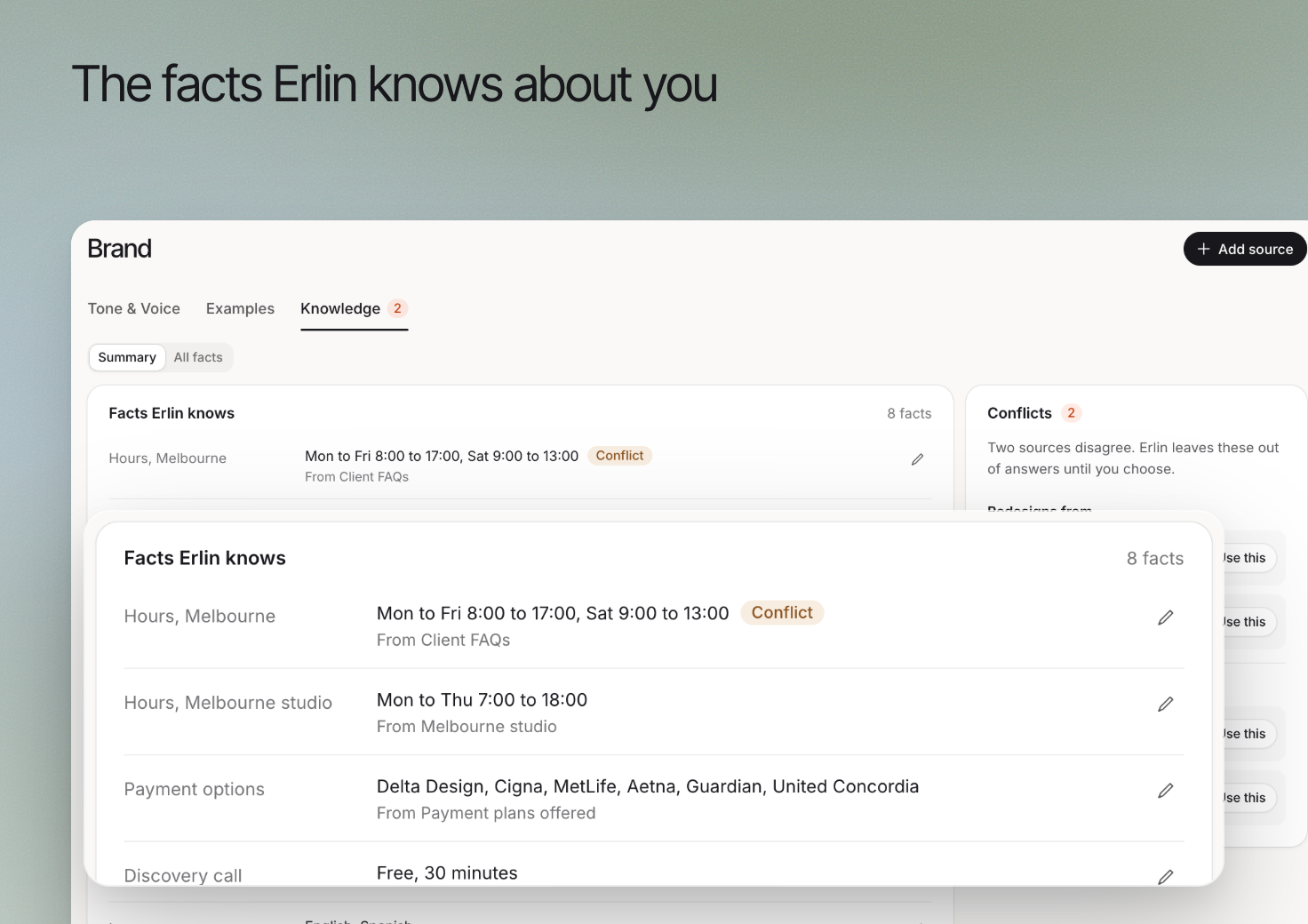 **Knowledge** holds business facts and their sources. Use it to give Erlin accurate context for writing and business-specific qualification, including information that is not clear on the website.
Business knowledge is separate from documents a visitor supplies during a lead conversation. Visitor files help qualify that inquiry; your knowledge sources describe the business.
## 1. Review existing facts
Open **Brand > Knowledge** and review **Facts Erlin knows**. Each fact has a name, a value, a category and the source it came from. Use the status tabs **To review**, **Approved**, **Don't use** and **All** to filter the list.
| Status | What it means for Erlin |
| --- | --- |
| To review | Erlin read it but you have not approved it. Erlin uses it as background only and does not state it as fact |
| Approved | Erlin may state it as fact |
| Don't use | Erlin must never claim it |
Approve, mark **Don't use** or send a fact **Back to review** from its row menu, or tick several rows and act on them together. To change the wording, select a row, edit the text and select **Save fact**. Your edit saves as approved, and Erlin uses your exact words. **Delete** removes a fact; to keep one out of what Erlin writes without losing it, mark it **Don't use**.
Check the current offering, service area and important requirements. Correct a misleading fact before relying on it in suggested qualification questions or a draft.
## 2. Add a relevant source
Choose **Add a source**. Under **Source type**, use **Upload a file** for a business document or **Add a page** for a relevant website page. A file can be a PDF, Word, text, CSV or Excel file up to 10 MB, and you say what it is: Brand guide, Spec sheet, Policy document, Compliance document, Battle card, Catalog or Other. Choose information that is current and appropriate for the task.
Review what Erlin extracts rather than assuming that every sentence in a source should become a reusable fact. A historical case study may contain an old price or a service no longer offered.
## 3. Resolve contradictions
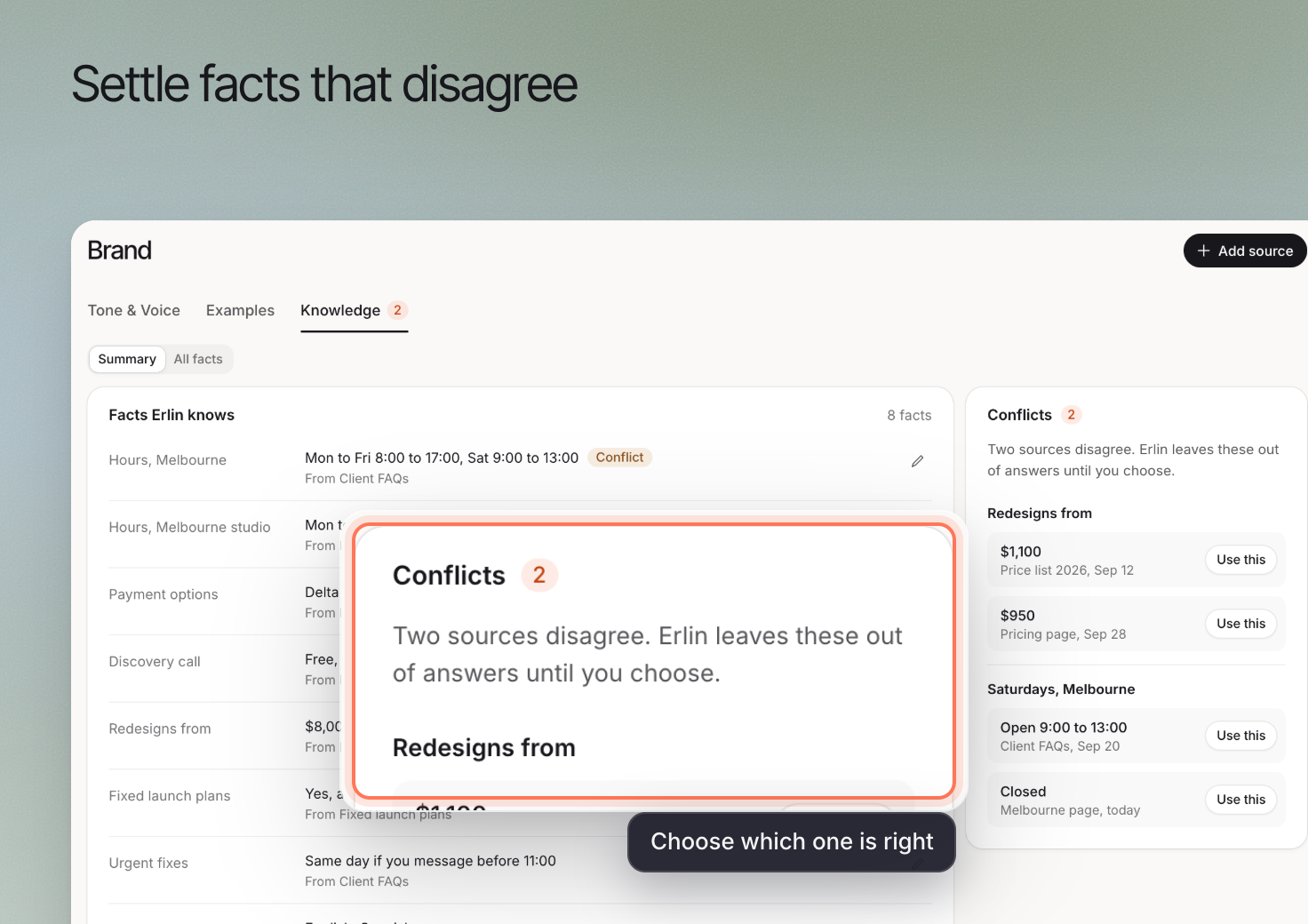
Review **Conflicts** when sources disagree. Compare the source and its current validity before selecting the information to use.
For example, an old services document may conflict with the current website. Choose the accurate statement and correct the underlying obsolete source when appropriate.
**Knowledge** holds business facts and their sources. Use it to give Erlin accurate context for writing and business-specific qualification, including information that is not clear on the website.
Business knowledge is separate from documents a visitor supplies during a lead conversation. Visitor files help qualify that inquiry; your knowledge sources describe the business.
## 1. Review existing facts
Open **Brand > Knowledge** and review **Facts Erlin knows**. Each fact has a name, a value, a category and the source it came from. Use the status tabs **To review**, **Approved**, **Don't use** and **All** to filter the list.
| Status | What it means for Erlin |
| --- | --- |
| To review | Erlin read it but you have not approved it. Erlin uses it as background only and does not state it as fact |
| Approved | Erlin may state it as fact |
| Don't use | Erlin must never claim it |
Approve, mark **Don't use** or send a fact **Back to review** from its row menu, or tick several rows and act on them together. To change the wording, select a row, edit the text and select **Save fact**. Your edit saves as approved, and Erlin uses your exact words. **Delete** removes a fact; to keep one out of what Erlin writes without losing it, mark it **Don't use**.
Check the current offering, service area and important requirements. Correct a misleading fact before relying on it in suggested qualification questions or a draft.
## 2. Add a relevant source
Choose **Add a source**. Under **Source type**, use **Upload a file** for a business document or **Add a page** for a relevant website page. A file can be a PDF, Word, text, CSV or Excel file up to 10 MB, and you say what it is: Brand guide, Spec sheet, Policy document, Compliance document, Battle card, Catalog or Other. Choose information that is current and appropriate for the task.
Review what Erlin extracts rather than assuming that every sentence in a source should become a reusable fact. A historical case study may contain an old price or a service no longer offered.
## 3. Resolve contradictions
Review **Conflicts** when sources disagree. Compare the source and its current validity before selecting the information to use.
For example, an old services document may conflict with the current website. Choose the accurate statement and correct the underlying obsolete source when appropriate.
 ## 4. Check the downstream result
After updating knowledge, review a relevant draft or click **Test the agent** in [Lead Qualification](https://www.erlin.ai/docs/leads/lead-qualification). Check that the next question or answer reflects the current business.
Removing a document with **Remove source** removes it from Sources only. The facts Erlin took from it stay. Approved facts take priority over the raw profile Erlin read from your site, and if every fact is still in To review, Erlin has nothing it may state as fact.
## 4. Check the downstream result
After updating knowledge, review a relevant draft or click **Test the agent** in [Lead Qualification](https://www.erlin.ai/docs/leads/lead-qualification). Check that the next question or answer reflects the current business.
Removing a document with **Remove source** removes it from Sources only. The facts Erlin took from it stay. Approved facts take priority over the raw profile Erlin read from your site, and if every fact is still in To review, Erlin has nothing it may state as fact.