# Set required and prohibited content rules
> Compliance holds the hard rules Erlin obeys: claims it must never make and wording it must always include.
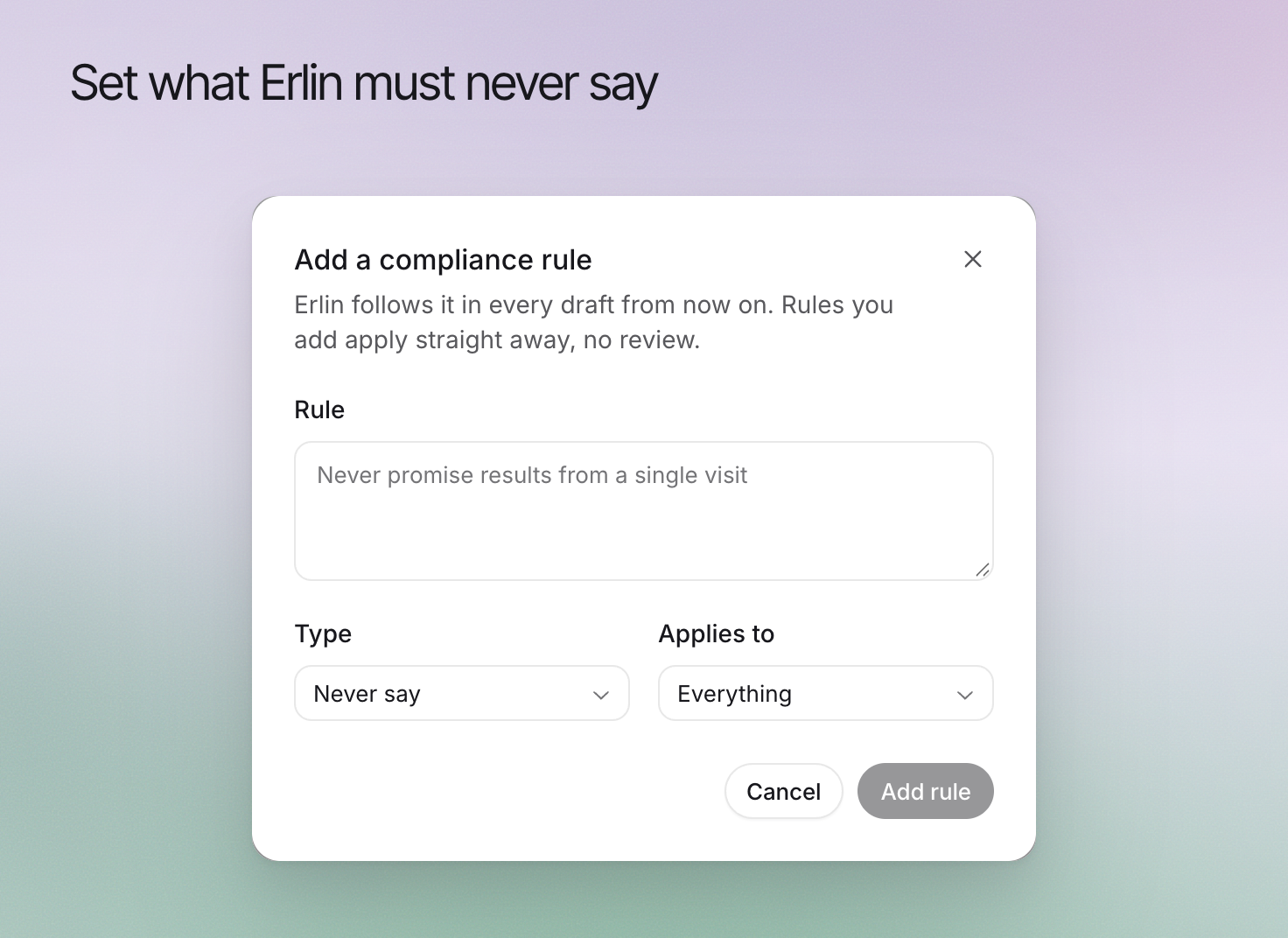 **Compliance** records content requirements for your brand, including claims to avoid and wording that must be included. Use it to make those requirements explicit during writing and review.
These rules support your team's review process. They do not certify that a draft meets every legal or regulatory requirement.
## 1. Define a clear requirement
Open **Brand > Compliance** and choose **Add a compliance rule**. State the requirement in terms a writer and reviewer can apply.
For example, a business may prohibit a guaranteed-results claim it cannot substantiate. Another rule may require a relevant limitation beside a product statement. Use wording approved by the person responsible for that requirement.
## 2. Set the rule's scope
Review **Type** and **Applies to** so the rule reaches the content it governs. A requirement for a particular service should not be silently expanded to unrelated offers.
Keep the business facts that support the requirement current in [Knowledge](https://www.erlin.ai/docs/brand/knowledge). A rule cannot make an inaccurate underlying claim true.
## 3. Manage the rule list
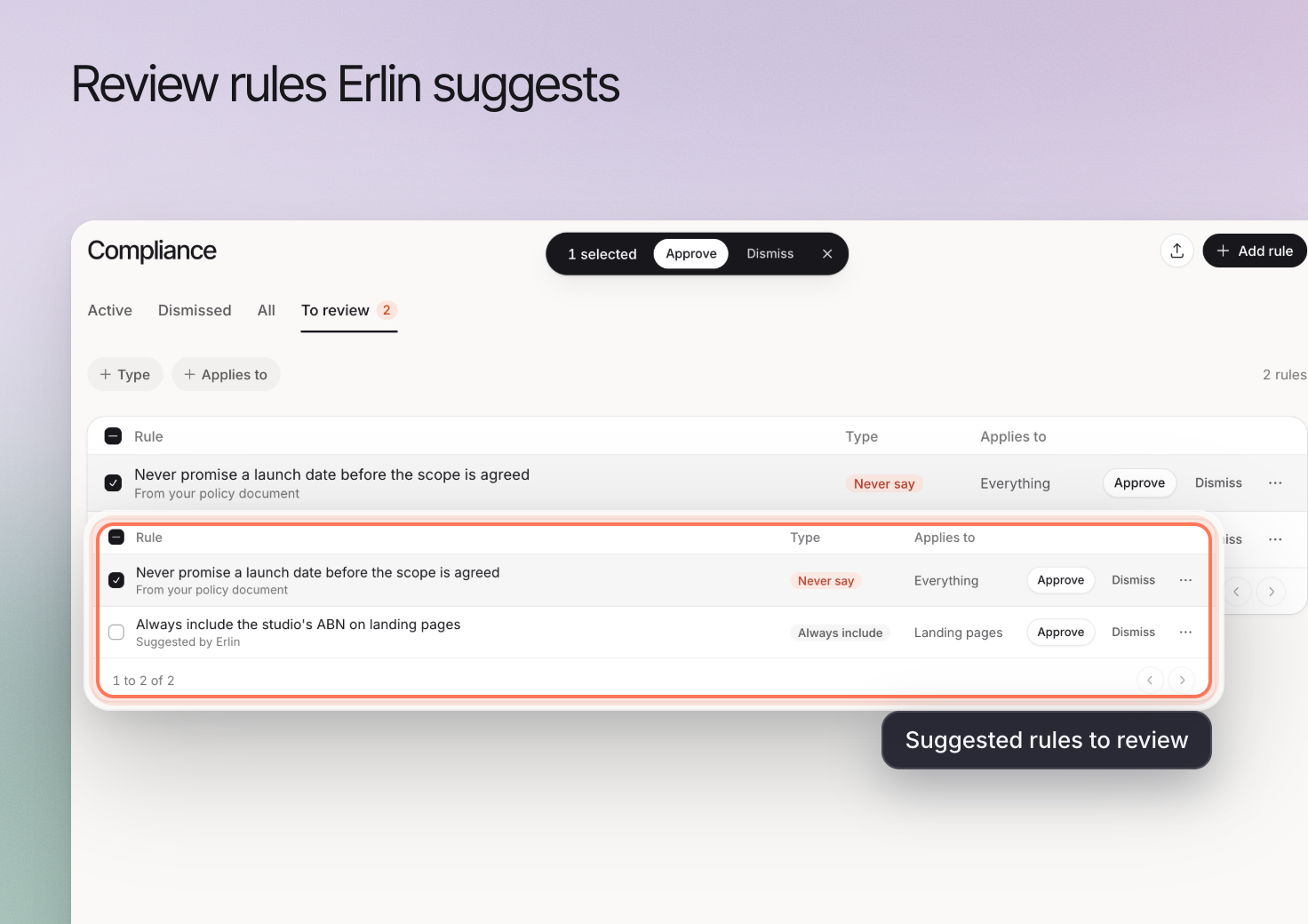
Use **Active**, **Dismissed** and **All** to manage the rule list. A rule you add applies straight away, with no review. A dismissed rule can be used again from its menu, and **Delete rule** removes it for good. Open a rule to change **Applies to**.
**Compliance** records content requirements for your brand, including claims to avoid and wording that must be included. Use it to make those requirements explicit during writing and review.
These rules support your team's review process. They do not certify that a draft meets every legal or regulatory requirement.
## 1. Define a clear requirement
Open **Brand > Compliance** and choose **Add a compliance rule**. State the requirement in terms a writer and reviewer can apply.
For example, a business may prohibit a guaranteed-results claim it cannot substantiate. Another rule may require a relevant limitation beside a product statement. Use wording approved by the person responsible for that requirement.
## 2. Set the rule's scope
Review **Type** and **Applies to** so the rule reaches the content it governs. A requirement for a particular service should not be silently expanded to unrelated offers.
Keep the business facts that support the requirement current in [Knowledge](https://www.erlin.ai/docs/brand/knowledge). A rule cannot make an inaccurate underlying claim true.
## 3. Manage the rule list
Use **Active**, **Dismissed** and **All** to manage the rule list. A rule you add applies straight away, with no review. A dismissed rule can be used again from its menu, and **Delete rule** removes it for good. Open a rule to change **Applies to**.
 ## 4. Check the finished piece
Review the relevant passages in the [editor](https://www.erlin.ai/docs/content/editor-and-publishing), including headings, calls to action and important limitations. Keep the required context near the claim it qualifies.
When policy changes, update the rule and review affected content. Use [Writing rules](https://www.erlin.ai/docs/brand/writing-rules) for ordinary style preferences so factual and compliance requirements remain easy to identify.
## 4. Check the finished piece
Review the relevant passages in the [editor](https://www.erlin.ai/docs/content/editor-and-publishing), including headings, calls to action and important limitations. Keep the required context near the claim it qualifies.
When policy changes, update the rule and review affected content. Use [Writing rules](https://www.erlin.ai/docs/brand/writing-rules) for ordinary style preferences so factual and compliance requirements remain easy to identify.