# Run and organize tracked prompts
> Add the questions you want tracked, choose where checks run, organize prompts around buying decisions and read their run status.
 Tracked prompts are the questions Erlin runs to collect AI answers for your business. The questions, platforms and run locations you choose define what those results describe.
Use this guide to add prompts, organize a useful set and plan repeat checks.
## 1. Add questions that match a buying decision
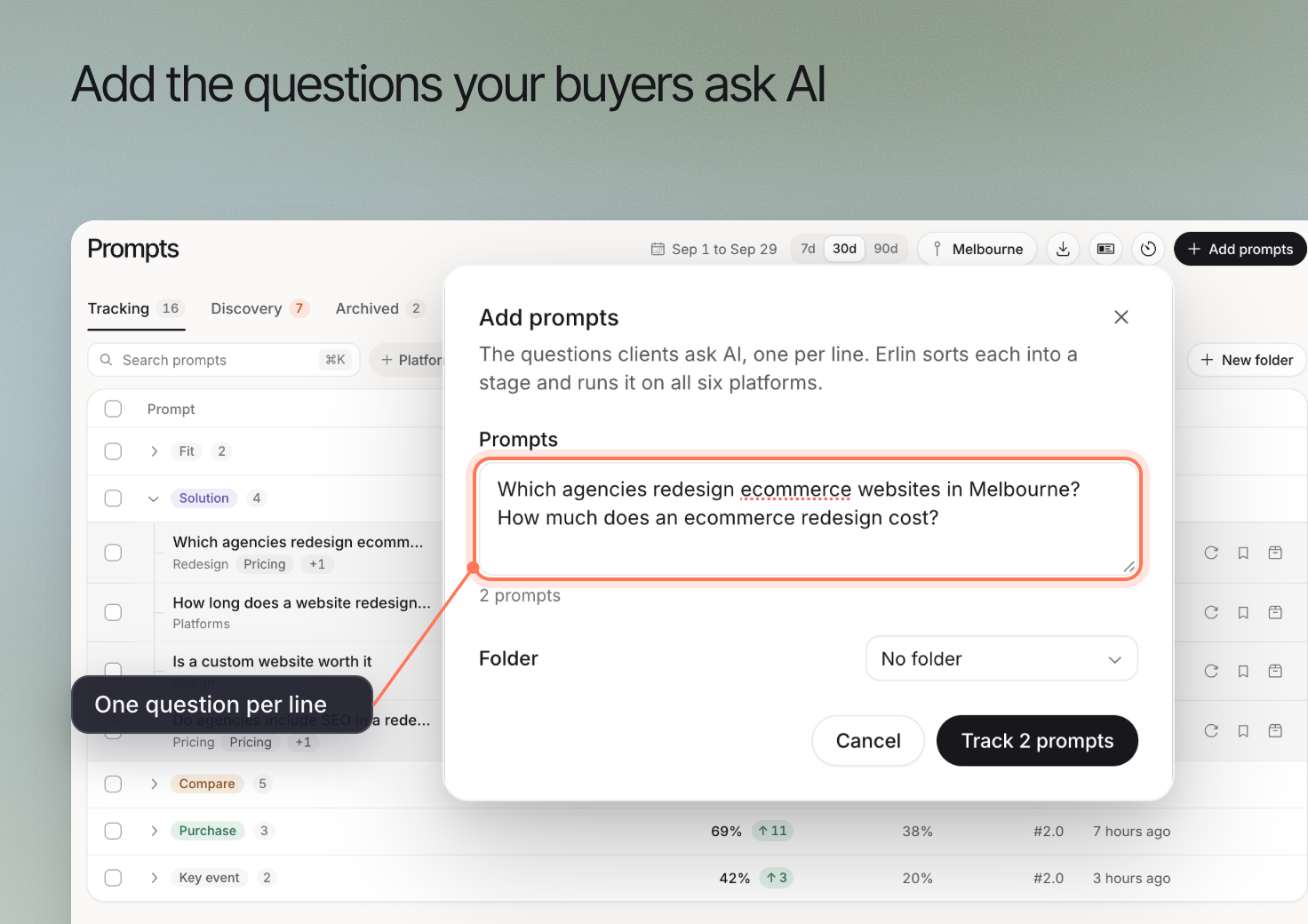
Open **AI Visibility > Prompts**. Choose **Add prompts** to enter your own questions, or review [Prompt Discovery](https://www.erlin.ai/docs/ai-visibility/prompts/discovery) for suggestions.
Write one clear question at a time. For a website design business, "Which agencies redesign ecommerce websites in Melbourne?" is more specific than "best agency."
The example is a question a business might choose to investigate. It is not a measured customer query.
Keep questions that name your brand separate from questions that do not. A question asking about your brand has a different starting point from one asking which businesses to consider.
## 2. Choose the platforms and run locations
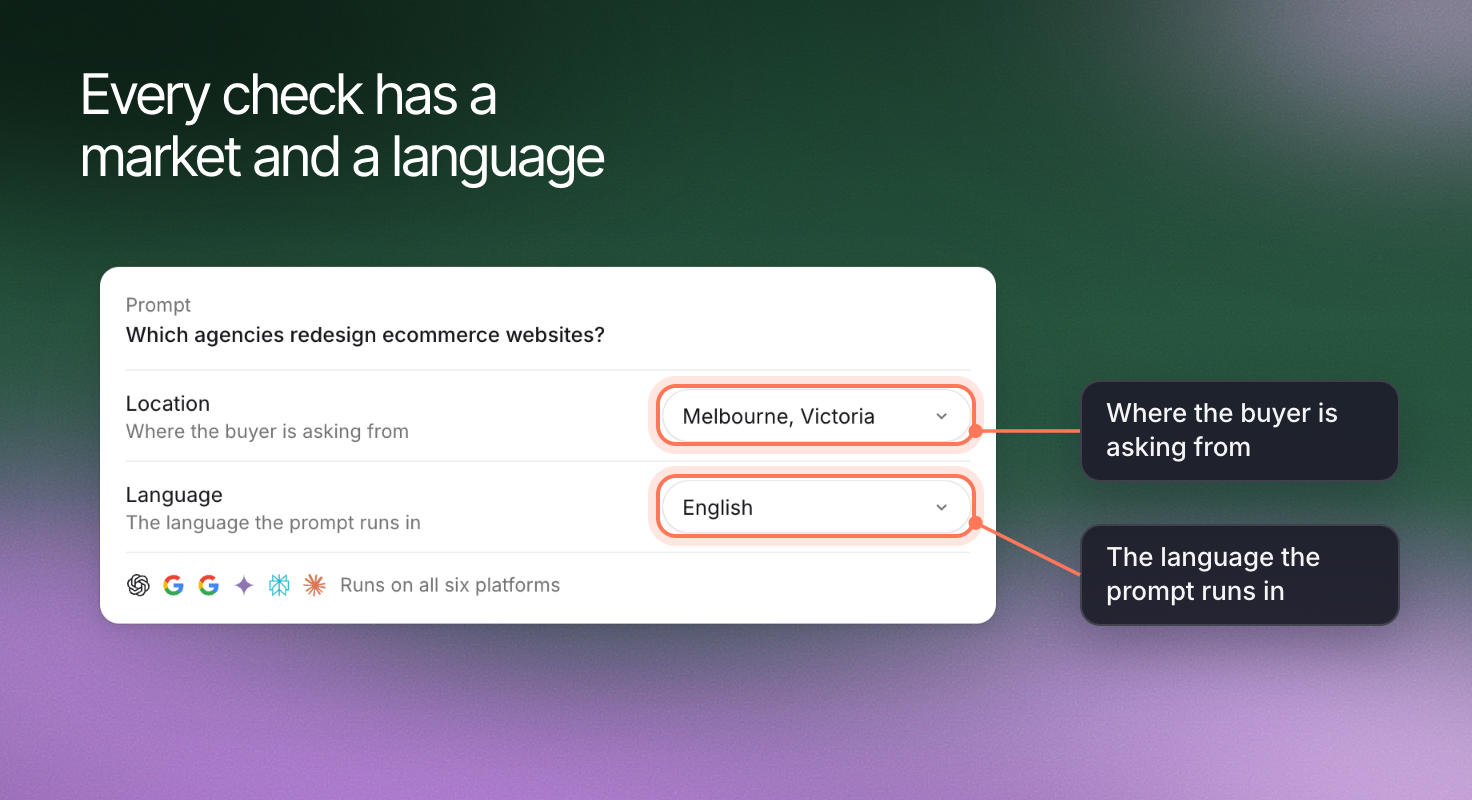
Review the platforms selected for the run. Checks run from your brand's office locations. With two or more locations, **Run prompts from** lets you choose which ones; pick locations that match the customers you serve.
Language is set only for suggestions: **Language for suggested prompts** in Discovery. Write tracked prompts in the language your customers use to ask the question.
Credits: each run costs 2 credits per prompt per platform that answered.
Tracked prompts are the questions Erlin runs to collect AI answers for your business. The questions, platforms and run locations you choose define what those results describe.
Use this guide to add prompts, organize a useful set and plan repeat checks.
## 1. Add questions that match a buying decision
Open **AI Visibility > Prompts**. Choose **Add prompts** to enter your own questions, or review [Prompt Discovery](https://www.erlin.ai/docs/ai-visibility/prompts/discovery) for suggestions.
Write one clear question at a time. For a website design business, "Which agencies redesign ecommerce websites in Melbourne?" is more specific than "best agency."
The example is a question a business might choose to investigate. It is not a measured customer query.
Keep questions that name your brand separate from questions that do not. A question asking about your brand has a different starting point from one asking which businesses to consider.
## 2. Choose the platforms and run locations
Review the platforms selected for the run. Checks run from your brand's office locations. With two or more locations, **Run prompts from** lets you choose which ones; pick locations that match the customers you serve.
Language is set only for suggestions: **Language for suggested prompts** in Discovery. Write tracked prompts in the language your customers use to ask the question.
Credits: each run costs 2 credits per prompt per platform that answered.
 ## 3. Organize prompts around your decisions
Use folders to group prompts by service, product or campaign. For example, an agency could keep ecommerce redesign questions together and place ongoing maintenance questions in another folder.
Use the available topic, stage and platform filters to narrow the list. Keep the same filters when comparing results across dates.
Adding a new group of prompts changes the set you are measuring. Record the change before interpreting a difference in the overall result.
## 4. Run the prompts and inspect the status
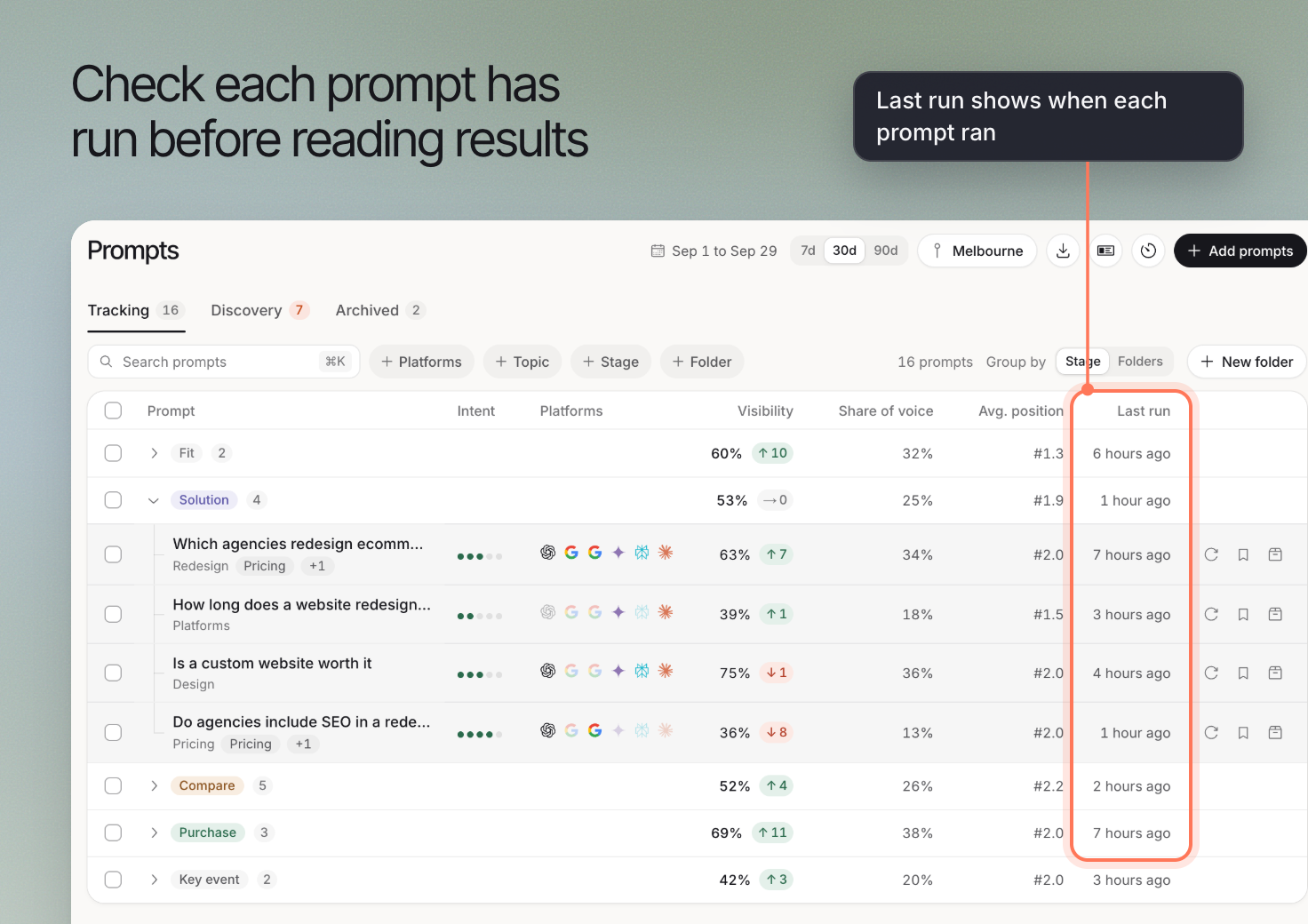
Start the tracked checks using the run controls in Prompts. Review their status before interpreting the results.
Open a completed prompt to inspect its collected answers. A prompt with no answer in the selected period does not establish that the brand was absent from an answer.
If a result is missing, check the run status, date range, selected platforms and account usage. Resolve those conditions before rerunning.
## 3. Organize prompts around your decisions
Use folders to group prompts by service, product or campaign. For example, an agency could keep ecommerce redesign questions together and place ongoing maintenance questions in another folder.
Use the available topic, stage and platform filters to narrow the list. Keep the same filters when comparing results across dates.
Adding a new group of prompts changes the set you are measuring. Record the change before interpreting a difference in the overall result.
## 4. Run the prompts and inspect the status
Start the tracked checks using the run controls in Prompts. Review their status before interpreting the results.
Open a completed prompt to inspect its collected answers. A prompt with no answer in the selected period does not establish that the brand was absent from an answer.
If a result is missing, check the run status, date range, selected platforms and account usage. Resolve those conditions before rerunning.
 ## 5. Set a schedule you can use
Open the schedule control and review the available cadence and time zone. Choose a frequency that gives your team time to review answers and act on useful findings.
Check current usage requirements in [Credits and usage](https://www.erlin.ai/docs/settings/credits) before enabling repeat runs. Feature access does not mean unlimited checks.
You can also use **Re-run** for a focused check after a relevant change. A new run collects another set of answers; it does not guarantee an improvement.
## 6. Compare like with like
For a meaningful comparison, keep the prompt wording, platform, run location and date scope consistent. If one of those changes, note it alongside the result.
Use [prompt details](https://www.erlin.ai/docs/ai-visibility/prompts/prompt-details) to read the evidence. Then review [recommendations](https://www.erlin.ai/docs/opportunities/opportunity-and-action) for a possible next action.
## 5. Set a schedule you can use
Open the schedule control and review the available cadence and time zone. Choose a frequency that gives your team time to review answers and act on useful findings.
Check current usage requirements in [Credits and usage](https://www.erlin.ai/docs/settings/credits) before enabling repeat runs. Feature access does not mean unlimited checks.
You can also use **Re-run** for a focused check after a relevant change. A new run collects another set of answers; it does not guarantee an improvement.
## 6. Compare like with like
For a meaningful comparison, keep the prompt wording, platform, run location and date scope consistent. If one of those changes, note it alongside the result.
Use [prompt details](https://www.erlin.ai/docs/ai-visibility/prompts/prompt-details) to read the evidence. Then review [recommendations](https://www.erlin.ai/docs/opportunities/opportunity-and-action) for a possible next action.