# Read a prompt's answers and results
> Read the answers behind a prompt's results, tell mentions from citations, compare platforms and runs, and find the gap worth fixing.
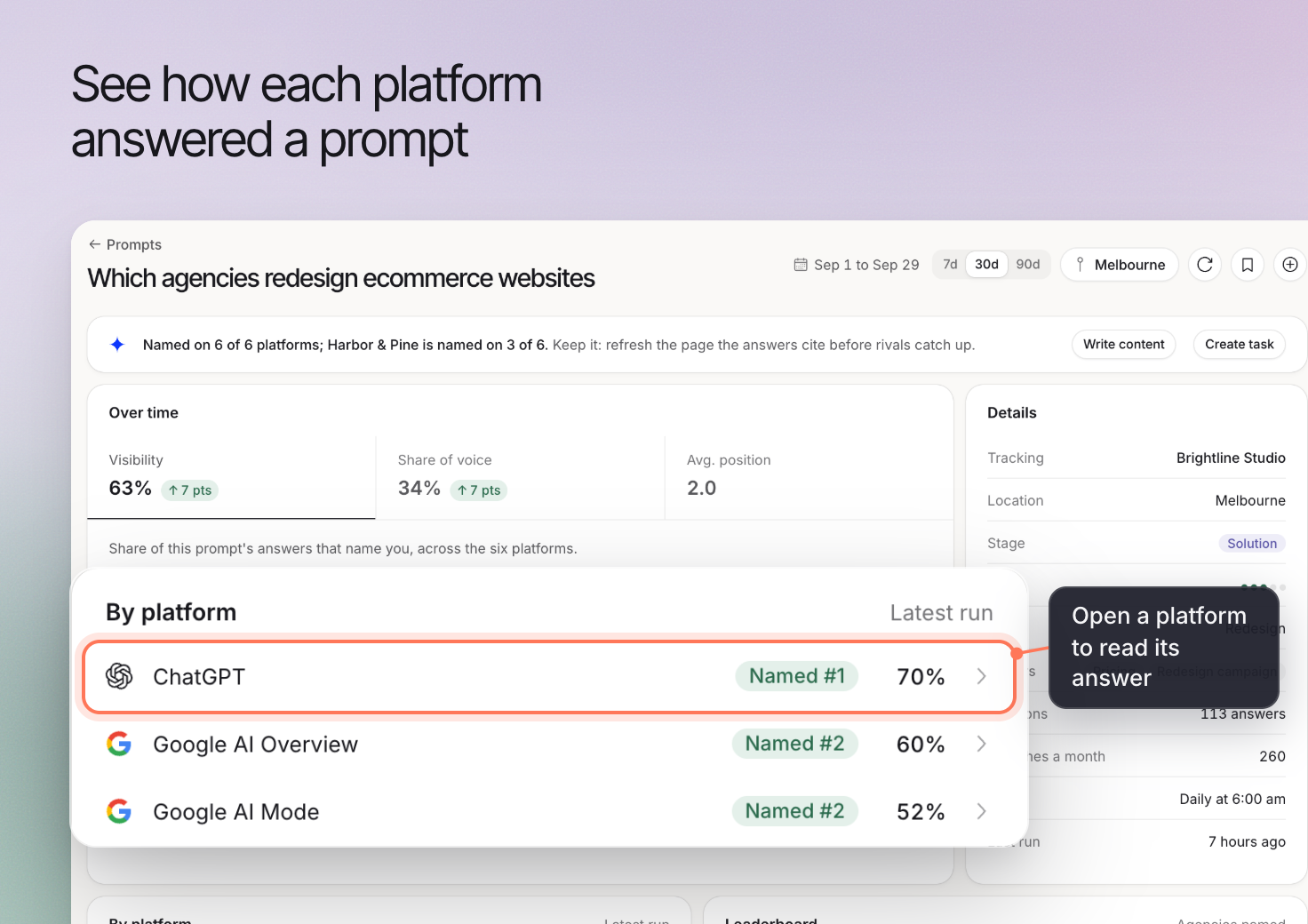 A prompt's results show the AI answers Erlin collected for that question. Reading the answers helps you understand whether your business was named, which alternatives appeared and which sources the answer cited.
Use the prompt record to inspect the evidence behind a result before deciding what to change.
## 1. Open the prompt and check its context
In **AI Visibility > Prompts**, open the question you want to investigate.
Read the full prompt and check the selected date range. Review the platform and run you are inspecting, together with the location where shown.
The result describes that check. It does not represent every answer a buyer might receive.
## 2. Read one collected answer
Open a platform's answer or an entry in the answer history. Read enough of the answer to understand the recommendation.
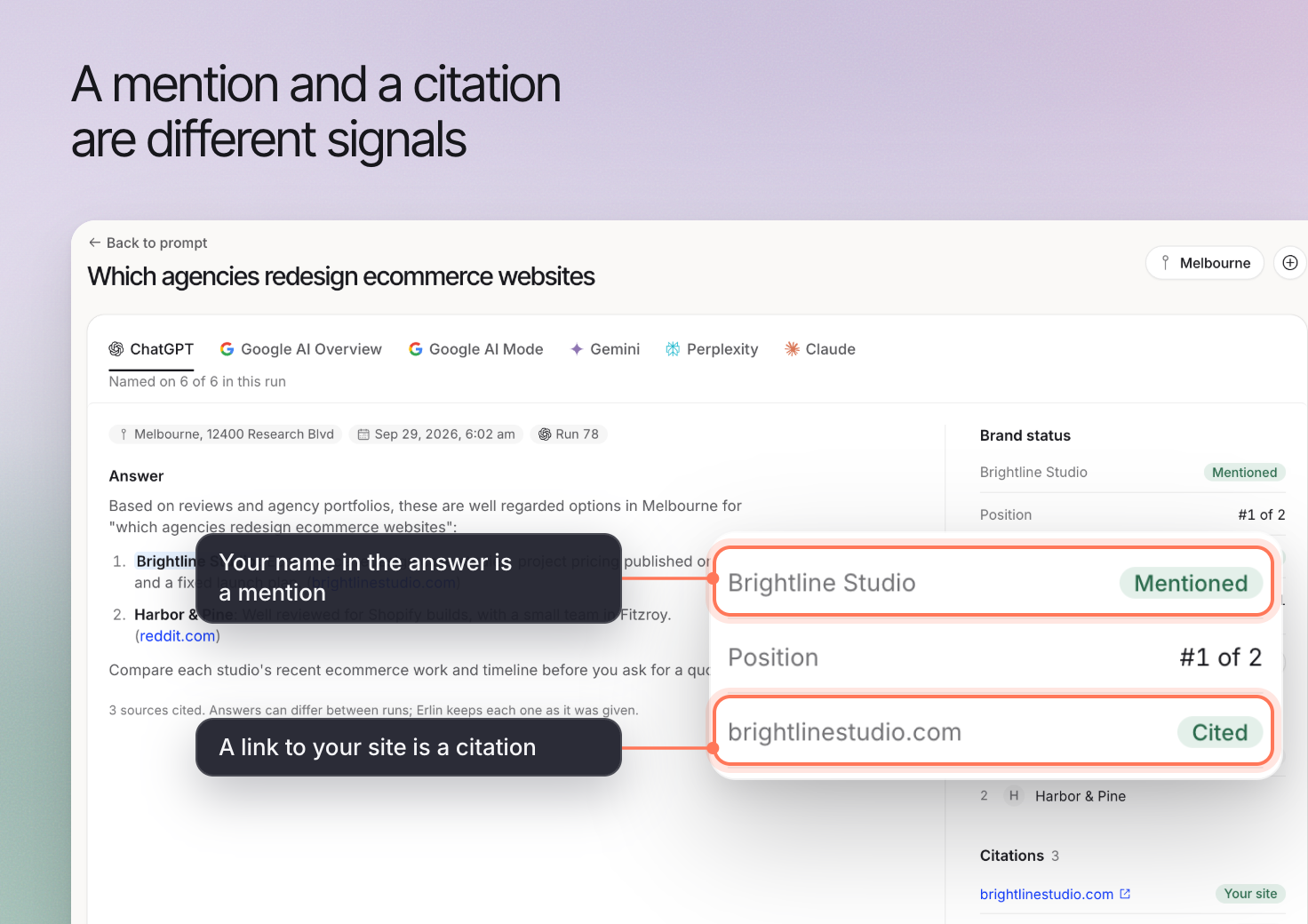
Check whether your business is mentioned in a relevant context. An answer can name a business while describing a limitation, making a comparison or recommending another option.
If the brand name is ambiguous or misspelled, review [Brand mention rules](https://www.erlin.ai/docs/ai-visibility/brand-mentions). Those rules control what Erlin recognizes as a mention.
## 3. Separate mentions from citations
A brand mention names the business in the answer. A citation points to a source used in the answer. They answer different questions.
When an answer cites a source, open it and read the relevant passage. Check whether it supports the statement and whether it concerns your business, a competitor or the broader topic.
A citation does not establish that a visitor clicked through to the page. Use the relevant traffic reporting to investigate visits.
A prompt's results show the AI answers Erlin collected for that question. Reading the answers helps you understand whether your business was named, which alternatives appeared and which sources the answer cited.
Use the prompt record to inspect the evidence behind a result before deciding what to change.
## 1. Open the prompt and check its context
In **AI Visibility > Prompts**, open the question you want to investigate.
Read the full prompt and check the selected date range. Review the platform and run you are inspecting, together with the location where shown.
The result describes that check. It does not represent every answer a buyer might receive.
## 2. Read one collected answer
Open a platform's answer or an entry in the answer history. Read enough of the answer to understand the recommendation.
Check whether your business is mentioned in a relevant context. An answer can name a business while describing a limitation, making a comparison or recommending another option.
If the brand name is ambiguous or misspelled, review [Brand mention rules](https://www.erlin.ai/docs/ai-visibility/brand-mentions). Those rules control what Erlin recognizes as a mention.
## 3. Separate mentions from citations
A brand mention names the business in the answer. A citation points to a source used in the answer. They answer different questions.
When an answer cites a source, open it and read the relevant passage. Check whether it supports the statement and whether it concerns your business, a competitor or the broader topic.
A citation does not establish that a visitor clicked through to the page. Use the relevant traffic reporting to investigate visits.
 ## 4. Compare platforms and runs
Review another platform's answer to the same question. Then inspect an earlier run where one is available.
Look for repeated themes, such as an outdated service description or a competitor consistently appearing for a requirement you also meet. Keep isolated differences separate from patterns you have checked across runs.
If the prompt or market settings changed, account for that before attributing a difference to your website work.
## 5. Investigate a useful gap
A missing mention is a starting point for investigation. Check whether the question fits your business and whether the sources shown contain accurate, useful information.
For example, an agency might discover that an answer describes its work as design-only when it also provides ecommerce development. The next task is to inspect its published information and the cited sources, then decide what needs correction.
This is an illustrative investigation, not a promise that a particular edit will change the next answer.
## 6. Review recommendations
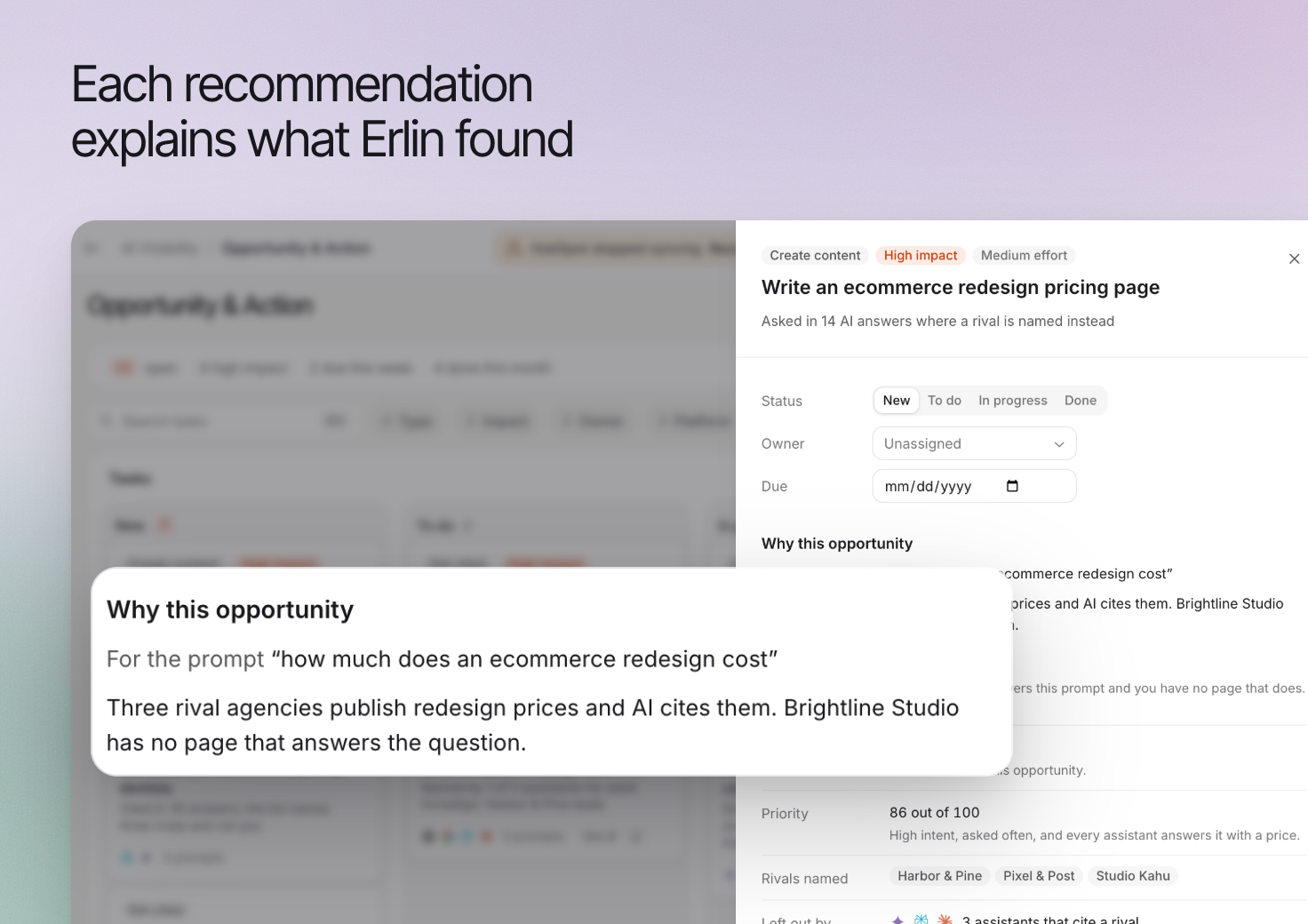
Erlin suggests tasks once each prompt has run at least 4 times on different days in the last 90 days and you have picked competitors; until then **Find new tasks** is off. Open a relevant recommendation and check the supporting evidence before accepting the work.
Use [Turn recommendations into actions](https://www.erlin.ai/docs/opportunities/opportunity-and-action) to move from the finding to a focused task.
## 4. Compare platforms and runs
Review another platform's answer to the same question. Then inspect an earlier run where one is available.
Look for repeated themes, such as an outdated service description or a competitor consistently appearing for a requirement you also meet. Keep isolated differences separate from patterns you have checked across runs.
If the prompt or market settings changed, account for that before attributing a difference to your website work.
## 5. Investigate a useful gap
A missing mention is a starting point for investigation. Check whether the question fits your business and whether the sources shown contain accurate, useful information.
For example, an agency might discover that an answer describes its work as design-only when it also provides ecommerce development. The next task is to inspect its published information and the cited sources, then decide what needs correction.
This is an illustrative investigation, not a promise that a particular edit will change the next answer.
## 6. Review recommendations
Erlin suggests tasks once each prompt has run at least 4 times on different days in the last 90 days and you have picked competitors; until then **Find new tasks** is off. Open a relevant recommendation and check the supporting evidence before accepting the work.
Use [Turn recommendations into actions](https://www.erlin.ai/docs/opportunities/opportunity-and-action) to move from the finding to a focused task.
 If the prompt has no results in the current period, review the date range and run status first. An empty result is not the same as a completed answer that leaves the brand out.