# Understand the AI visibility metric
> AI visibility is the share of AI answers to your tracked prompts that name your brand, on a scale of 0 to 100.
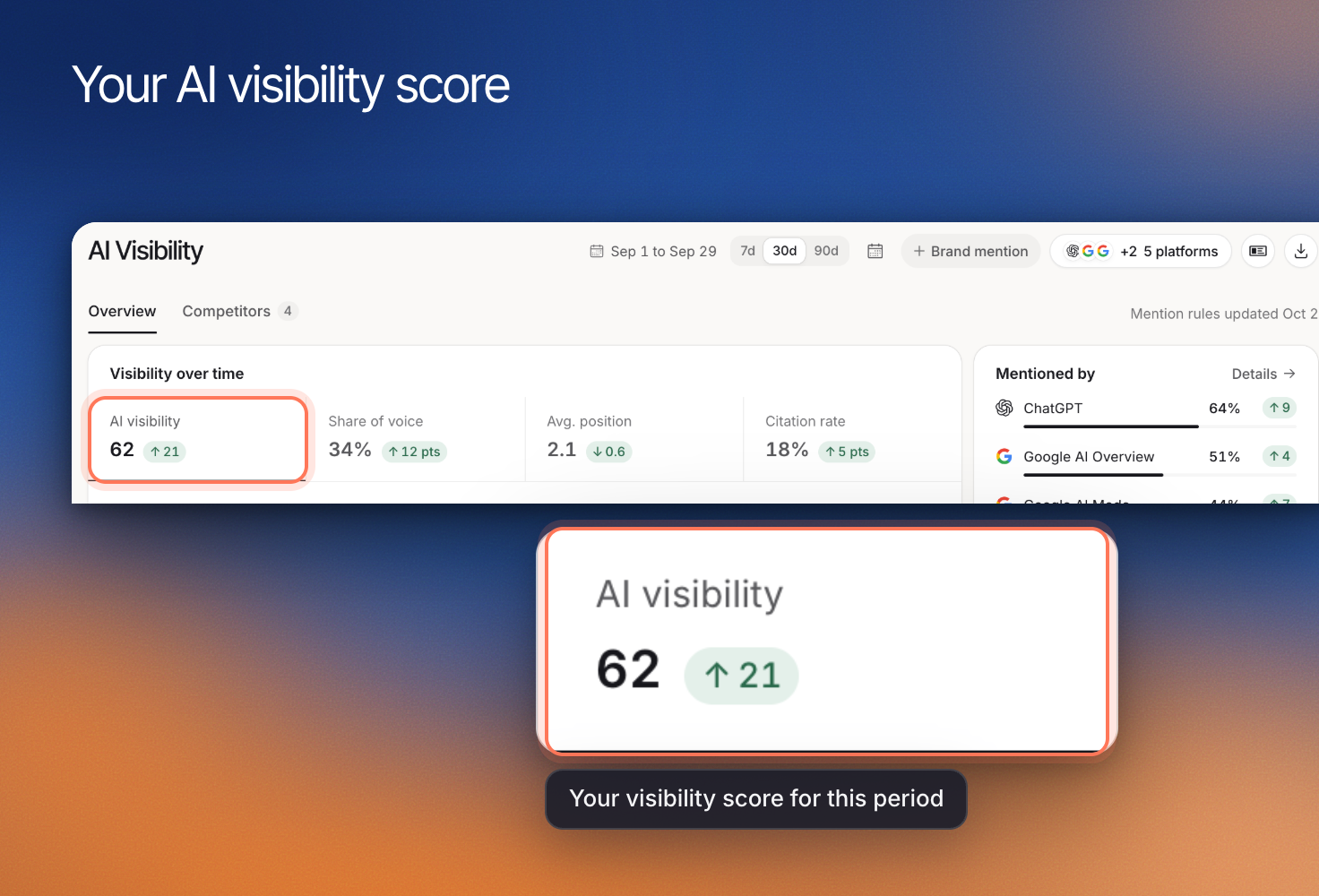 AI visibility summarizes whether your brand appears in the answers collected for your tracked prompts. Use it to investigate presence across the selected reporting scope.
## How Erlin calculates it
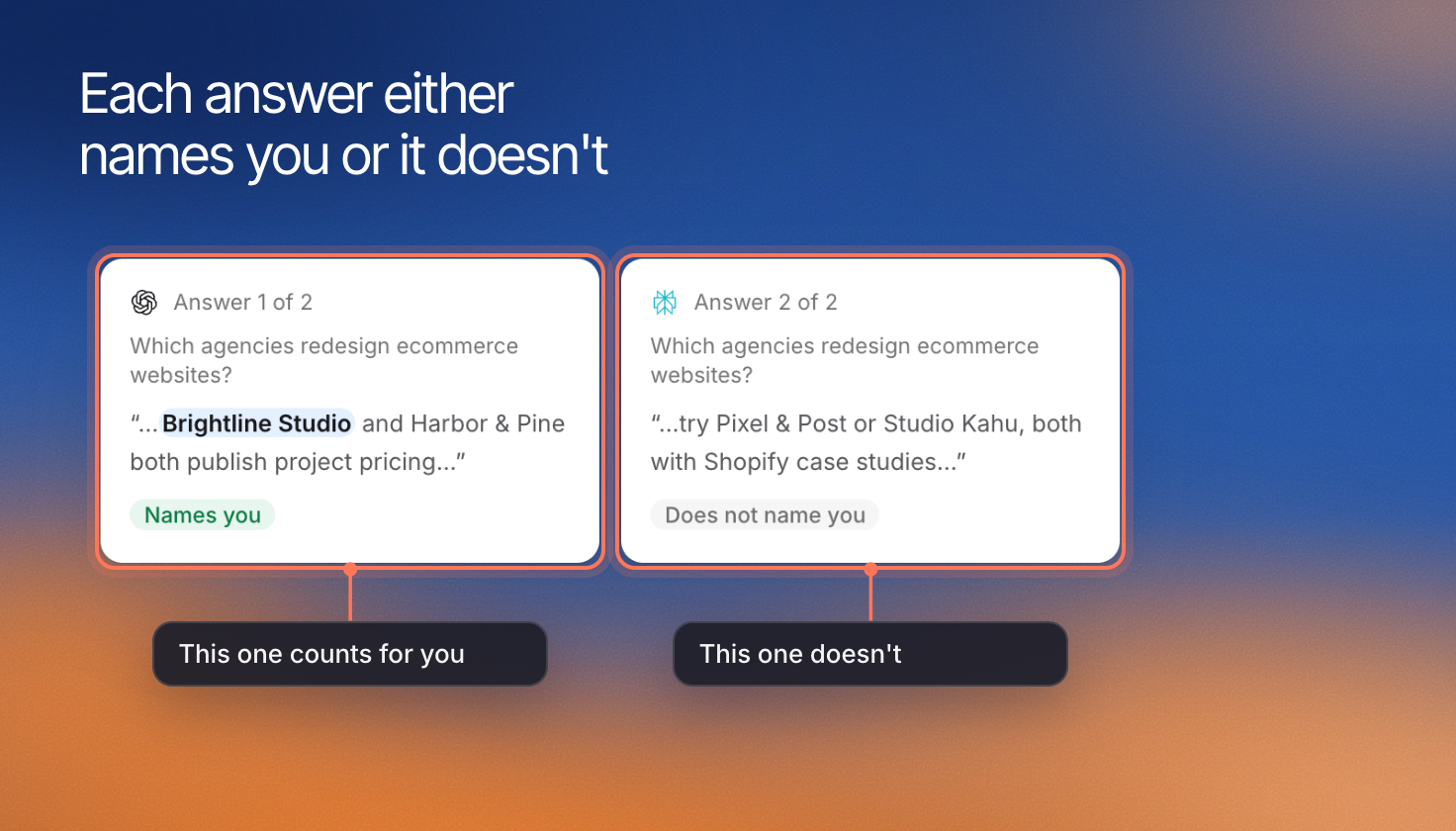
For every answer, Erlin finds the products and brands it names and checks which are yours, using your [Brand mentions](https://www.erlin.ai/docs/ai-visibility/brand-mentions) rules. An answer that names your brand at least once scores 100, and one that does not scores 0. AI visibility is the average of those scores across every answer in the date range, on every platform.
```
AI visibility = (answers that name you ÷ all answers) × 100
```
**Worked example:** Acme tracks 5 prompts on ChatGPT and Perplexity. In the last 7 days each prompt ran once on each platform, giving 10 answers. 4 answers name Acme and 6 do not: (4 × 100 + 6 × 0) ÷ 10 = **40**.
## Read the metric in context
Open **AI Visibility > Overview** and find **AI visibility** in **Visibility over time**. Select the reporting period and review the prompt scope before comparing results.
An answer can name the business without recommending it. Read the surrounding wording, especially when the question asks about limitations or alternatives.
## Check the answers behind the number
Open a relevant prompt in [Prompt details](https://www.erlin.ai/docs/ai-visibility/prompts/prompt-details). Review its platform, answer and sources. Compare like-for-like questions before attributing a movement to a content change.
If a familiar misspelling is missed, review Brand mention rules. If your name is an everyday word, check unrelated matches before interpreting the result.
 ## Avoid misleading comparisons
Changing the prompt set, platforms or the locations prompts run from changes the evidence being summarized. Keep a record of those changes. A period with missing answers should not be treated as equivalent to a complete set of checks.
Prompt Discovery volume is an estimate of demand. It is separate from the answers used to assess visibility, and neither number is a count of website visitors.
## Decide what to investigate next
Review [competitor gaps](https://www.erlin.ai/docs/ai-visibility/competitors) and [cited sources](https://www.erlin.ai/docs/ai-visibility/citations/overview) to find the specific page or question behind a change. Use [Brand mention rules](https://www.erlin.ai/docs/ai-visibility/brand-mentions) for recognition errors, and [recommendations](https://www.erlin.ai/docs/opportunities/opportunity-and-action) for possible next actions.
See [How Erlin works](https://www.erlin.ai/docs/get-started/how-erlin-works) for the measurement boundaries. A stronger metric is evidence about tracked answers, not a guaranteed business outcome.