# Review the pages receiving search and AI visits
> Landing pages lists every page in your sitemap with its Search Console clicks, Google Analytics visits and visits from each AI assistant, plus revenue by product.
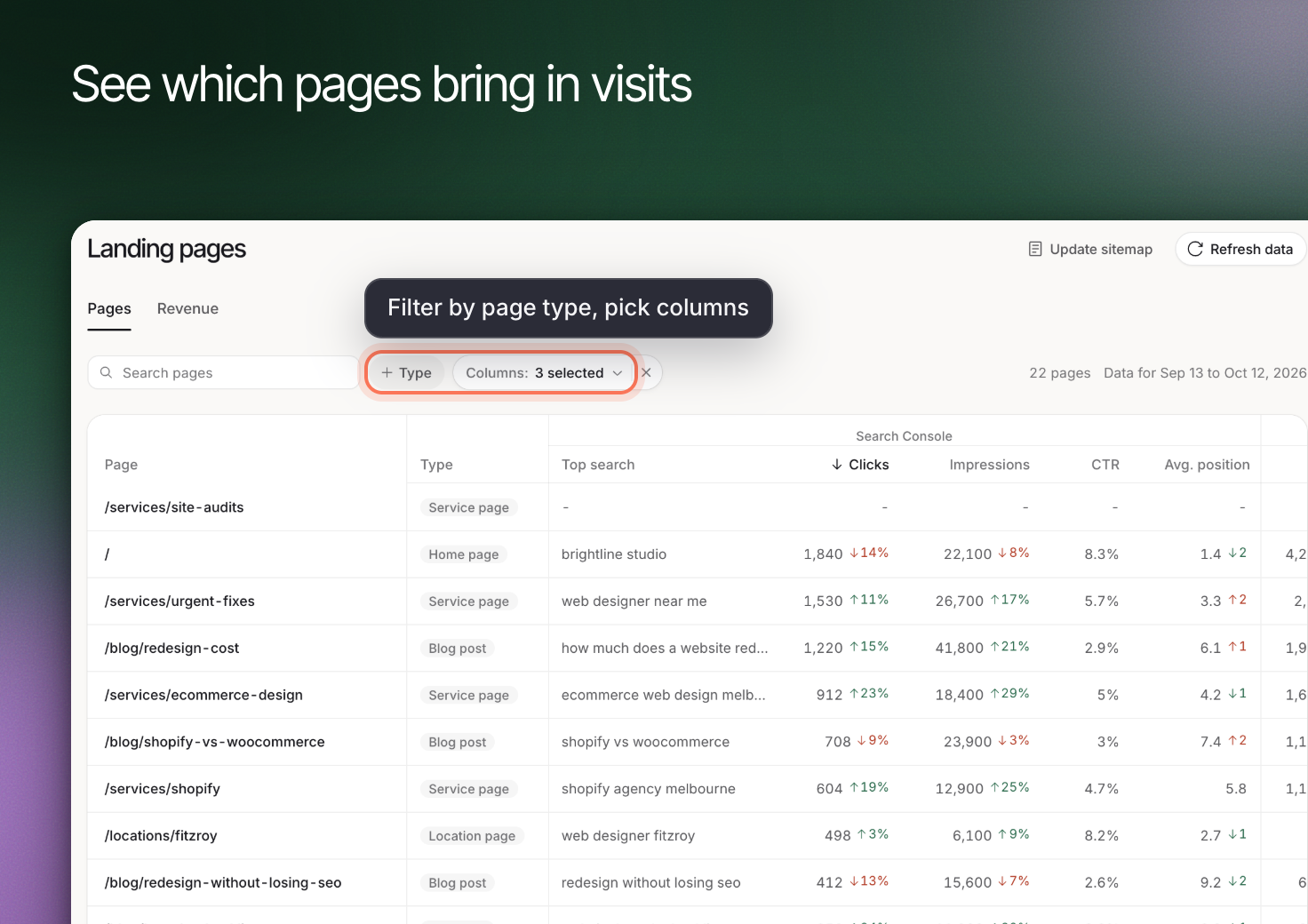 **Landing pages** brings page-level search and visit information together so you can decide which website pages need attention. It analyzes existing website pages; it is separate from building a lead-capture form.
Connect [Google Search Console](https://www.erlin.ai/docs/integrations/google-search-console) for search information and [Google Analytics](https://www.erlin.ai/docs/integrations/google-analytics) for visits and available ecommerce data.
## 1. Open the page list
From **AI Visibility > Overview**, use **Landing pages** in **Top AI landing pages** when that card has connected data. Review **Pages** for the website's page list.
Use **Type** to narrow page categories and **Columns** to choose the data groups you need. A missing connection or missing data is different from a measured zero.
## 2. Review an individual page
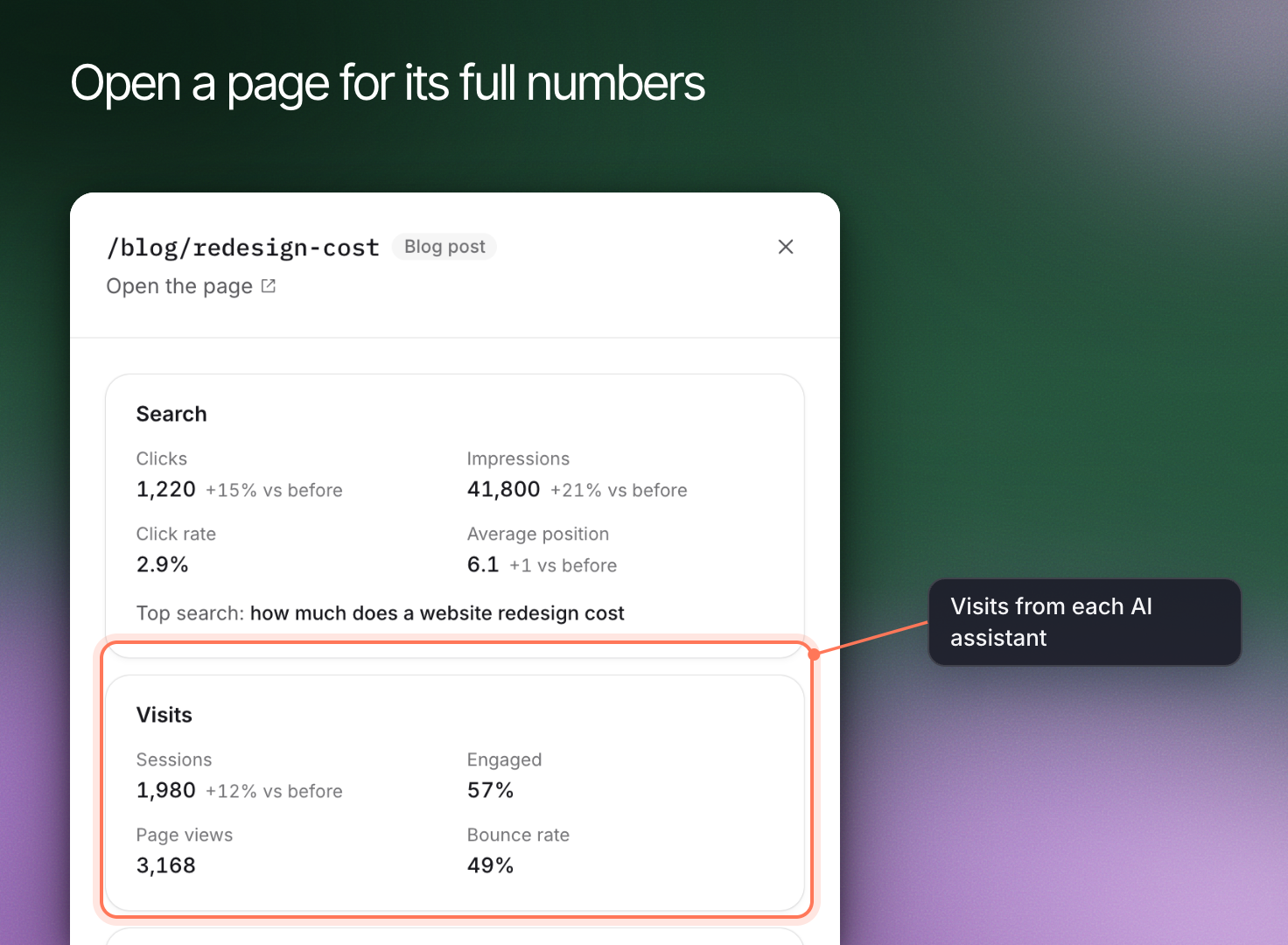
Open a row to review **Search**, **Visits** and **AI visits**. Check the period and source of the numbers before comparing them.
Search impressions, website sessions and AI answer citations measure different events. A page may be cited without receiving a recorded visit, or receive visits through a link that is not in your tracked answer set.
**Landing pages** brings page-level search and visit information together so you can decide which website pages need attention. It analyzes existing website pages; it is separate from building a lead-capture form.
Connect [Google Search Console](https://www.erlin.ai/docs/integrations/google-search-console) for search information and [Google Analytics](https://www.erlin.ai/docs/integrations/google-analytics) for visits and available ecommerce data.
## 1. Open the page list
From **AI Visibility > Overview**, use **Landing pages** in **Top AI landing pages** when that card has connected data. Review **Pages** for the website's page list.
Use **Type** to narrow page categories and **Columns** to choose the data groups you need. A missing connection or missing data is different from a measured zero.
## 2. Review an individual page
Open a row to review **Search**, **Visits** and **AI visits**. Check the period and source of the numbers before comparing them.
Search impressions, website sessions and AI answer citations measure different events. A page may be cited without receiving a recorded visit, or receive visits through a link that is not in your tracked answer set.
 ## 3. Refresh the relevant information
Use **Update sitemap** when the site's page list has changed. Use **Refresh data** to retrieve the connected search and analytics information. These actions serve different purposes; refreshing performance data does not replace a sitemap update.
For ecommerce, open **Revenue** and use **Refresh revenue** when needed. **Product revenue** can differ from total revenue because it concerns revenue assigned to named products.
## 4. Choose the page to improve
Start with a page that matters to a relevant buyer question. Review its answer, accuracy and accessibility before deciding what to change. Use [Content optimization](https://www.erlin.ai/docs/content/content-optimization) for page checks and the draft workflow.
## 3. Refresh the relevant information
Use **Update sitemap** when the site's page list has changed. Use **Refresh data** to retrieve the connected search and analytics information. These actions serve different purposes; refreshing performance data does not replace a sitemap update.
For ecommerce, open **Revenue** and use **Refresh revenue** when needed. **Product revenue** can differ from total revenue because it concerns revenue assigned to named products.
## 4. Choose the page to improve
Start with a page that matters to a relevant buyer question. Review its answer, accuracy and accessibility before deciding what to change. Use [Content optimization](https://www.erlin.ai/docs/content/content-optimization) for page checks and the draft workflow.