# Set brand mention rules
> Choose which names and spellings count as your brand in AI answers, exclude everyday phrases and preview the effect before you save.
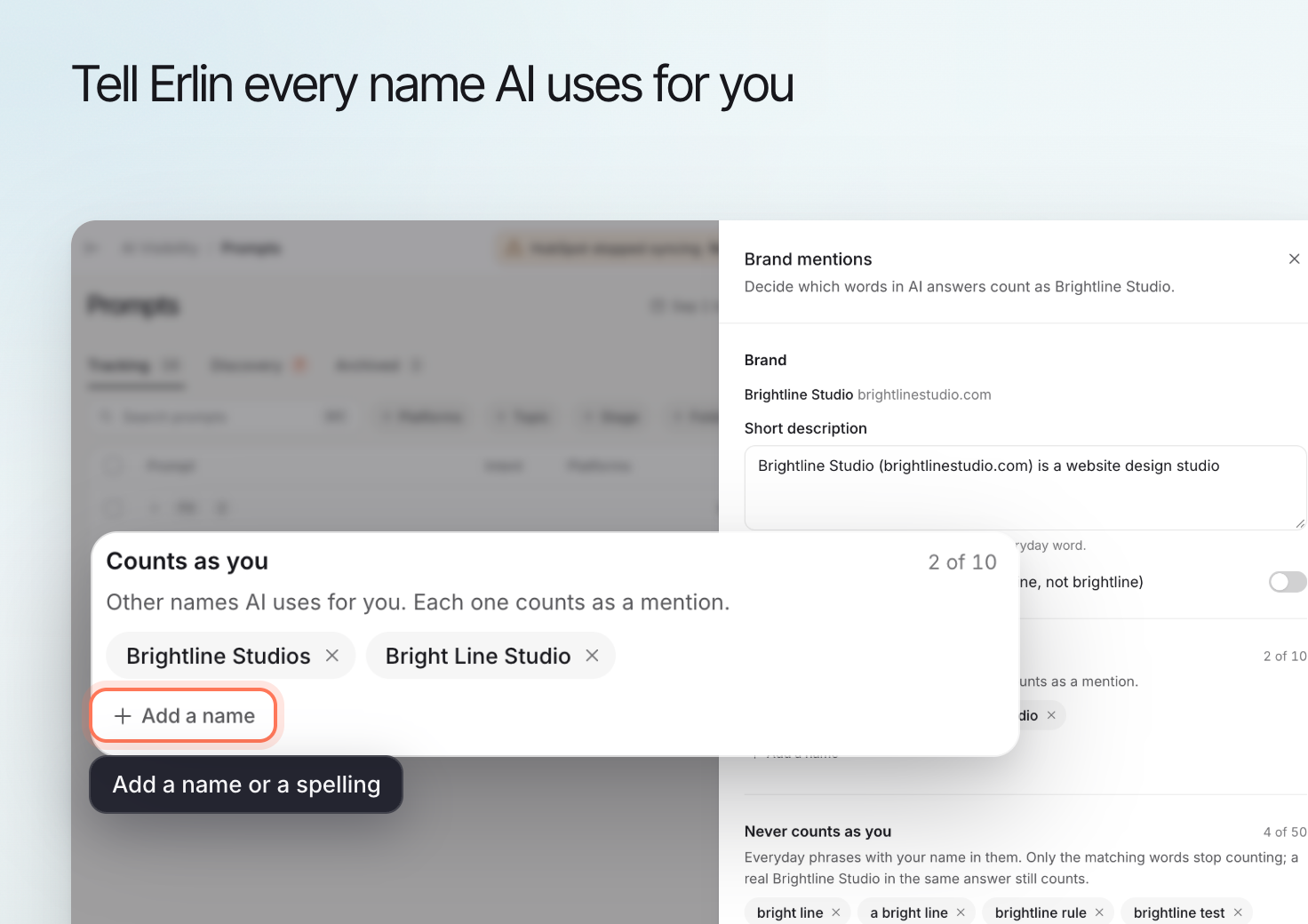 Brand mention rules define which names and spellings Erlin should recognize as your brand in collected AI answers. You can add accepted variations, including misspellings.
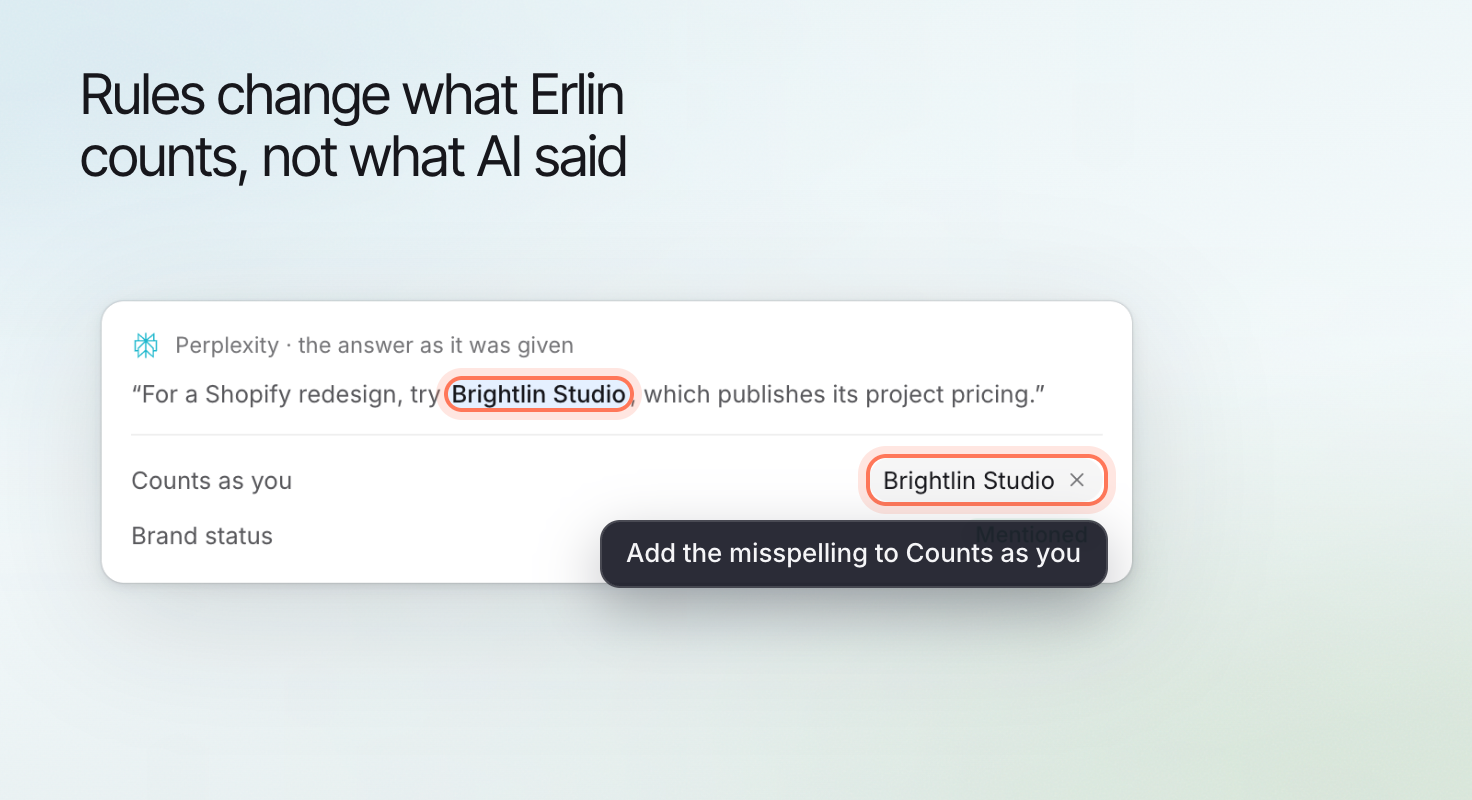
These rules affect recognition inside Erlin. They do not edit an external AI answer or make an AI platform recommend your business.
## 1. Start with an answer that needs checking
Open an answer in [Prompt details](https://www.erlin.ai/docs/ai-visibility/prompts/prompt-details) and read the surrounding text.
Decide whether it refers to your business. A spelling variation can refer to you, while an exact match can refer to another business or an everyday phrase.
Collect a few examples before changing the rules. Include a correct mention, a genuine misspelling and an unrelated use where one exists.
## 2. Open Brand mentions
Open the **Brand mentions** control from the AI Visibility or Prompts view.
Review the current brand name and existing rules before adding another variation. Use the business context to distinguish your brand from similar names.
## 3. Add variations that clearly refer to your brand
Add accepted names or misspellings that you have checked in context.
For a fictional business called Brightline Studio, "Brightline Studios" might be an accepted variation if the answer clearly refers to that business. Do not add "studio" on its own: it describes many unrelated businesses.
This is an illustration of how to choose a rule, not a claim about a specific matching algorithm.
| Example text | What to check |
|---|---|
| Correct brand name | Does the surrounding answer refer to your business? |
| A misspelled name | Is it a clear variation of your brand rather than another organization? |
| A shortened name | Is it specific enough to avoid counting unrelated references? |
| An everyday use of the same word | Does the answer mean the business at all? |
## 4. Check exclusions and matching options
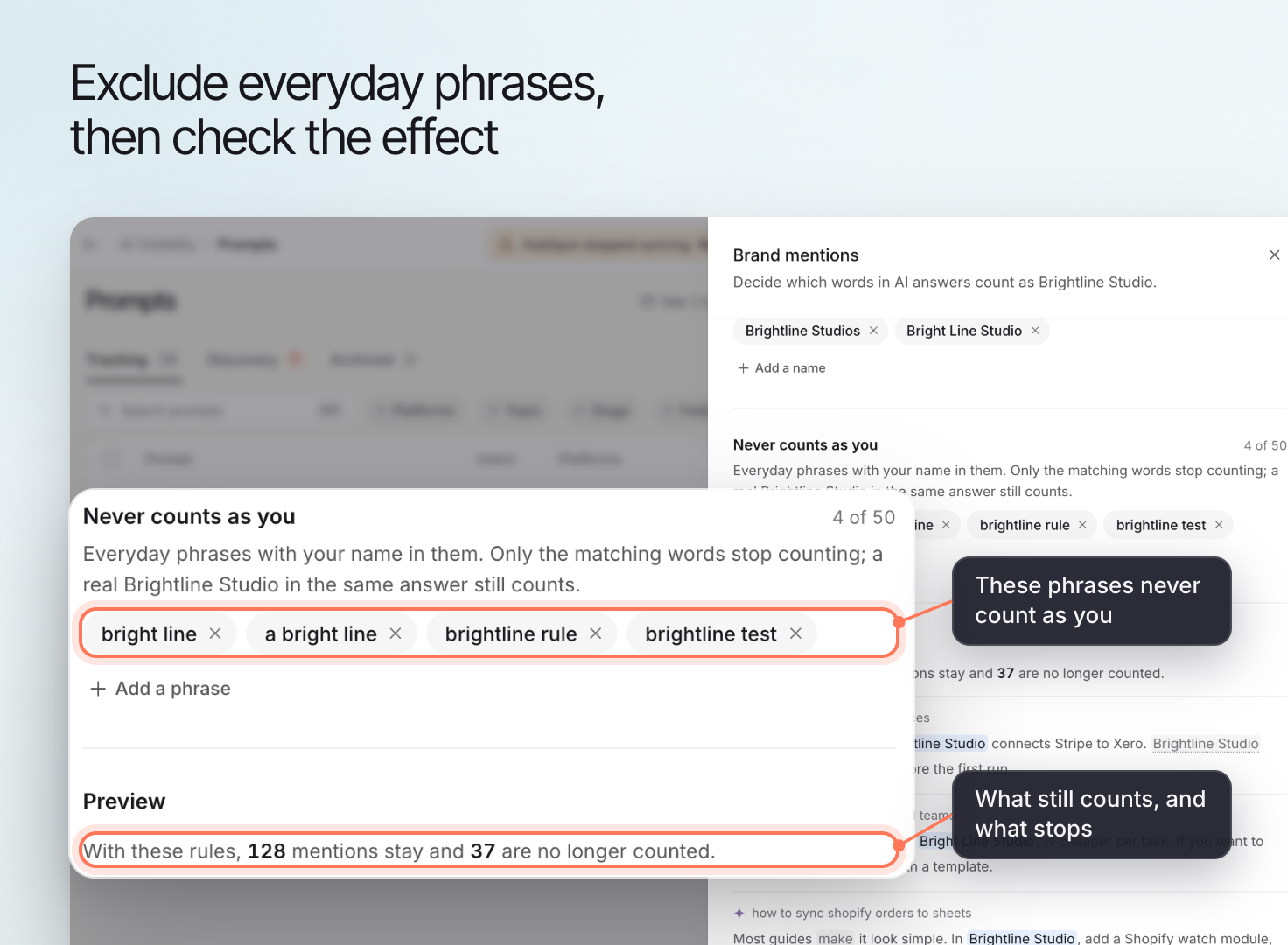
Use **Never counts as you** and **Add a phrase** for unrelated uses of the name. The **Short description** gives Erlin business context.
Avoid broad exclusions that could remove genuine mentions. Inspect **Preview** for both the matches you intended to change and the correct matches you want to keep.
Brand mention rules define which names and spellings Erlin should recognize as your brand in collected AI answers. You can add accepted variations, including misspellings.
These rules affect recognition inside Erlin. They do not edit an external AI answer or make an AI platform recommend your business.
## 1. Start with an answer that needs checking
Open an answer in [Prompt details](https://www.erlin.ai/docs/ai-visibility/prompts/prompt-details) and read the surrounding text.
Decide whether it refers to your business. A spelling variation can refer to you, while an exact match can refer to another business or an everyday phrase.
Collect a few examples before changing the rules. Include a correct mention, a genuine misspelling and an unrelated use where one exists.
## 2. Open Brand mentions
Open the **Brand mentions** control from the AI Visibility or Prompts view.
Review the current brand name and existing rules before adding another variation. Use the business context to distinguish your brand from similar names.
## 3. Add variations that clearly refer to your brand
Add accepted names or misspellings that you have checked in context.
For a fictional business called Brightline Studio, "Brightline Studios" might be an accepted variation if the answer clearly refers to that business. Do not add "studio" on its own: it describes many unrelated businesses.
This is an illustration of how to choose a rule, not a claim about a specific matching algorithm.
| Example text | What to check |
|---|---|
| Correct brand name | Does the surrounding answer refer to your business? |
| A misspelled name | Is it a clear variation of your brand rather than another organization? |
| A shortened name | Is it specific enough to avoid counting unrelated references? |
| An everyday use of the same word | Does the answer mean the business at all? |
## 4. Check exclusions and matching options
Use **Never counts as you** and **Add a phrase** for unrelated uses of the name. The **Short description** gives Erlin business context.
Avoid broad exclusions that could remove genuine mentions. Inspect **Preview** for both the matches you intended to change and the correct matches you want to keep.
 ## 5. Save and review the effect
Choose **Save** and read the confirmation before applying the change.
Then inspect a relevant answer and its mention result. Make sure the changed rule addresses the intended case without counting unrelated businesses.
A measurement change caused by a rule edit is different from a change in the underlying AI answer. Keep a record of the rule change when comparing periods.
## 5. Save and review the effect
Choose **Save** and read the confirmation before applying the change.
Then inspect a relevant answer and its mention result. Make sure the changed rule addresses the intended case without counting unrelated businesses.
A measurement change caused by a rule edit is different from a change in the underlying AI answer. Keep a record of the rule change when comparing periods.
 For the meaning of a mention-based result, see the [AI visibility metric](https://www.erlin.ai/docs/ai-visibility/metrics/ai-visibility). For incorrect factual statements about the business, inspect the answer and source separately; mention rules alone do not correct those statements.